This thread has been locked.

If you have a related question, please click the "Ask a related question" button in the top right corner. The newly created question will be automatically linked to this question.

#pragmaDATA_SECTION(variable, section_name) hangs up the link

In CCS4, when use #pragma DATA_SECTION(variable, section_name), the variable can't be used out of the file. If you do it, the link will be hung up. Here is the example: 

File_a.c:

#pragma DATA_SECTION(a, "section_name")

unsigned short a = 0;

main()

{

a = 100;

 }

File_b.c

extern unsigned short a;

Function_a()

{

a = 200;

}

When you compile and link, the link will hang up. Please help, thanks,

  • Hello,
    Please provide more information. We need:
    -What device you are using
    -What compiler version you are using
    -Explain what you mean when the link "hang up"

    Thanks
    ki
  • The device is TMS320 DM648
    The compiler version is: Code Composer Studio Version: 4.0.1.01001
    The "hung up" means that when you do Build Active project or Rebuild Active project, from the Console, you can see the compilation of each file passed. However, the linking will not complete. It stays there forever.
  • Zhilie Li said:
    The compiler version is: Code Composer Studio Version: 4.0.1.01001

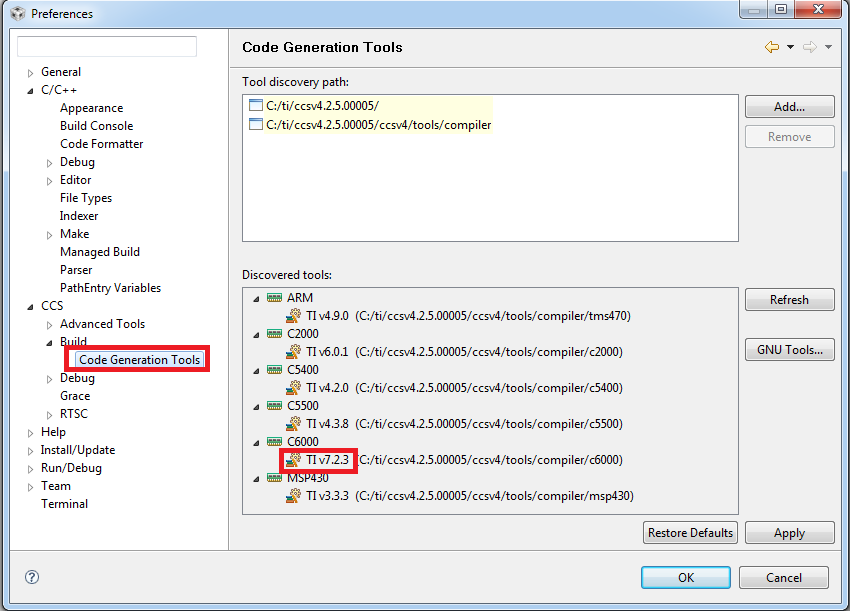
    That is the version of Code Composer Studio itself. We need the version of the C6000 compiler you are using:


    Note that your CCSv4 version is extremely old. I strongly recommend you update your CCS version.

    Thanks

    ki

  • I cannot copy the screen window here. It displays:

    Code Generation Tools
    Tool discovery path:
    C:/Program Files/Texas Instruments/
    C:/Program Files/Texas Instruments/ccsv4/tools/compiler

    Discovered tools:
    ARM
    4.5.1 C:/Program Files/Texas Instruments/ccsv4/tools/compiler/TMS470
    C6000
    6.1.9 C:/Program Files/Texas Instruments/ccsv4/tools/compiler/c6000
  • Thanks. 6.1.9 is very old. Is there any chance you can move to a later version of the build tools? You can update your compiler version but still use you existing CCS version (even though I strongly recommend you update your CCS version too)

    http://processors.wiki.ti.com/index.php/Compiler_Installation_and_Selection#CCSv4