


The auto update flagged that an update was available and clicked it to proceed. After update restarted CCSV6 and got the following error:
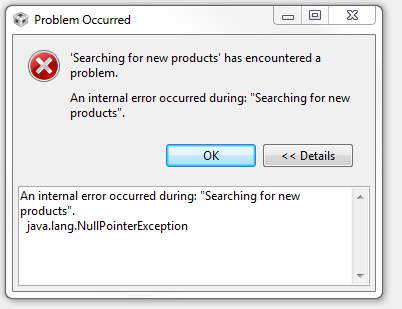
I had 4 projects in the workspace and all are empty. I loaded in another workspace and all those projects are empty.
If I right click the project the context menu is empty or missing items and if I click again they show up slowly. the main menu bar seems okay.
If I goto "Help\check for software updates" I get an info window stating: "Cannot complete the request. This installation has not been configured properly for software updates. See the error log for details."
In CCS installation details the Installed Software tab is empty, installation History gives an error message similar to above picture:
"An internal error occurred during: "Fetching Elements".
java.lang.NullPointerException"
The error logs in the workspace .metadata directory have 7 ".bak_n.log" files where n=0 to 7, and the .log file. They all have a lot of these:
!ENTRY org.eclipse.e4.ui.workbench 4 0 2015-03-24 16:34:07.675
!MESSAGE
!STACK 0
java.lang.NullPointerException
and
!ENTRY org.eclipse.equinox.p2.engine 4 0 2015-03-24 16:34:07.673
!MESSAGE Error parsing profile C:\ti\ccsv6\eclipse\p2\org.eclipse.equinox.p2.engine\profileRegistry\epp.package.cpp.profile\1427226158127.profile.gz.
!STACK 0
java.io.IOException: Premature end of file.
I've also tried closing all programs and rebooting the computer. nada!
