This thread has been locked.

If you have a related question, please click the "Ask a related question" button in the top right corner. The newly created question will be automatically linked to this question.

Why do I get different Team > Git options with different projects?


I have two projects open within CCSv6 both under git but give me totally different options under git.

Project 1:

Project 2:
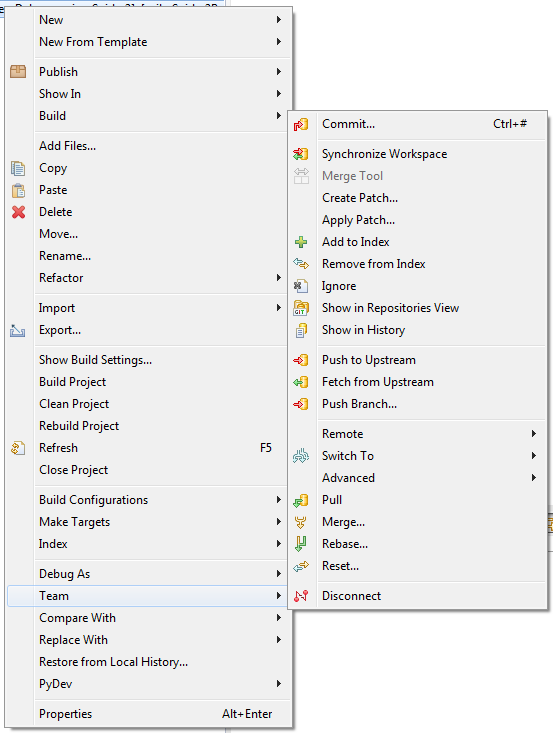
How do I change which view I get with a certain project?

  • Tom,

    I personally don't use GIT and can't explain why the project views are different (presuming these are both within the same perspective in CCS). Perhaps someone else in the community might be able to explain this difference.
  • Remote repository vs. local repository?

    /Michael
  • The views above are from the same perspective within CCS.
    This is a local repository.
    I originally saw the second view on a colleagues computer, we tried reinstalling CCS and updating all the plugins so that it would match the first view, the same as my computer and another different colleague, but it always gave the same view.
    When I created a new workspace and imported the project from the original workspace it then took the first view, I deleted my project and imported from the second workspace and now it shows the first view.
    I'm a little confused here, this has solved the problem on my machine but it would be useful to find a solution so that all projects and computers have the same view, or the ability to change the view.