This thread has been locked.

If you have a related question, please click the "Ask a related question" button in the top right corner. The newly created question will be automatically linked to this question.

CCS6 DEBUG PROBLEM

Other Parts Discussed in Thread: TMS320F28335

I am working on windows 7, 64 bit.

using CCS v6.0

Variant : 2833xDelfino , TMS320F28335

Connection: XDS100v1 USB Emulator

Compiler Version TI v6.2.5

One day before I updated my software and till yesterday it worked nicely.

But today morning, I started afresh to run a new program with new project.

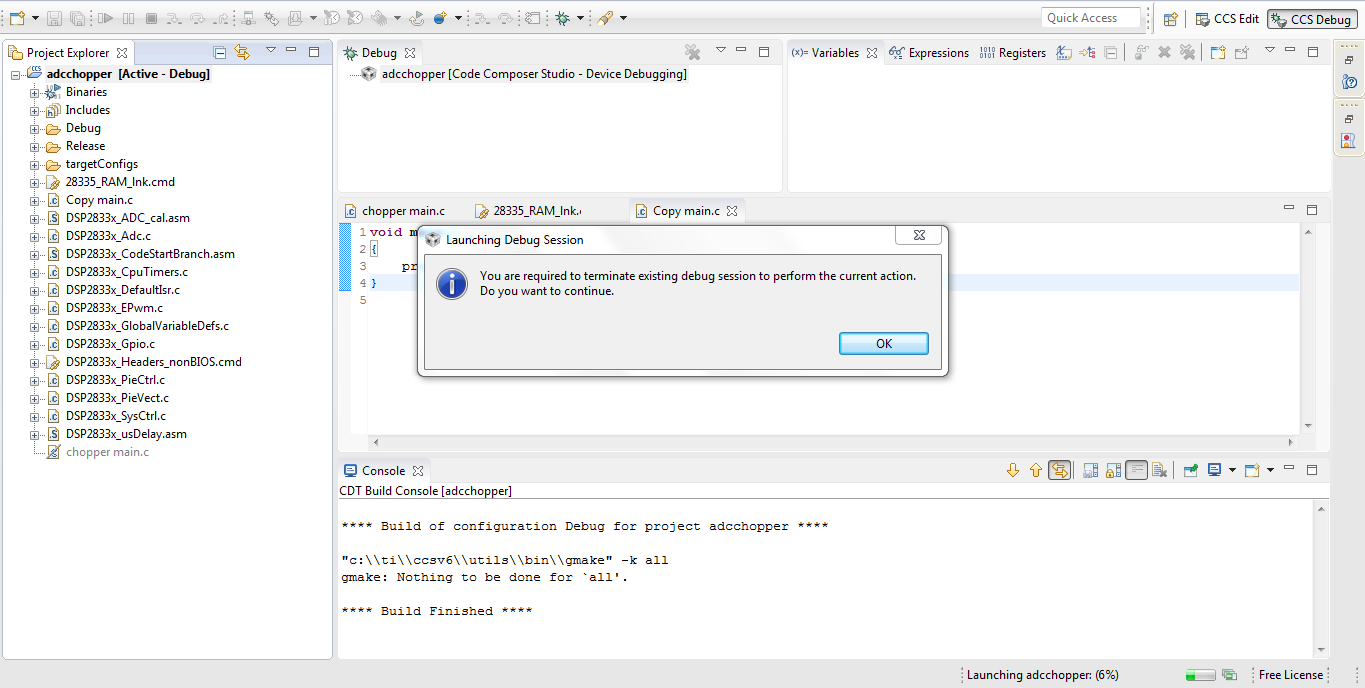
But when I try to debug the program, it gets debugged only 6% and then an error window popos up saying that

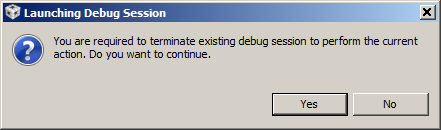
"You are required to terminate the existing debug session to perform the current action. Do you want to continue?"

Earlier, two options used to come in such case: yes or no

But, now it says only one option; ok and when I click on ok, nothing happens and debugging stops.

i have tried to run the program in new workspace, but the error remained same. Also, since the debug operation is not successful, so all other options to load program and to halt it are greyed.

Also, i can not find any button to terminate existing debugging session. 

Attaching a snapshot of the above said problem.

Waiting for your reply!

Nikita Gupta

research@ spii.it
  • Hi Alberto,

    Can you try switching to a new workspace?

    Regards,
    Gautam
  • I have tried, but that too didn't work.
  • Sir

    Is there any possible explanation for this error.
    I am in really bad situation.
    nothing is working.

    The error remains same after trying all possibilities.
  • Alberto,

    Could you please zip up and attach your project here so we can attempt to reproduce the behavior?
  • Alberto Guzzi said:
    One day before I updated my software and till yesterday it worked nicely.

    Do you know which components were updated? What is your exact version of CCS now?

  • adc_learning.zipadc_learning.zip

    Good Evening Aarti

    I have attached my zipped project with this reply.

    And while working on CCS v.6.0, a notification came on bottom right side saying "you are using an old version of this software, click here to update."

    I clicked on that so as to update my CCS version and lot of things were getting installed.

    Today i went to my PC'c control panel and I saw that there are two CCS versions installed: CCS v.6.0 and CCS v.6.1

    I uninstalled CCS v.6.1 version with hope that my old version might work.

    Kindly help me out to come out of this situation. And I heartfully thank whole TI community for such a quick response.

    With regards

  • Alberto Guzzi said:
    I have attached my zipped project with this reply.

    Thank you for attaching your project. I had to make some minor edits to the linker command file to get it the project to build. This may be due to a difference in the version of compiler that you and I are using, but after making the changes I was able to build and debug the project just fine. I ran the program, then tried starting a new debug session and the prompt came up as expected. I went through a couple of rounds of run, terminate, debug and everything worked as expected.

    Alberto Guzzi said:

    Today i went to my PC'c control panel and I saw that there are two CCS versions installed: CCS v.6.0 and CCS v.6.1

    I uninstalled CCS v.6.1 version with hope that my old version might work.

    I think this may have corrupted your CCS installation. If you did not have two completely separate installations of CCSv6 to begin with, then most likely the updates you picked up would have updated your CCS 6.0 version to CCS 6.1. In that case, uninstalling 6.1 from Control Panel would've surely messed things up. Moreover an uninstall of CCS via Control Panel is usually not very clean and complete. To get a clean uninstall we advise users to simply delete the entire directory where CCS was installed. 

    I'm very sorry for the inconvenience, but in this case, it may be best for you to do a clean installation of CCS 6.1.0 in a different folder. Or if you wish to reinstall to the same folder as before, then be sure to completely wipe out your existing installation before starting the new install. You can download CCS 6.1 from http://processors.wiki.ti.com/index.php/Download_CCS

  • Thanku AartiG for your time and concern and such a detailed explanation.

    Now as you have mentioned that you faced some problem with linker command file.

    Actually I am also receiving two warnings.

    These warnings say:-

    1. creating .cio section without section specification

    2. creating .sysmem section without section specification

    Are these critical warnings? Is this is the reason that program is not getting debugged?

    If yes, then can you let me know the changes I need to make in Linker Command File?

    With regards

  • Hello Aarti

    Many many thanks to you for suggesting me to uninstall the old version of CCS and install the new one from the link you sent.
    Debugger is correctly working now :)

    I would be obliged if you can throw some light on use of .esysmem and .cio section specifications.

    As i browsed about them, I got to know that both belong to data memory and .esysmem and .sysmem sections are for allocating dynamic memory for malloc functions and far malloc functions.

    I was getting section specification error about memory is not sufficient for .esysmem and .stack
    and i change their allocation to RAML6 (default was RAMM1) and errors were gone.

    But still there is a warning about "creating .esysmem section with default size of 0x400; use the heap out option"
    If I increase heap memory, stack error comes.

    Basically there is some confusion about sizing and allocation of these sections.

    With Regards and many many thanks
  • Alberto Guzzi said:
    Many many thanks to you for suggesting me to uninstall the old version of CCS and install the new one from the link you sent.
    Debugger is correctly working now :)

    Glad to hear the debugger is working well after the reinstall.

    Alberto Guzzi said:
    As i browsed about them, I got to know that both belong to data memory and .esysmem and .sysmem sections are for allocating dynamic memory for malloc functions and far malloc functions.

    That is correct. More info on the different sections generated by the compiler is in the this wiki page as well as the Compiler Users Guides.

    Alberto Guzzi said:
    I was getting section specification error about memory is not sufficient for .esysmem and .stack
    and i change their allocation to RAML6 (default was RAMM1) and errors were gone.

    Yes, you need to make sure that there is sufficient space available in the memory region for allocating a section. If the section size is too large to allow it to fit into the memory it is allocated to, you would need to move it to another memory region with sufficient space or try to reduce the size of the section. In this case, you can adjust the size of stack and heap sections (from Project Properties->CCS Build->Linker->Basic Options) or modify the linker command file to allocate .stack and .esysmem to a different RAM region, as you have already done. 

    Alberto Guzzi said:
    But still there is a warning about "creating .esysmem section with default size of 0x400; use the heap out option"

    If you do not explicitly set a heap size (under Project Properties->CCS Build->Linker->Basic Options), then the linker will default it to a size of 0x400, and that is what this message is saying. The message can be ignored as long as that heap size is sufficient for your application to work properly. Some general guidelines on stack and heap size requirements is in this page: http://processors.wiki.ti.com/index.php/Stack_and_Heap_size_requirements

  • Thank You AartiG

    Your support was extremely useful.

    Thanks a lot to TI community.

    with regards