Other Parts Discussed in Thread: SYSBIOS
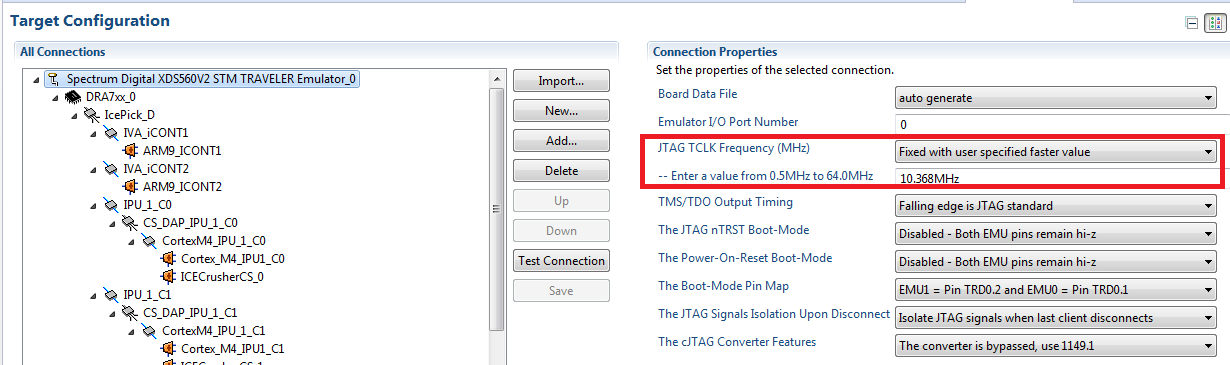
I am getting below error when I test the conenction in target configuration file.
[Start]
Execute the command:
%ccs_base%/common/uscif/dbgjtag.exe -f %boarddatafile% -rv -o -F inform,logfile=yes -S pathlength -S integrity
[Result]
-----[Print the board config pathname(s)]------------------------------------
C:\Users\kz0wz6\AppData\Local\.TI\693494126\
0\0\BrdDat\testBoard.dat
-----[Print the reset-command software log-file]-----------------------------
This utility has selected a 560/2xx-class product.
This utility will load the program 'sd560v2u.out'.
Loaded FPGA Image: C:\ti\ccsv5\ccs_base\common\uscif\dtc_top.jbc
The library build date was 'May 6 2013'.
The library build time was '22:11:54'.
The library package version is '5.1.114.0'.
The library component version is '35.34.40.0'.
The controller does not use a programmable FPGA.
An error occurred while hard opening the controller.
-----[An error has occurred and this utility has aborted]--------------------
This error is generated by TI's USCIF driver or utilities.
The value is '-181' (0xffffff4b).
The title is 'SC_ERR_CTL_NO_TRG_CLOCK'.
The explanation is:
The controller has detected a dead JTAG clock.
The user must turn-on or connect the JTAG clock for the target.
[End]
The same is seen when I use the dbgjtag.
CCS5 is used.