This thread has been locked.

If you have a related question, please click the "Ask a related question" button in the top right corner. The newly created question will be automatically linked to this question.

CCS 6.1.0.00104 startup error message, Windows 10 pro 64 bit

I keep getting this error message after installing MSPWare and TI-RTOS for MSP43x to use with my newly acquired MSP432 Launchpad.

'Searching for new products' has encountered a problem.

An internal error occurred during: "Searching for new products".

When I click on the 'Details>>' box, i get the following:

An internal error occurred during: "Searching for new products".

Could not initialize class

org.eclipse.rtsc.project.core.extdiscovery.ExtensionSiteDiscoveryManager

  • Can you try disabling the automatic search for new products and try to do it manually after startup?

    To disable the automatic check, go to menu Windows->Preferences->Code Composer Studio->RTSC->Products and uncheck box "Search for new products each time Code Composer Studio is started", and then restart CCS.

    After CCS starts up, go back into the same menu. If MSPWare and TI-RTOS for MSP43x are not listed under Installed products, then click on Search Now. This should pop-up the new products discovered and you can try enabling them from there.

  • Just tried it and it does not work. On furthur investigation, i found that when i uncheck the box and click 'apply' it remains unchecked. But when i click 'ok' and return to the option using 'Windows->Preferences->Code Composer Studio->RTSC->Products ',   it shows up as being checked, so that is why restarting ccs still brings up the same message.

  • David Nyarko said:
    But when i click 'ok' and return to the option using 'Windows->Preferences->Code Composer Studio->RTSC->Products ',   it shows up as being checked, so that is why restarting ccs still brings up the same message.

    That is very odd and I can't explain why the setting would not be preserved. Does restarting CCS or even restarting your PC help at all?

  • Restarting my PC or restarting CCS did not help.

    When using the 'Windows->Preferences->Code Composer Studio->RTSC->Products '  after clicking 'OK' to exit the screen, i get the following message

    An error has occurred. See error log for more details.
    org/eclipse/osgi/framework/internal/core/BundleContextImpl

    I dont know where the error log is located

  • I wonder if your CCS installation itself is somehow corrupted or did not go right for some reason. I know it is not ideal, but would you mind trying a full uninstall (basically just delete the entire directory where CCS was installed) and then a reinstall to see if that fixes the issue?

  • Uninstalled and reinstalled CCS 6.1 and now it works. Able to run an example TI-RTOS example on my MSP432 board.

    Thanks

  • I am facing the same problem. I uninstalled CCS but not able to reinstall it again. Can you please mention the other folders i need to delete in order to get installed again?

    Jose thomas

  • Hi Jose,

    Can you explain what failures you see when you try to install CCS? Btw, we're on version 6.1.2 now. Is there any reason you're trying to install version 6.1.0?

    Danish

  • Hi Danish,

    The installation stopped while installing a exe file during the installation.

    I was working with MSP USB  microcontrollers for quite some time and i have installed software packages like TouchPro, Ware, etc.... In order to install TiVA I need to reinstall the software after uninstalling deleting all Texas instruments packages. I did so afterwards found out that the workspace link was causing  a failure in installation so i moved the workspace folder under a another folder. Then again ran the installation and this time it stopped on installing exe file.

    I was able to install CCS on a another machine to carry out my work. 

    Thanks

    Jose Thomas

  • Hi Jose,
    Can you zip up the contents of the <installdir>/ccsv6/install_logs* folders and post the zip file here, please? I'll take a look and try to figure out what's going on.
    Danish
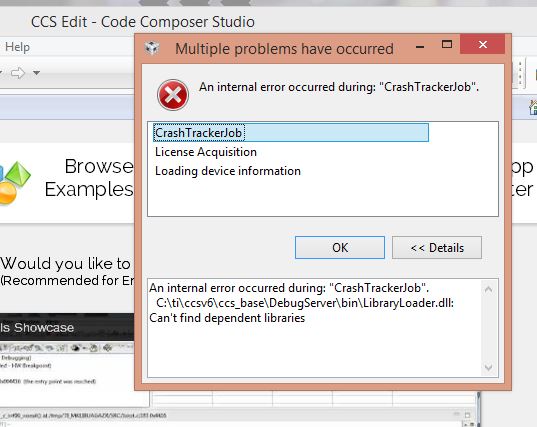
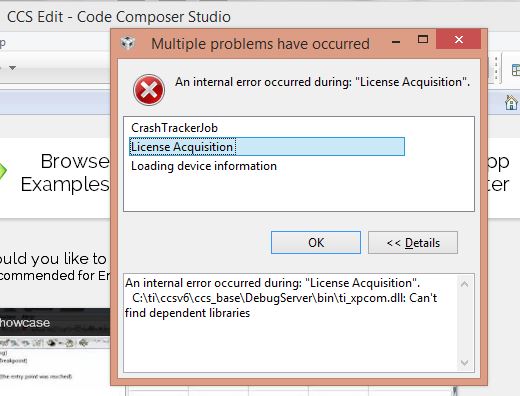
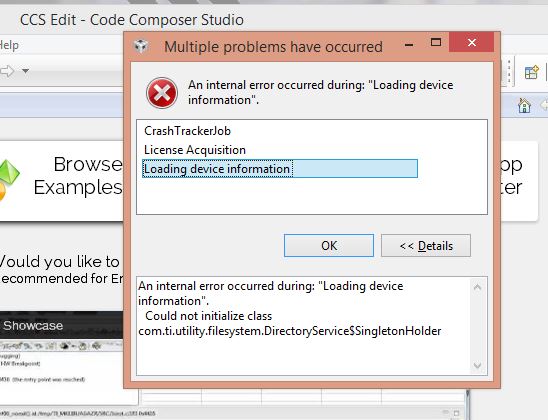
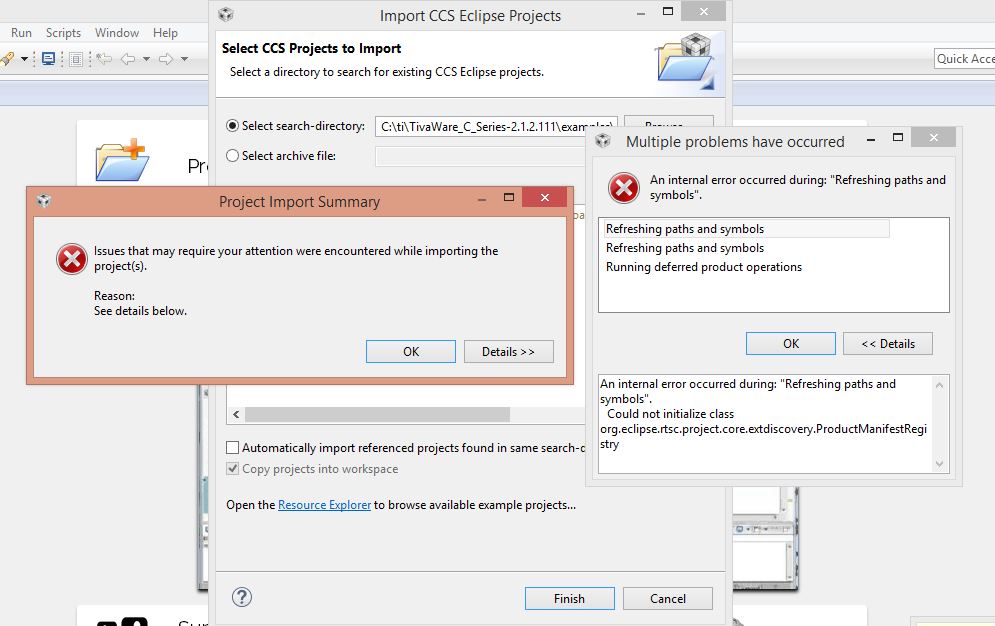
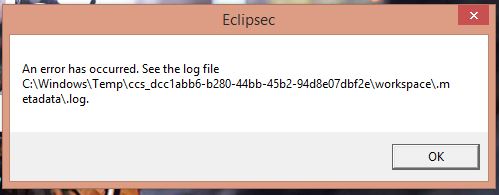
  • i am attaching all log files in zip format.And images showing error messages.

    Please give me solution to this problem.

    2063.install_logs.zip

    These errors are prompting at every start of CCS.

    This was at the time of building the example code of blinky.

    this error was prompt at the installation time.

  • Sir.
    I solved that errors.You just have to install some missing DLL files of 32 bits.
    Alternatively you can install x64 and x86 MSVC redistributable from Microsoft site if your PC is 64 bit.
    Thanks.

    Dhruvil Koshti