This thread has been locked.

If you have a related question, please click the "Ask a related question" button in the top right corner. The newly created question will be automatically linked to this question.

Build: files not saved


Hello,

My configuration: Seven64 + CCS6.0.0 + ICEV2 + one project: full ethercat.

I search for the option to automatically save the modified file before build with the 'debug' button (green insect) (this action work properly with the CCS3.3 version):

I find this old post but It didn't answer to my question:

"e2e.ti.com/.../89567"

Have you worked since for that ?

Regards.

JM

  • JM,

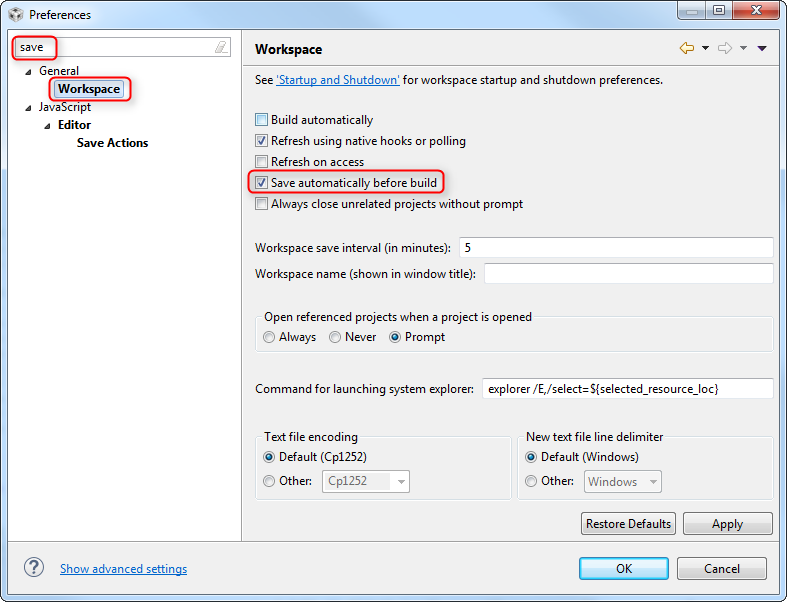
    CCS should save automatically prior to a build (in this case a build happens if needed when you click debug).  Can you check if the option is set.

    Go to Window -> Preferences

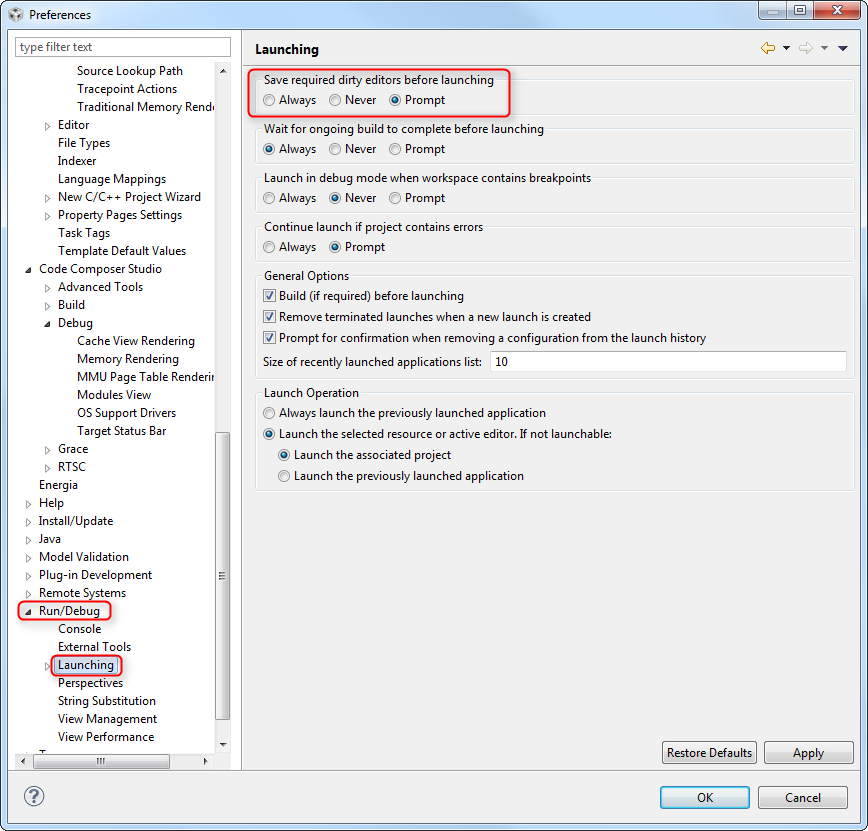
    Type save in the filter box at the top left.  Then check the option as shown below

    If that box is already checked can you take a capture of that file in the project explorer?  I want to see what the icon looks like.  Do you get the same behavior if you edit bootmode.c?

    Regards,

    John

  • Hi John,

    and thank you for the response.

    In the preference/Save window the options was correctly set as you recommended it.

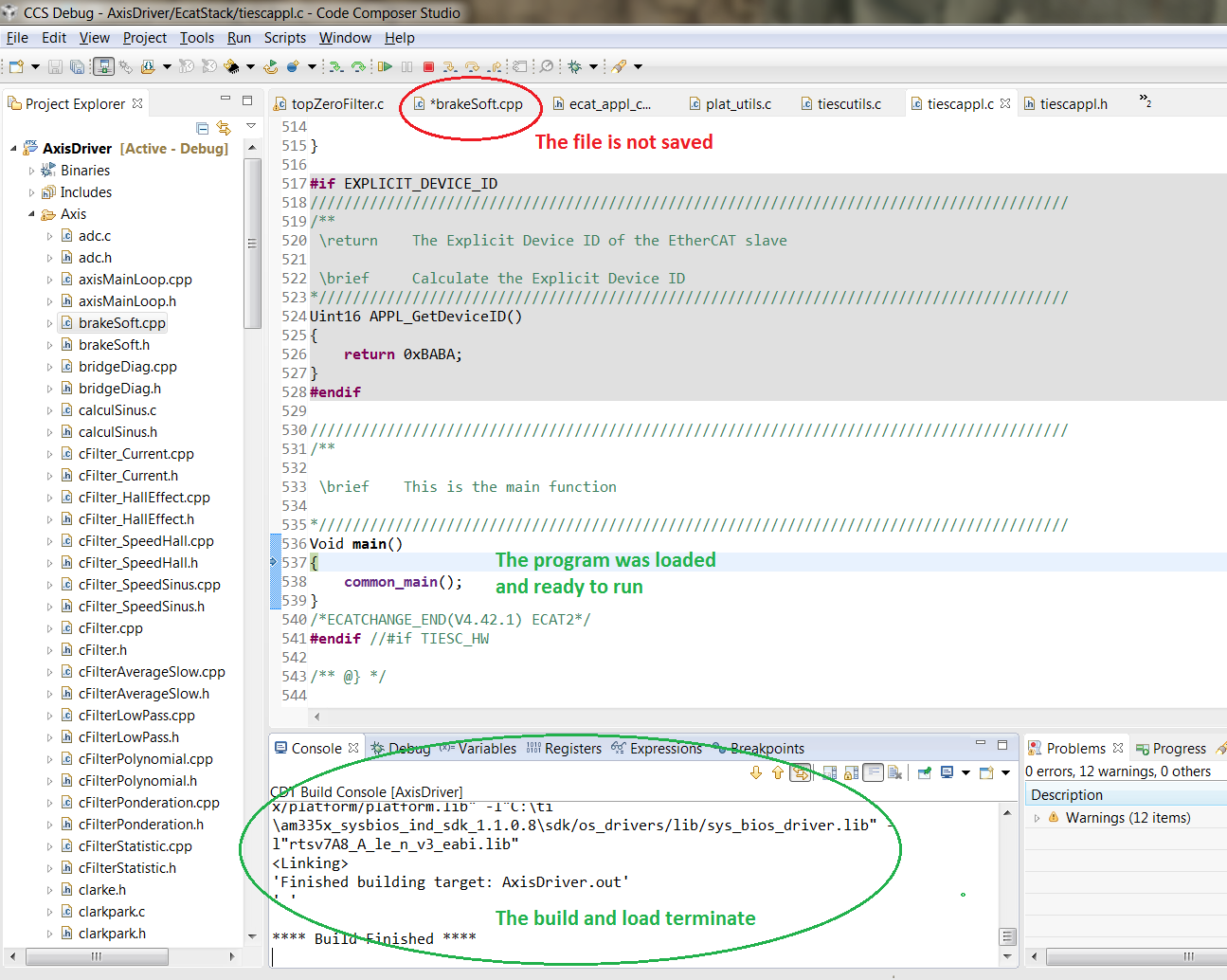
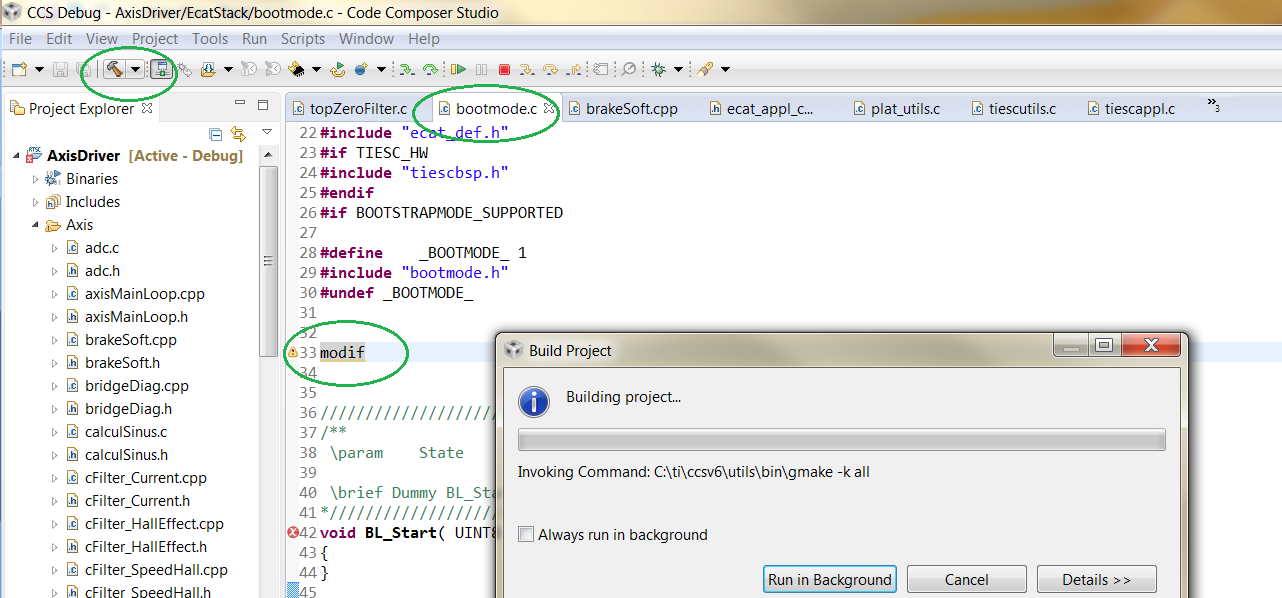
    Below, the capture of the workspace before and after the build/load:

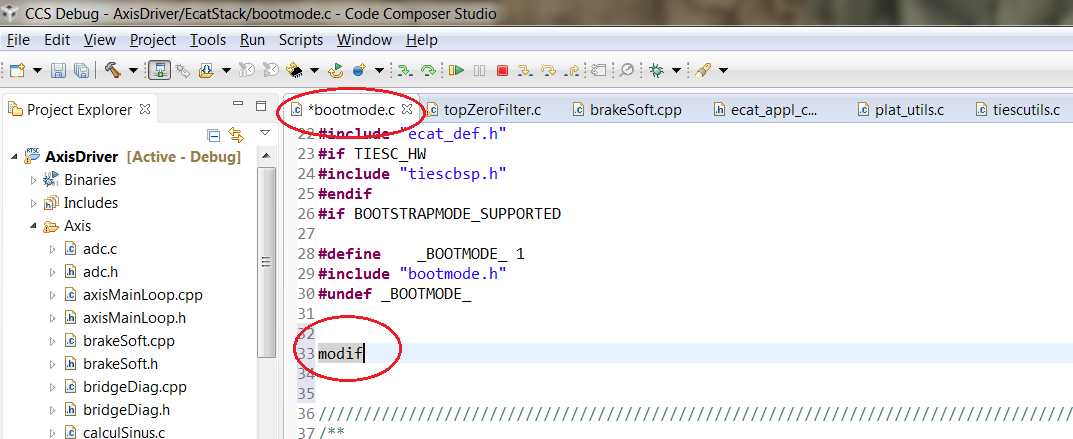
    Same behaviour with the bootmode.c file:

    An observation: If I build with the Build button, it's ok.

    I try this experience on another Pc.

    JM

  • I was wondering if it was an issue with the file being in a subfolder.  But I created a project with a subfolder and could not reproduce.

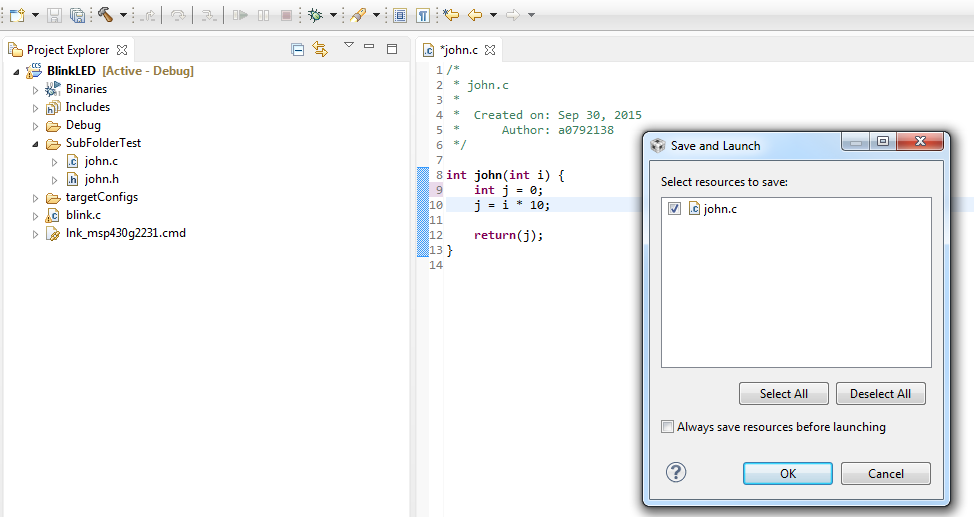
    For me when I click the build button it automatically saves the changes.  If I click the bug button I get a dialog prompting me to save:

    I am going to search around to see if I can find any other settings that may be causing the differences between what you and I see.

    John

  • I believe I found the setting.  If I change the setting below to Never then I see the same that you do.  With it as prompt I see the dialog that I see and if I change to always then it just saves without asking me.

  • Hi John,
    yesterday I rename my project to oldAxisDriver and I download the last committed AxisDriver project.
    The bug don't appear on this version.
    This morning I re-import my old project oldAxisDriver and try to repeat the bug, it's ok now !! with nosense !
    As shown in your reply and in this old post "e2e.ti.com/.../89567" I set these options to configure my build behaviour.
    Thank you for your help.
    JM
  • Hello John,
    Sorry for this late post but I was busy on another project...

    In fact, if I rename my project with the 'bug' and I rebuild it, it's ok !
    I think that the problem come from a bad tmp file, I delete the Debug folder, same result.
    If I compare with WinMerge the two AxisDriver project, no difference except the file: .settings/org.eclipse.core.resources.prefs.

    The bad project generate more lines in this file :
    encoding//Debug/Axis/subdir_rules.mk=UTF-8
    encoding//Debug/Axis/subdir_vars.mk=UTF-8
    encoding//Debug/EcatStack/subdir_rules.mk=UTF-8
    encoding//Debug/EcatStack/subdir_vars.mk=UTF-8
    encoding//Debug/Platine/subdir_rules.mk=UTF-8
    encoding//Debug/Platine/subdir_vars.mk=UTF-8
    encoding//Debug/makefile=UTF-8
    encoding//Debug/objects.mk=UTF-8
    encoding//Debug/sources.mk=UTF-8
    encoding//Debug/subdir_rules.mk=UTF-8
    encoding//Debug/subdir_vars.mk=UTF-8

    I think that the problem comes from a hidden file created by CCS but where ? that the question.....
    I think that it's more important to understand what append but I didn't have enough time to spend to find it.
    I will continue with my old committed project..
    Thank you for your help.
    JM