This thread has been locked.

If you have a related question, please click the "Ask a related question" button in the top right corner. The newly created question will be automatically linked to this question.

Memory overflows with a XDS560v2 System Trace.

Other Parts Discussed in Thread: CCSTUDIO

Hello,

I am working with CCS Version: 6.1.0.00104 and a spectrum digital XDS560v2 System Trace.

On my computer all program and data are located on SSD.

My computer has 16 Go of memory.

When I want to store a trace from XDS560v2 to SSD, it’s very slow to select a part of the trace.

The last time I try it I got a “memory overflow error” and then the CCS crashes.

Is it possible to allow more memory to CCS and XDS560v2 ?

Thanks for your help

Jerome

  • Jerome,

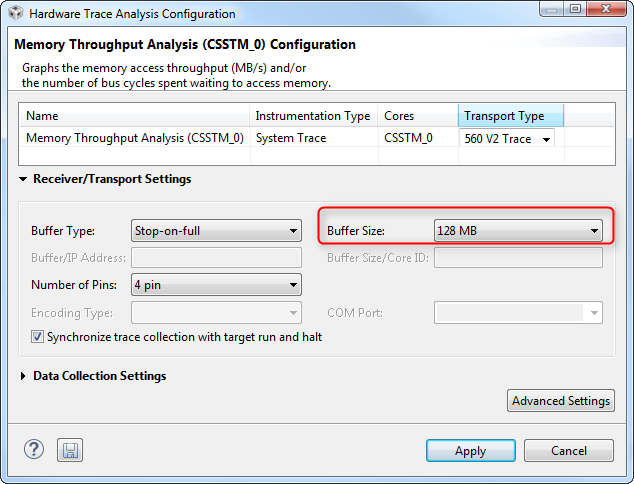
    I have a PC with very similar features and I was able to capture a very extensive trace data (128MB on my XDS560v2) without a problem - I am using all the default Eclipse heap settings. However, the amount of data collected is simply too large to be processed in a timely fashion - in other words, every operation takes a long time of processing before it completes - thus CCS looks frozen in between each step.

    In this case, I strongly suggest you to experiment with the ccstudio.ini settings of -Xmx and -Xms, as well as the data collection size of your trace job, which is set in the Trace job main panel

    Hope this helps,

    Rafael