This thread has been locked.

If you have a related question, please click the "Ask a related question" button in the top right corner. The newly created question will be automatically linked to this question.

Code Composer Studio Target Configuration of Beaglebone Black

Other Parts Discussed in Thread: AM3358, AM3359

Hello everybody,

I'd like to try out some examples of the Starterware library for Sitara using the beaglebone black platform. I created a new target configuration ccxml file and I selected the XDS100V2 TI Emulator and the Beaglebone Black for the target. As shown in the attached image, when I checkout the settings of the automatically created ccxml file, I find that the processor is AM3359 instead of AM3358. I know that this name is editable by double-clicking on it. But it is confusing to see that for the first time.

Best regards,
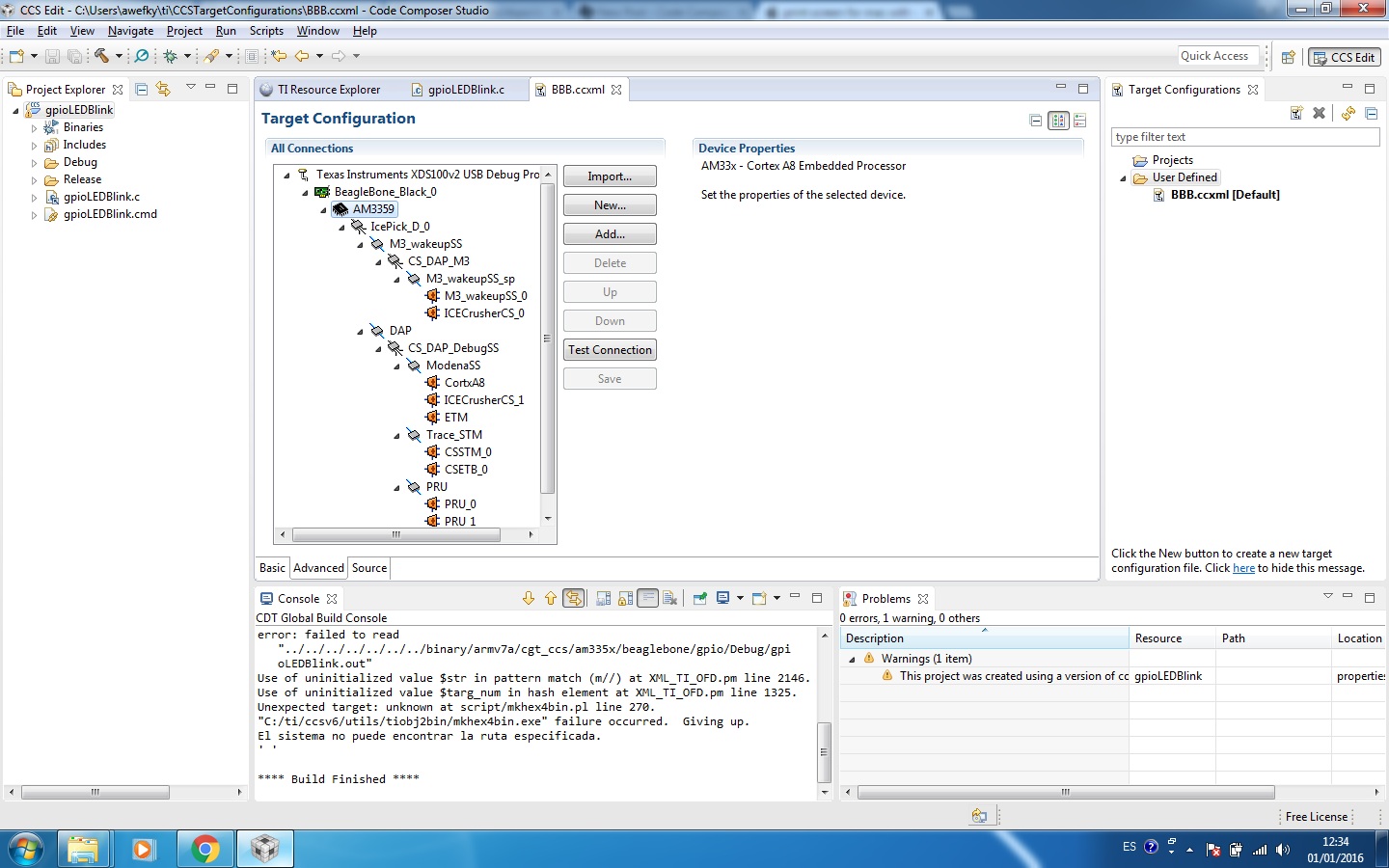
  • Ahmed Wefky said:
    As shown in the attached image, when I checkout the settings of the automatically created ccxml file, I find that the processor is AM3359 instead of AM3358. I know that this name is editable by double-clicking on it. But it is confusing to see that for the first time.

    Looking at http://elinux.org/Beagleboard:BeagleBoneBlack shows that the initial Beagle Bone black rev A had an AM3359 fitted, but starting from rev B an AM3358 was fitted. I guess the CCS BeagleBone_Black ccxml was originally created for the rev A boards and hence was set for an AM3359.

    One difference between the AM3358 and AM3359 is that the maximum Cortex-A8 CPU clock is 800Mz in the AM3359 but 1000MHz in the AM3358.

    If you want maximum performance, worth checking what frequency the CPU clock has been set to.