A related question is a question created from another question. When the related question is created, it will be automatically linked to the original question.
If you have a related question, please click the "Ask a related question" button in the top right corner. The newly created question will be automatically linked to this question.
The start address of MSP432 flash would be 0x0000_0000 since the flash memory region exists between 0x0000_0000 and 0x003F_FFFF, however per the Uniflash Quick Start Guide TWiki page it appears that no MSP devices are yet supported: processors.wiki.ti.com/.../UniFlash_Quick_Start_Guide
Edit: Although not yet supporting MSP430 devices, this thread seems to imply that uploading firmware to the MSP432 with Uniflash is possible:
Moving this thread to the CCS forum for further clarification.
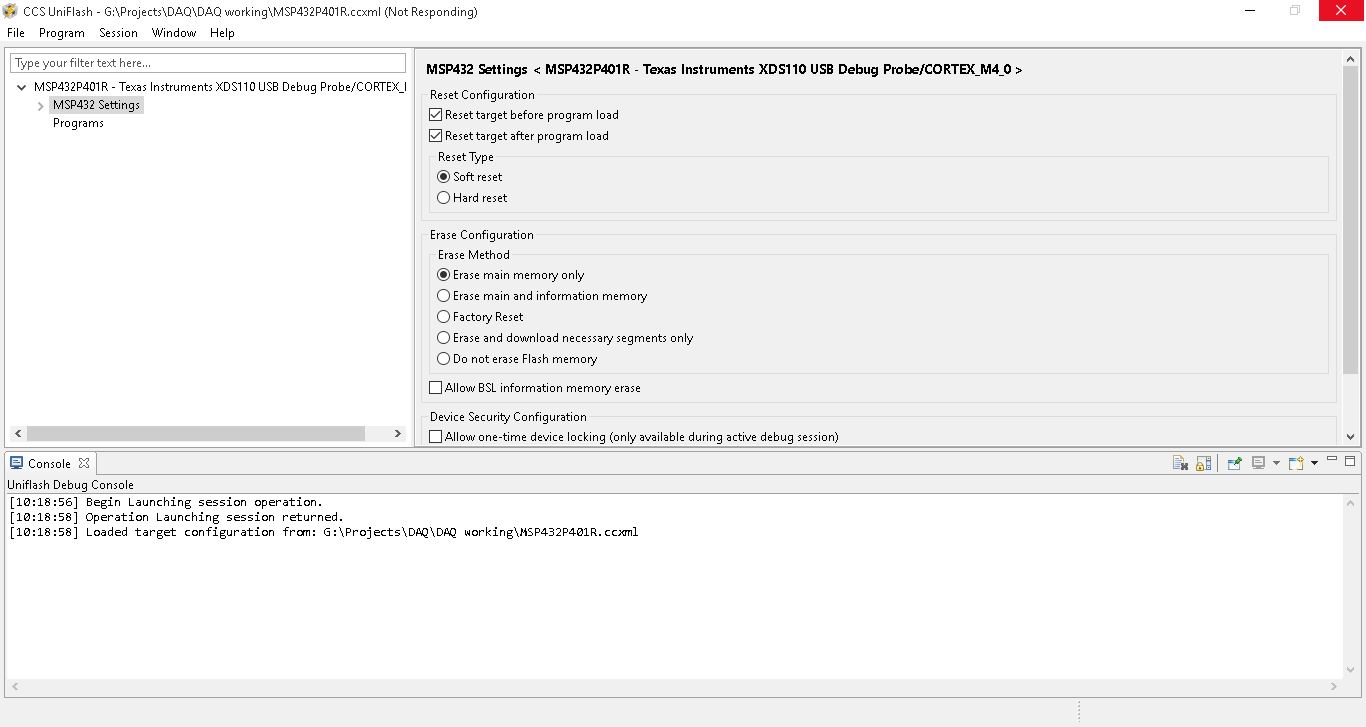
I used Uniflash, I have loaded the .ccxml by going to file->open Target configuration, Then i clicked on load program and loaded the .bin file and I have given the start address as 0x0000_0000.After all this procedure when I click on 'OK' it is taking more time to load and it is showing 'Not Responding'. Can you please tell What is the problem.
Can you confirm that your LaunchPad drivers are properly installed on your computer? The COM ports "XDS110 Class Application/User UART" and "XDS110 Class Auxiliary Data Port" should exist inside of your Device Manager. Furthermore, are you able to program the LaunchPad using another tool such as CCS, IAR, or Energia?