


Other Parts Discussed in Thread: CC2650
I have been using the CC2650 SensorTag and XDS110 debugger devpack for a couple of weeks now with CCS cloud. I was able to debug and program multiple boards using multiple debuggers on multiple computers until earlier on Monday evening when I was prompted to install new drivers (this occurred on multiple computers where the drivers had already been installed). After installing the new drivers I have been unable to connect to any of my debugger devpacks. I get the following error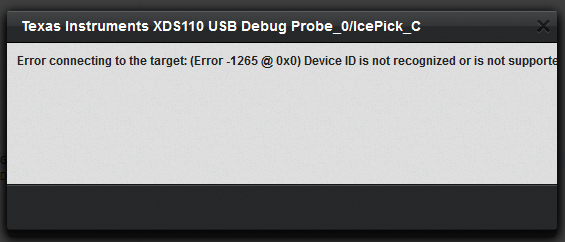
The debug window displays the following messages:
Cortex_M3_0GEL: Error loading file 'C:\Users\Carlton\AppData\Local\TEXASI~1\TICLOU~1\loaders\DSLite\emulation\gel\cc26xx_xds.gel': unable to open GEL file 'C:\Users\Carlton\AppData\Local\TEXASI~1\TICLOU~1\loaders\DSLite\emulation\gel\cc26xx_xds.gel'
 Cortex_M3_0GEL: Error while executing StartUp( 6, 2, 0, 1625 ): 'DefineResets()' not found at DefineResets(0) [cc26xx.gel:18] at StartUp(6, 2, 0, 1625)IcePick_C: Error connecting to the target: (Error -1265 @ 0x0) Device ID is not recognized or is not supported by driver. Confirm device and debug probe configuration is correct, or update device driver. (Emulation package 6.0.83.1)