Other Parts Discussed in Thread: LAUNCHXL-F28069M, TMS320F28069M, CONTROLSUITE, POWERSUITE
Hi!
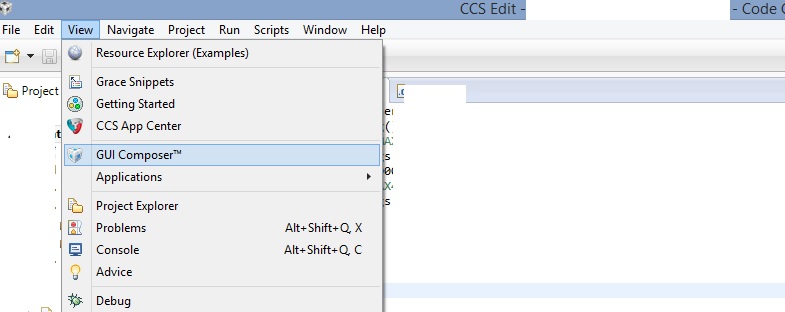
I'm working on Digital power booster pack with TMS320F28069M LaunchPad (LAUNCHXL-F28069M). Following the tutorial on control suite, I realized that I cannot find gui composer in CCS view menu. Verson of my CCS is v6.1.2, and I've done latest updates. Also, instaled version of gui composer is v6.1.1.0 (the latest version). Working on Windows 7, Service Pack 1.
When I do tutorial steps in controlSUITE: ControlSUITE/English/powerSUITE/Development Kits/Digital Power BoosterPack/Documentation/User Guide ; on page 18, step 13, I don't see window in gui composer, CCS don't alarm any problems , and if I continue tutorial without using gui composer window, it remembers closed loop, and I can finish tutorial.
What should I do to make gui composer work? Thanks,
-Even