This thread has been locked.

If you have a related question, please click the "Ask a related question" button in the top right corner. The newly created question will be automatically linked to this question.

Ubuntu 14.04 COM port not recognised in CCS

Hi. i have a problem by trying to transfer the information from the MSP to the CCS V6.1.2.00015 terminal.
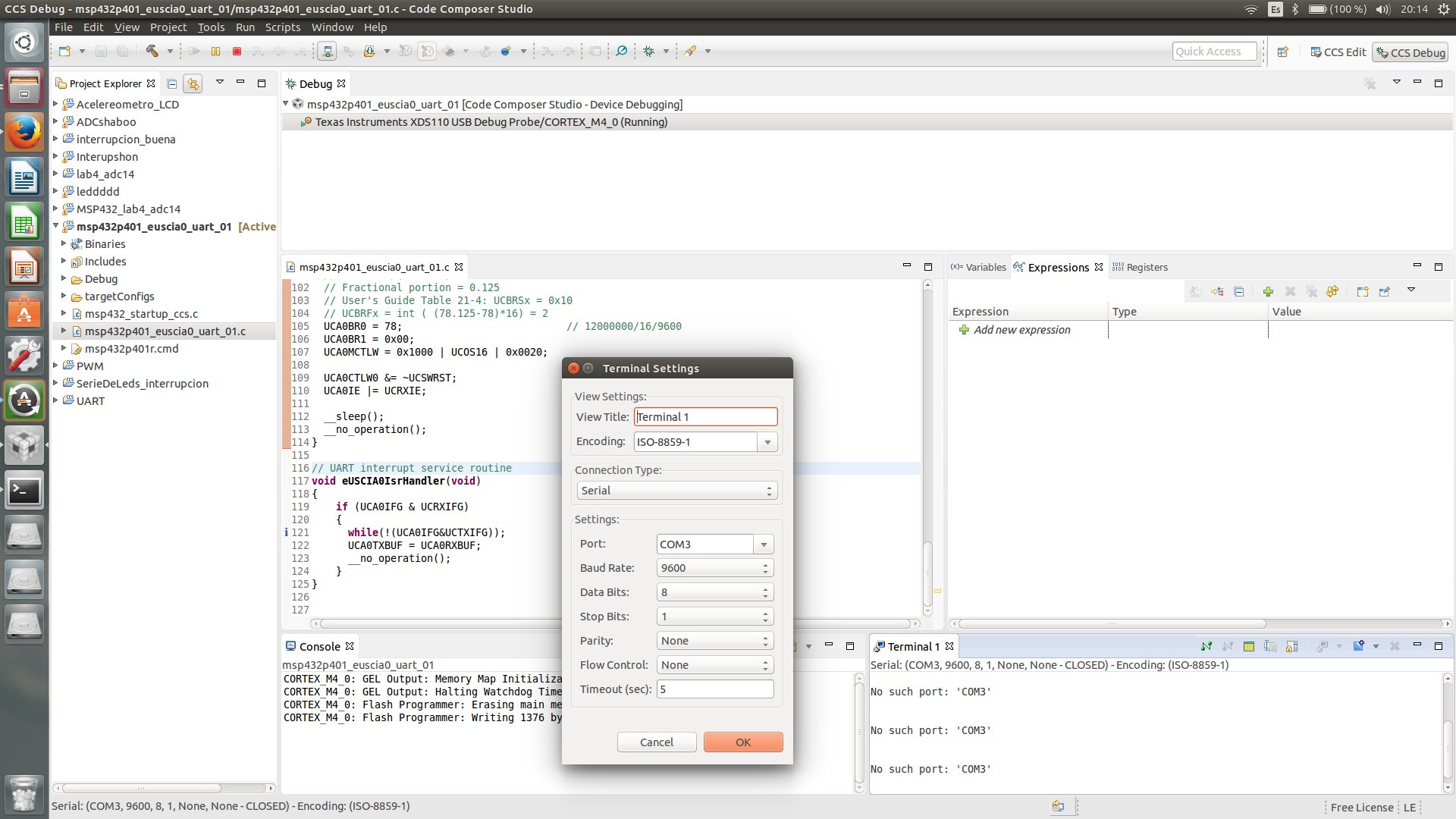
 I open the code composer as a Super User (sudo), CCS is not recognising the COM3 because it is closed??, if that is the problem, how can I open that port it in ubuntu??

I am using the UART example from MSPware in my msp432

Thank you.

  • Josue Pareja said:
     I open the code composer as a Super User (sudo), CCS is not recognising the COM3 because it is closed??, if that is the problem, how can I open that port it in ubuntu??

    Serial ports are labelled as COM* in Windows.

    In Linux serial ports connected by USB are accessed by either /dev/ttyACM* or /dev/ttyUSB* devices (depending on the device type).

    Under Linux after plugging in a USB serial device, such as a Launchpad, I look for new devices under /dev/ttyACM* or /dev/ttyUSB* and then use the new device name as the Port in the CCS Terminal Settings dialogue.

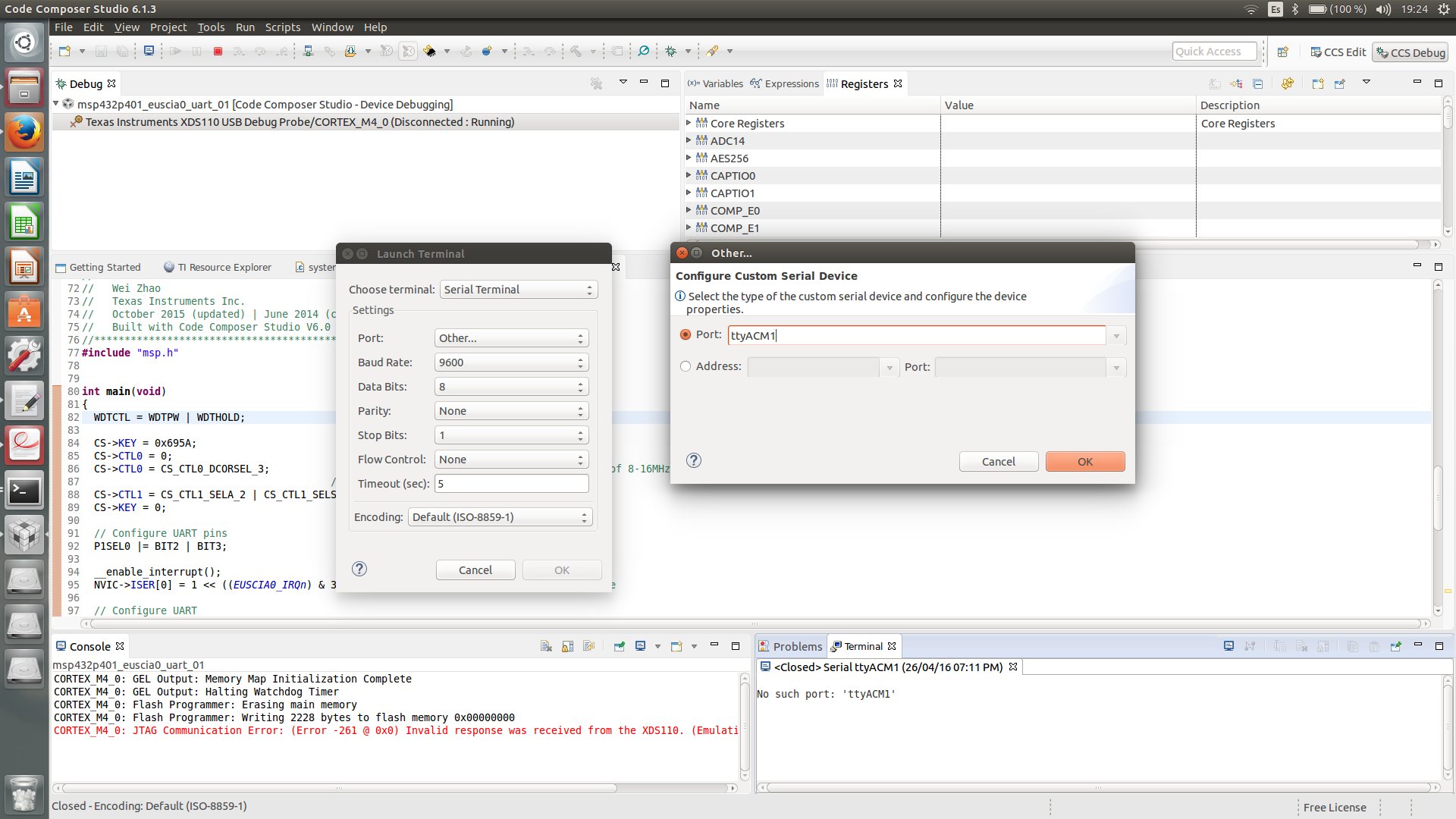
  • Hi  Chester, thanks for your answer, so I went to /dev and i realize that the ttyACM0 and ttyACM1 appear when I plug in my msp432. I go to my ccs, open a terminal and put the name devices in Port option.

    I don't know if I am doing it well, but the port is not  recognized.

  • Hi,

    As Chester mentioned, try /dev/ttyACM1, not just ttyACM1.

    --Cheers
  • Josue Pareja said:
    Hi  Chester, thanks for your answer, so I went to /dev and i realize that the ttyACM0 and ttyACM1 appear when I plug in my msp432.

    For the MSP432 Launchpad you should use /dev/ttyACM0 which is the Applixation UART connected to the MSP432 device.

    [/dev/ttyACM1 is the Auxillary Data Port on the XDS110 emulator]