A related question is a question created from another question. When the related question is created, it will be automatically linked to the original question.
If you have a related question, please click the "Ask a related question" button in the top right corner. The newly created question will be automatically linked to this question.
CCS v6.1.3 'Updating Software' has encountered a problem.
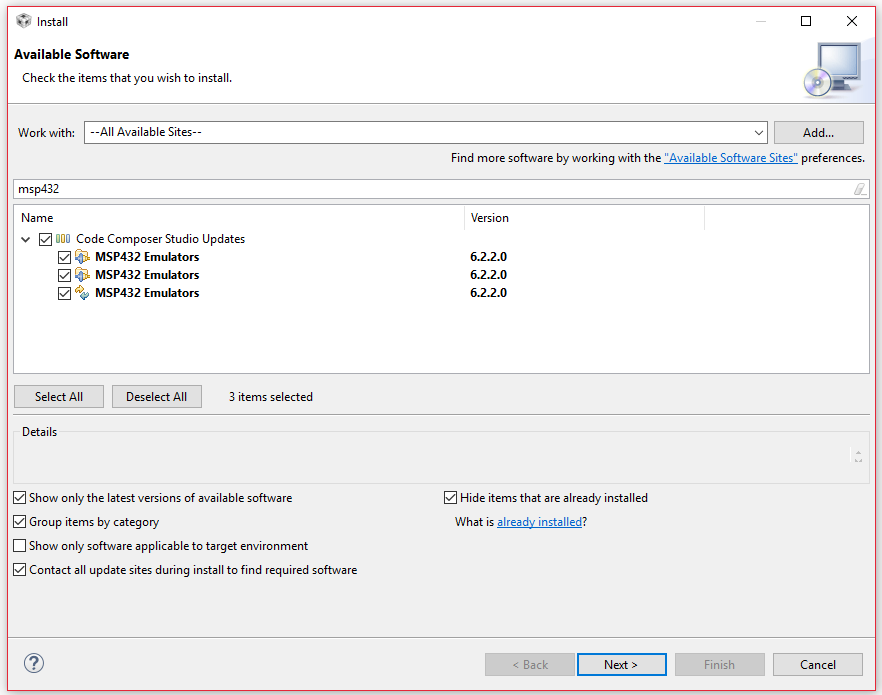
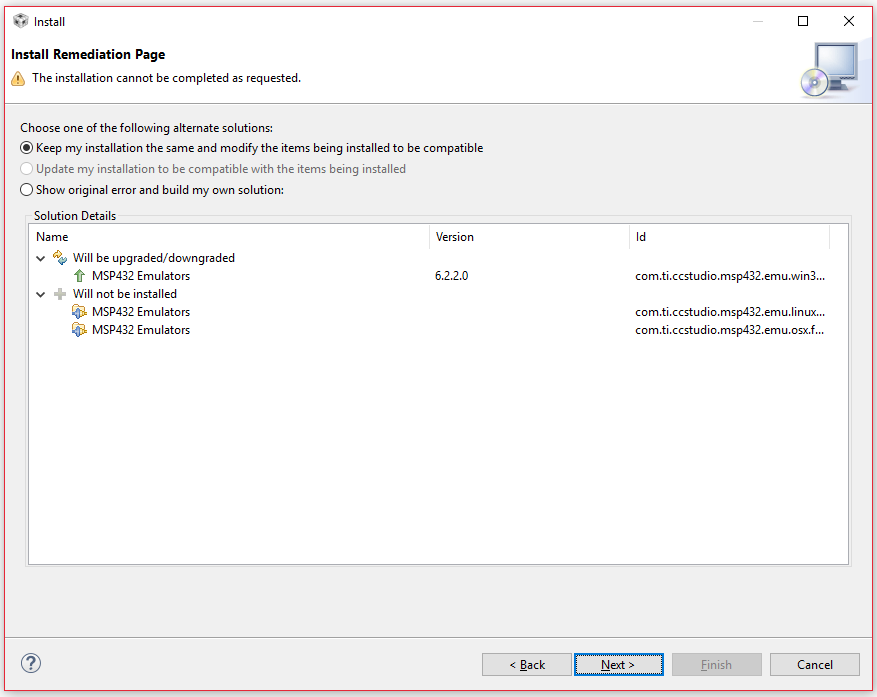
Well I fumbled around to see if I knew what I was doing... deleted the two directories first, started CCS and did Install new software and searched for MSP432, only thing that came up was MSP432 emulators, then it gave me some analysis page showing that it would update a bunch of stuff but not install MSP432 emulators, so I went ahead with that - accepted the license - and got the same error as what I posted above.
I'll note that last dialog has fewer items this time along with the one before it. Just MSP432 emulators this time. There were more items that were listed for update (in Install Remediation) before.
Ah shoot, I forgot "Uncheck the box Contact all available sites during install to find required software at the bottom of the pane"... let me try that.
Unable to read repository at software-dl.ti.com/.../content.xml.
Unable to read repository at software-dl.ti.com/.../content.xml.
hostname in certificate didn't match: <software-dl.ti.com> != <a248.e.akamai.net> OR <a248.e.akamai.net> OR <*.akamaihd.net> OR <*.akamaihd-staging.net> OR <*.akamaized.net> OR <*.akamaized-staging.net>
Update repositories can be in different formats so Eclipse may try to fetch some other files while it figures out what format the update is in. The other files do not need to exist (like content.xml mentioned in the error message).
Can you verify that the above files are all available to you from a browser. Most are small. The last one is ~6.6MB.
The error message seems to be saying that at least some of these files are not accessible from Eclipse.
Just as an FYI, you could actually put these files in a local folder structure that matches the URL structure below "p2win32" and install the update from the local folder.
Update- I just reinstalled CCS v6.1.3. This time I got the no available sites error- processors.wiki.ti.com/.../Troubleshooting_CCSv6 - and imported the linked "Bookmarks_v611.zip" and now updates are working. Odd that I had such an issue on reinstall, but from the wiki it sounds like the reason this happens is still known.