


Other Parts Discussed in Thread: ENERGIA
Hi,
I have multiple times tried to install CCS 6.3.1
CCS 6.2.1 works, but due to bugs related to Energia, I need to upgrade to 6.3.1.
In the control panel all related components been removed but to no avail.
The registry been cleaned with ccleaner.
Problems started after upgrading to win10, then downgrading to win7.
Maybe I need to refurbish the computer?
Any ideas? Thanks in advance.
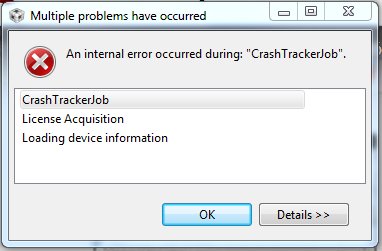
After installation CCS can launch, but then gives the following error:
During installation the following error occur:
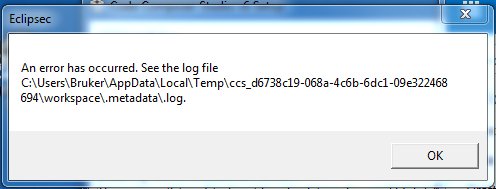
The contents of the .log:
!SESSION 2016-06-08 11:09:39.212 -----------------------------------------------
eclipse.buildId=4.5.1.M20150904-0015
java.version=1.7.0_80
java.vendor=Oracle Corporation
BootLoader constants: OS=win32, ARCH=x86, WS=win32, NL=no_NO
Framework arguments: -application com.ti.common.core.initialize -ccs.profileTag Installed Code Composer Studio 6.1.3.00033.
Command-line arguments: -os win32 -ws win32 -arch x86 -application com.ti.common.core.initialize -data C:/Users/Bruker/AppData/Local/Temp/ccs_d6738c19-068a-4c6b-6dc1-09e322468694/workspace -ccs.profileTag Installed Code Composer Studio 6.1.3.00033.
!ENTRY com.ti.common.core 4 0 2016-06-08 11:09:47.638
!MESSAGE path=ccs_base/DebugServer
!ENTRY com.ti.common.core 4 0 2016-06-08 11:09:47.639
!MESSAGE debugServerDir=C:/ti/ccsv6/ccs_base/DebugServer
!ENTRY org.eclipse.core.jobs 4 2 2016-06-08 11:09:48.532
!MESSAGE An internal error occurred during: "CrashTrackerJob".
!STACK 0
java.lang.UnsatisfiedLinkError: C:\ti\ccsv6\ccs_base\DebugServer\bin\LibraryLoader.dll: Can't find dependent libraries
at java.lang.ClassLoader$NativeLibrary.load(Native Method)
at java.lang.ClassLoader.loadLibrary1(ClassLoader.java:1965)
.......
