Hi,
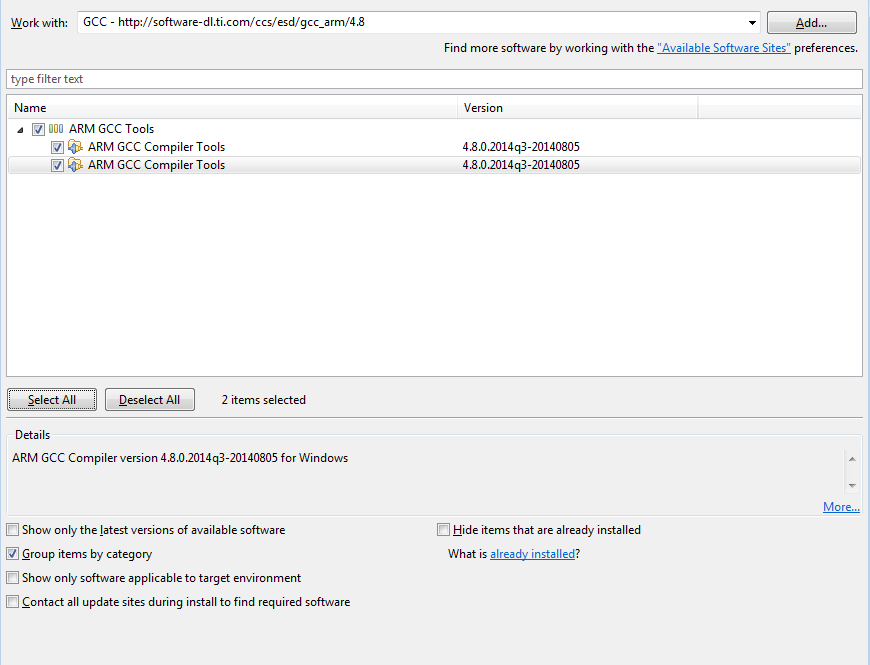
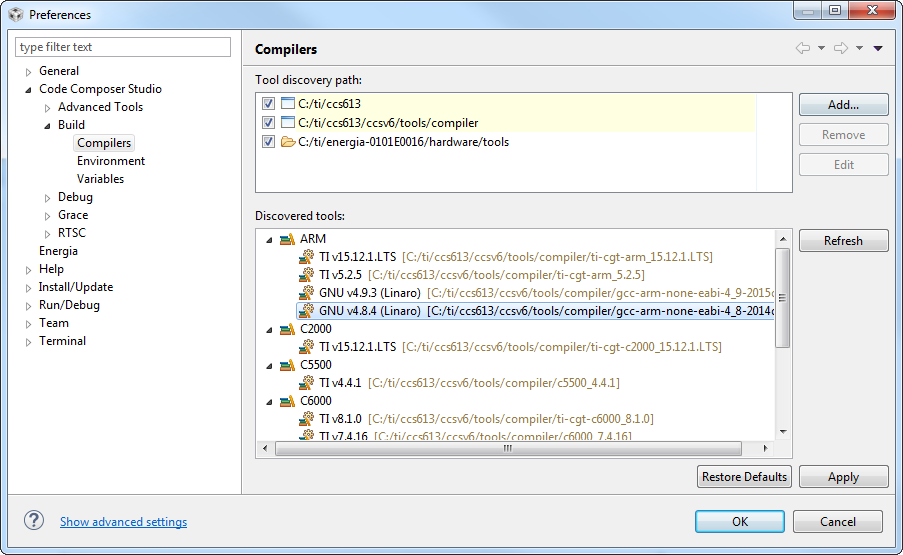
im trying to reset a Toolchain, but im not able to install GCC4.8.4 into CCS6.1. It is not provided within the installation wizard.
Is there any manual way to set this toolchain up?
Thank you in advance and best regards
Damian
This thread has been locked.
If you have a related question, please click the "Ask a related question" button in the top right corner. The newly created question will be automatically linked to this question.
Hi,
im trying to reset a Toolchain, but im not able to install GCC4.8.4 into CCS6.1. It is not provided within the installation wizard.
Is there any manual way to set this toolchain up?
Thank you in advance and best regards
Damian
Damian,
I have had some luck, but of the mixed variety.
If you add the following update site it will find the 4.8 compiler: http://software-dl.ti.com/ccs/esd/gcc_arm/4.8
However in order for it to be able to install the 4.8 compiler this way you have to first uninstall the 4.9 compiler otherwise you run into an issue where the Eclipse environment complains that there is already a newer version of the feature installed. You can uninstall by going to Help -> Installation Details and then select the existing ARM GCC 4.9 feature and click on the uninstall button. Restart CCS when prompted and then go to Help -> Install New Software and enter the update site above.
If I do this then I can select the 4.8.4 GCC compiler in the project. It also still lets me select the 4.9 compiler as uninstalling the feature only uninstalled the Eclipse feature and not the binaries.
So it is a bit messy of a solution but it seems to work.
Regards,
John
Hi John,
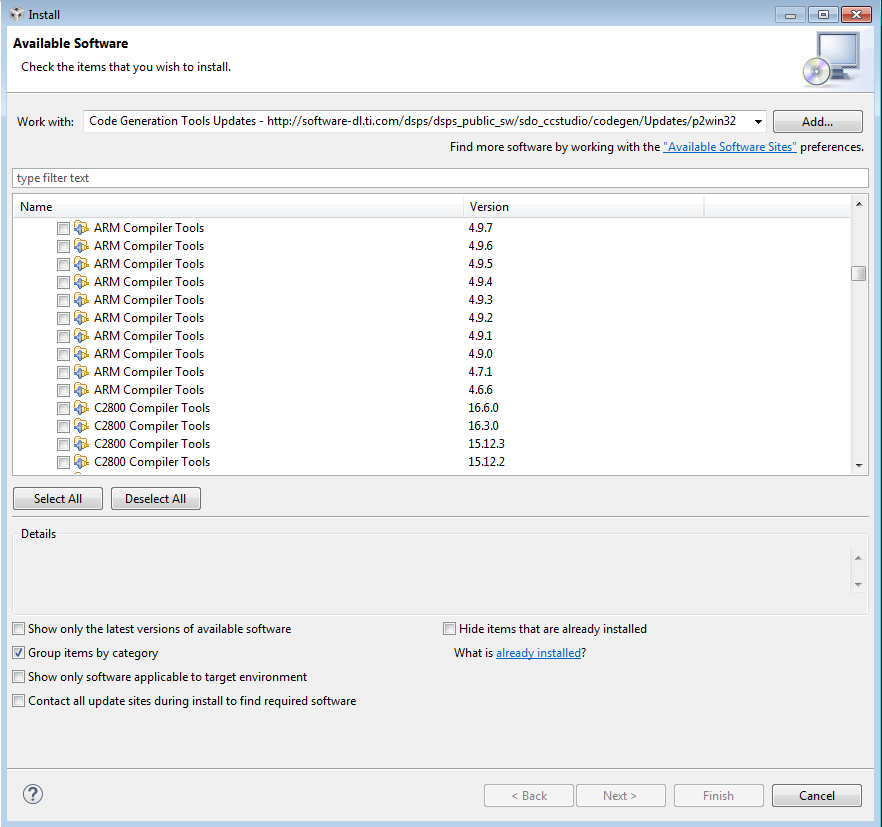
I have no option to download 4.8.4 or 4.9. I can only download 4.8.0. Just take a look:
If I change the download site to
then im able to download 4.7 but nothing else
Any ideas?
Regards
Damian