This thread has been locked.

If you have a related question, please click the "Ask a related question" button in the top right corner. The newly created question will be automatically linked to this question.

ARM compiler tool version 15.12.3

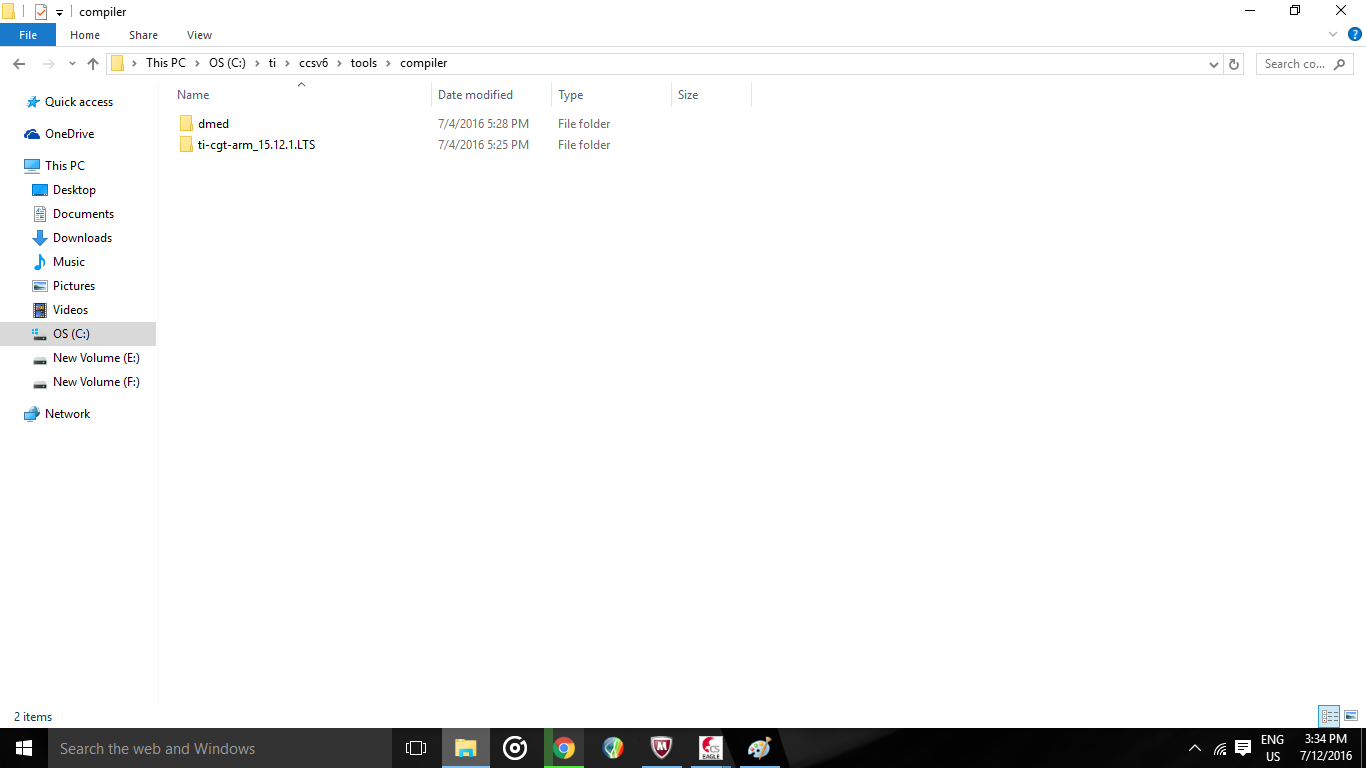
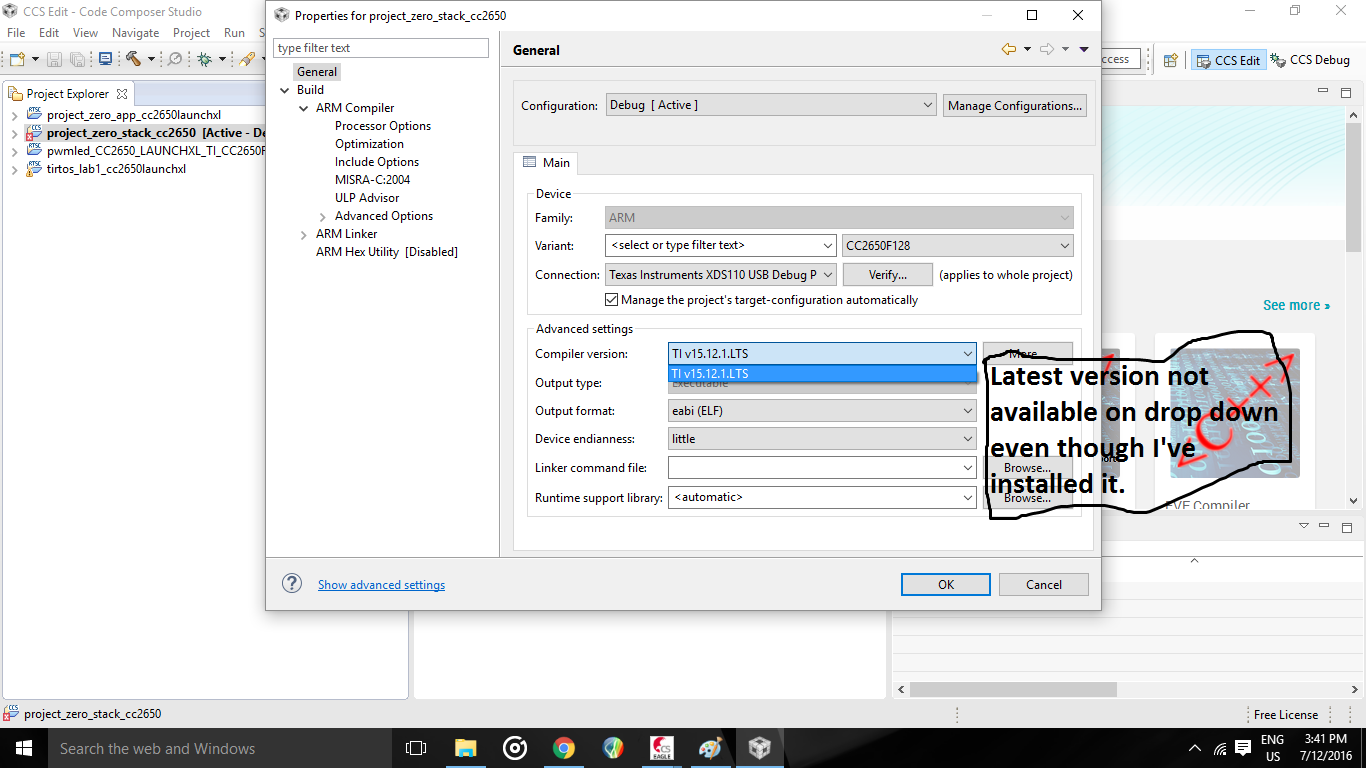
Recently, I installed the latest version of ARM compiler tools 15.12.3. However the latest version has not replaced the older version 15.12.1 and every time I check for updates, it says that everything is up to date. The softwares's latest version has also been updated in the installation details. However when I open "Show build Settings", the version displayed is the previous one, 15.12.1. Another puzzling fact is that when I browse my computer for the latest version, I do not find it's folder instead I find that the older version's folder is still intact. I have uninstalled the latest version and re-installed it too without any luck.  Any suggestions on tackling this issue?

  • I've moved your thread to the CCS forum.

    Todd
  • Dhruva Rao said:
    However when I open "Show build Settings", the version displayed is the previous one, 15.12.1.

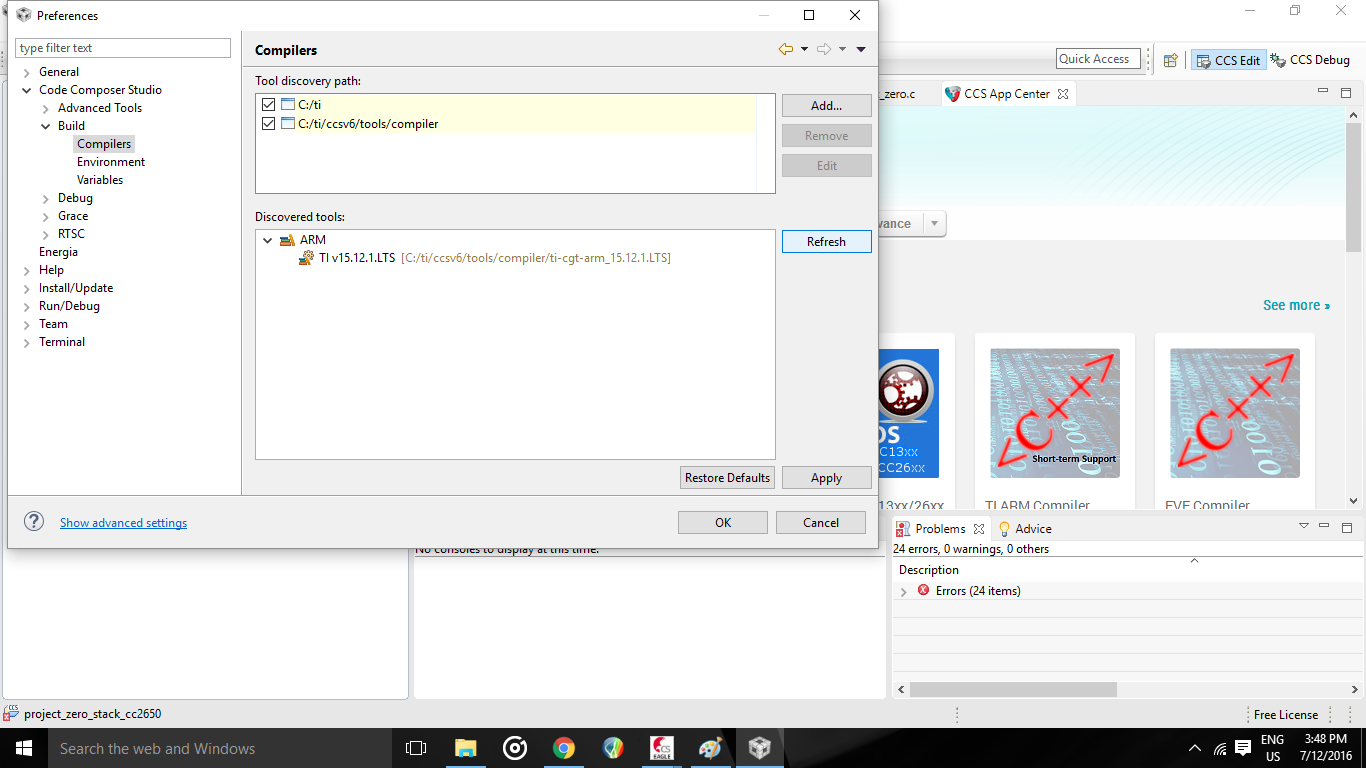
    Do you see the version 15.12.3 listed in the drop-down list for "Compiler version, and can you select it? Does it appear under Window Preferences->Code Composer Studio->Build->Compilers? Can you attach a screenshot of the discovered compilers on your installation?

    Dhruva Rao said:
    Another puzzling fact is that when I browse my computer for the latest version, I do not find it's folder instead I find that the older version's folder is still intact.

    That is odd. The folder with the older compiler version should still be there but there should also be a new folder with the 15.12.3 compiler tools (under \ccsv6\tools\compiler). If there is no folder created for the 15.12.3 compiler tools, could you go to CCS menu Help->Installation History->Installed Software, select the 15.12.3 compiler and uninstall it, then install it again from the update site. Let us know if that helps.

  • I have tried uninstalling and re-installing it, but I did from CCS. This is the method I used after uninstalling. Help->Install new software->Code generation tool updates-> TI compiler updates. Is there any other method for re-installing?
  • All this in spite of having  installed the latest version. 

  • Hi Dhruv,
    If you don't see the new compiler in the c:\ti\ccsv6\tools\compiler folder it won't show up in your compiler list. What version were you trying to install? I'll double check that it's available for update for your version of CCS.
    Danish
  • I was trying to install ARM Compiler Tools version 15.12.3. This is the method I used to install the new version:
    Help->Install new software->Code generation tool updates-> TI compiler updates
    However a folder for 15.12.3 was not created but when I head to installation details, ARM Compiler Tools is up to date.
  • Dhruva,

    Which version of CCS are you working with? There is another thread here with a similar issue. The user there was able to resolve the issue by uninstalling and reinstalling CCS (and other software packages they needed). Would you mind giving this a try? It is possible your CCS installation is somehow corrupted or incomplete.

  • I uninstalled and re-installed ccs v6.1.3.00034 and so far everything is fine. Thank you for your help.