This thread has been locked.

If you have a related question, please click the "Ask a related question" button in the top right corner. The newly created question will be automatically linked to this question.

Is it possible to open Matlab Generated ERT files as a CCS project

Other Parts Discussed in Thread: TMDSDOCK28379D

Hi,

I am trying to use a project created with Matlab "ert.tlc" for F28377D into code composer studio (I have used File > Import  > Existing Code as a Makefile project).

Below is the files that I have imported into CCS using File > Import  > Existing Code as a Makefile project, (I have ccs v 6.1.1).  

A few issues are described after the picture:

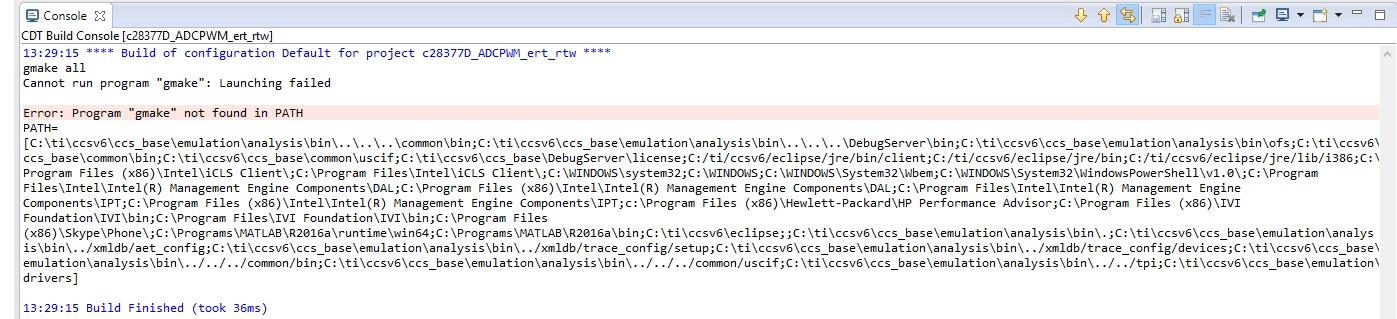
When I am trying to build the project, I get the following error:
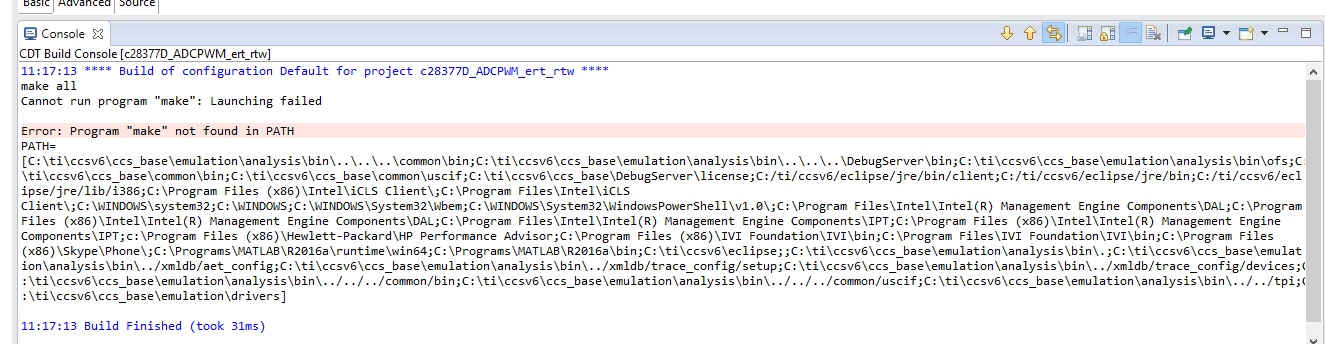
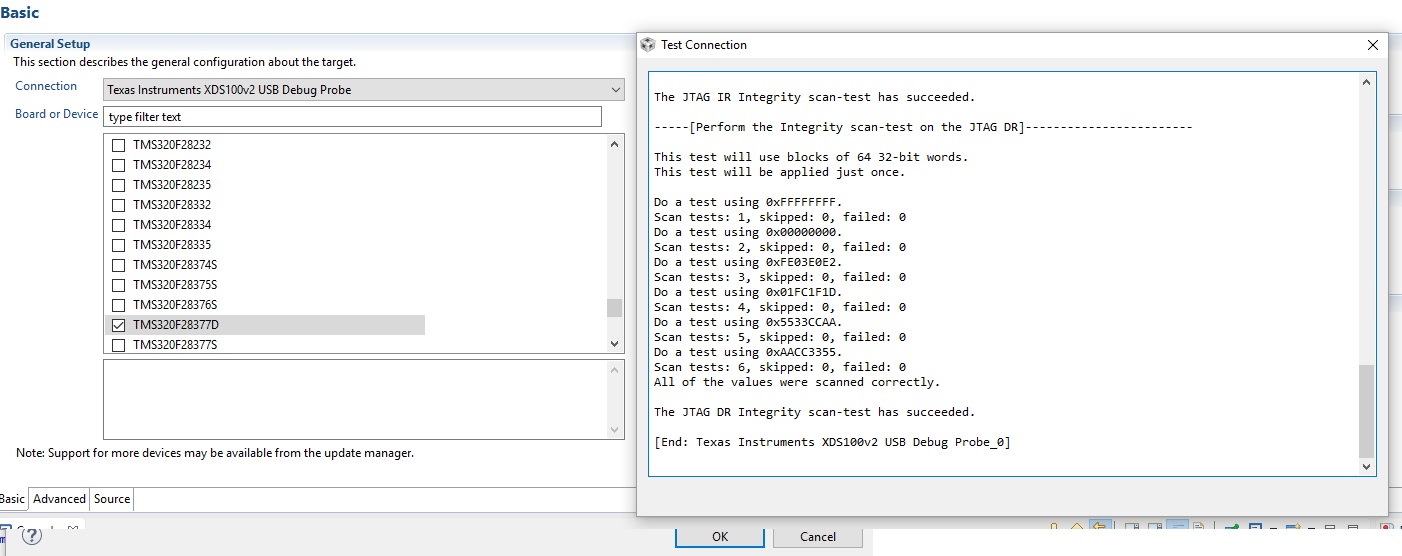
and also, I have tried to build a target file, but it seems that the communications does not work (the file NewTargetConfiguration.ccxml in the first picture). This is what happens
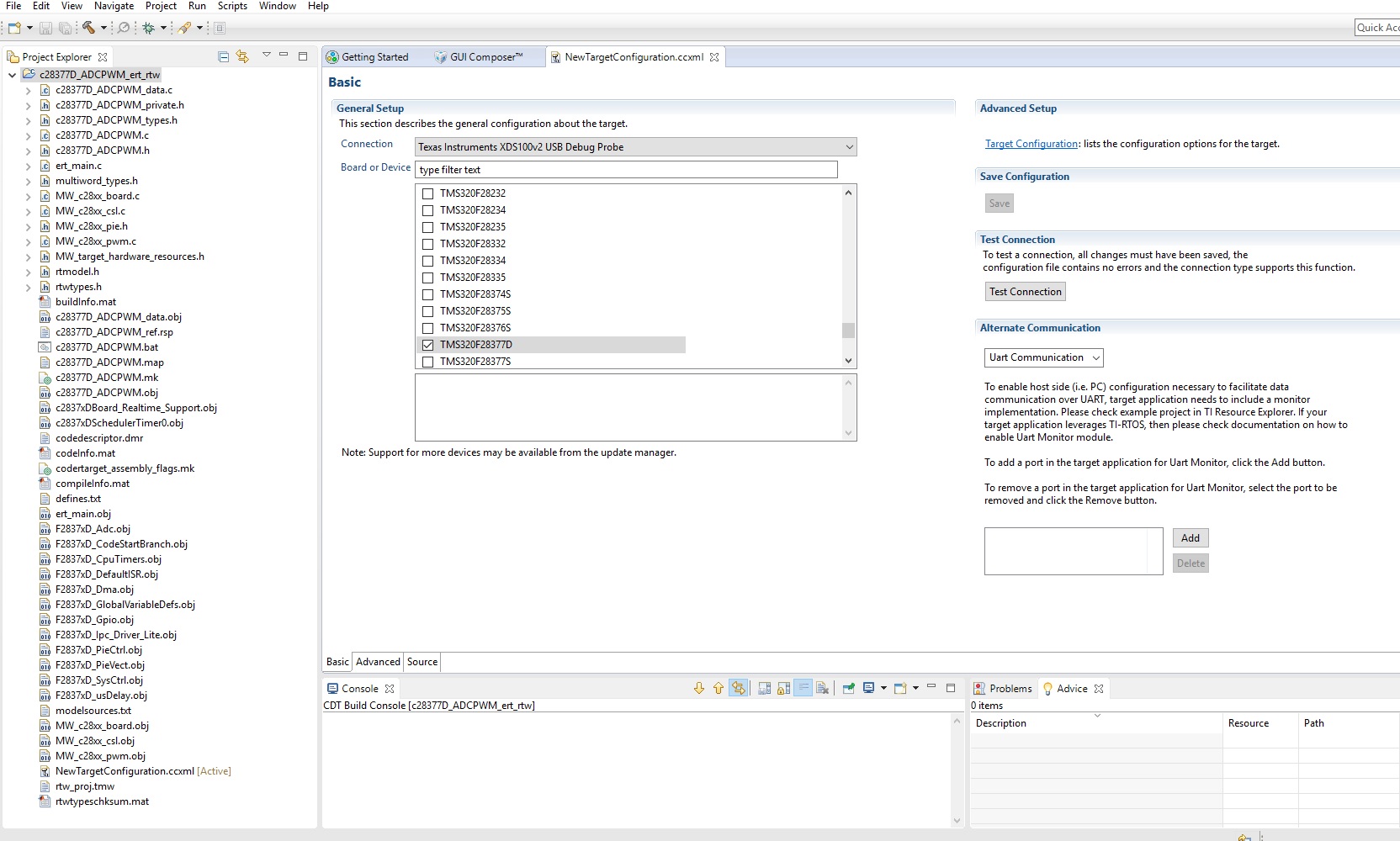
I am not sure if the procedure I have followed is at all correct. 

What I would like to do is to use the files create by matlab, but rather than using build and run from matlab, I want to build, debug and run into CCS, so I can also eventually create a GUI interface.

(Please also note, when I build and run the C2000 application from matlab only into the DSP it works).

Any help is much appreciated.

Thanks

Leo

  • Leonardo Callegaro said:

    When I am trying to build the project, I get the following error:

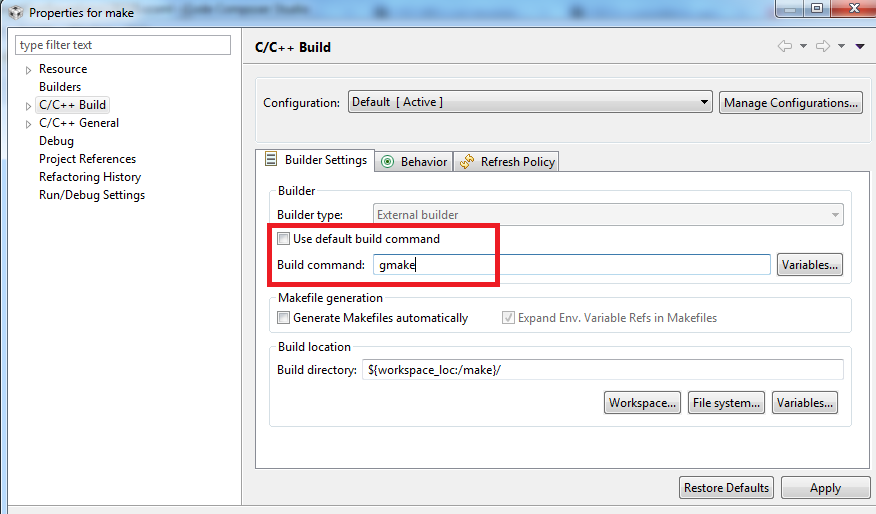
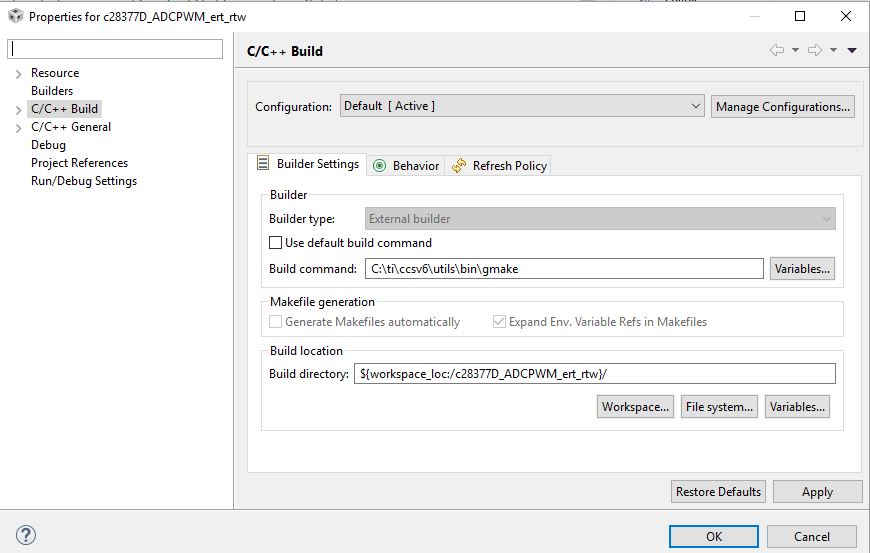
    CCS ships with gmake, not make. Try changing the build command in the project properties to use gmake

    As for the target connectivity error - are you using the F28377D  control card with on-board XDS100v2 debug probe?

    Thanks

    ki

  • Hello Ki,

    thanks for your answer. I tried with your suggestion, but still I have a build error:

    as for the communication probe, I have the 2x USB connected, one connected to the dock and one connected to the control card of TMDSDOCK28379D F28379D Delfino Experimenter Kit Board. 

    After inserting the gmake as you have suggested when I test the connection from the configuration file, the connection works

    However the build and debug function in CCS still are not working...

    Thanks for your help

    Leo

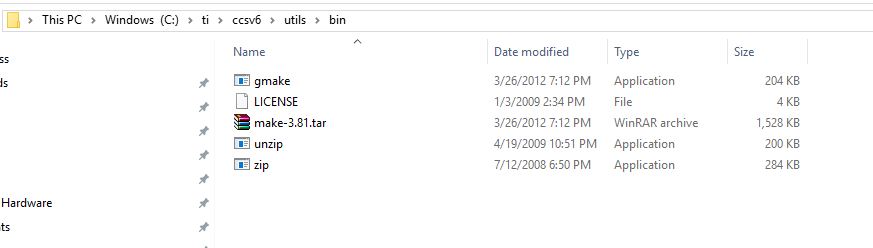
  • If the path to gmake is not in your system path, you can specify the full path to it. gmake is installed in <CCS6 INSTALL DIR>\ccsv6\utils\bin
  • Hello Ki, thanks for your answer.

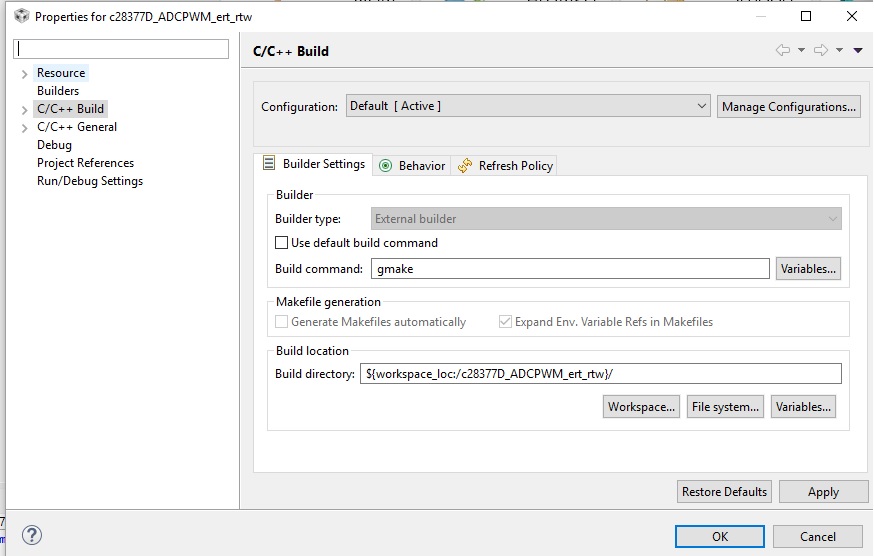
    I have tried with your suggestion, but still does not build the project. I attach relevant screenshots below:

    Thanks 

    Leo

  • Hi,

    One way to do this would be to create a new project in CCS and to manually add all the source files, header files, compiler and linker flags, compiler and linker defines to this CCS Project.

    The make file generated by Simulink during code generation has the paths to all the source files and header files that have to be added to the CCS project. It also has all the compiler and linker defines and also the compiler and linker flags that can be added in the 'Compiler options' and 'Linker Options' of the CCS Project.

    After doing this, you can build the project to create the '.out' file

    ~ Srijith
  • Hi,

    still looking for a solution to this issue. I attach my working folder (generated from simulink) which I am trying to import, build and run from CCS v6.1.1.

    Thank you so much

    c28377D_ADCPWM_ert_rtw.rar

  • Hi Leonardo,

    For additional assistance, please contact MathWorks Technical Support.

    -Brian