This thread has been locked.

If you have a related question, please click the "Ask a related question" button in the top right corner. The newly created question will be automatically linked to this question.

Install CCS6 to the Debian 8 Linux

Other Parts Discussed in Thread: CCSTUDIO

I cannot install CCS 6.1.3 on the Debian8 64bit.


I tried ‘web Installer –linux’ and ‘off-line installer-linux’ but won't work either.
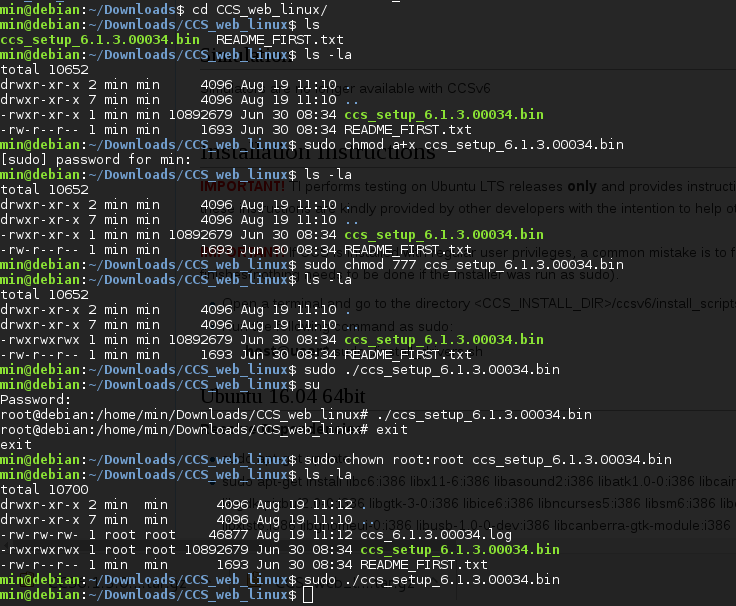

I changed privileges, owner and group but still doesn't work.

And it doesn't show any error message either.

Please help me out ...?!

Regards,

Min

  • Hello Min,

    I installed the latest Debian 64-bit 8.5.0 release and downloaded the latest CCS 6.1.3.00034

    I generally followed the installation instructions which includes a list of dependencies here:
    http://processors.wiki.ti.com/index.php/Linux_Host_Support_CCSv6#Debian_64-bit

    Here is an abridged (I left out some of the superfluous terminal output) copy of my terminal log during the install:

    user@debian:~$ uname -a
    Linux debian 3.16.0-4-amd64 #1 SMP Debian 3.16.7-ckt25-2+deb8u3 (2016-07-02) x86_64 GNU/Linux
    user@debian:~$ su root
    Password:
    root@debian:/home/user# dpkg --add-architecture i386

    root@debian:/home/user# apt-get update

    [update output omitted]

    root@debian:/home/user# aptitude install libgtk2.0-0:i386 libcanberra-gtk0:i386 libdbus-glib-1-2:i386 libgconf-2-4:i386 liborbit-2-0:i386 libusb-0.1-4:i386 libgnomevfs2-0:i386 libice6:i386 libncurses5:i386 libsm6:i386 libxtst6:i386 libxt6:i386 libasound2:i386 libgcrypt11:i386 libudev1:i386
    Couldn't find any package whose name or description matched "libgcrypt11:i386"
    Couldn't find any package whose name or description matched "libgcrypt11:i386"
    The following NEW packages will be installed:

    [NOTE: libudev1:i386 was installed instead of the libudev0:i386 recommended on the page linked above. The later instructions regarding creating a symlink to libudev1 are referenced and used below]

    [Package list omitted]

    0 packages upgraded, 92 newly installed, 0 to remove and 0 not upgraded.
    Need to get 23.8 MB of archives. After unpacking 54.1 MB will be used.
    Do you want to continue? [Y/n/?] y

    [Package installation output omitted]

    [vim was installed as a text editor. Use whatever you like.]

    root@debian:/home/user# apt-get install vim

    [vim installation omitted]

    root@debian:/home/user# vim /etc/apt/sources.list

    [add deb http://security.debian.org/debian-security wheezy/updates main]

    root@debian:/home/user# apt-get update

    [update output omitted]

    root@debian:/home/user# aptitude install libgcrypt11:i386
    The following NEW packages will be installed:
    libgcrypt11:i386 libgpg-error0:i386{a}
    0 packages upgraded, 2 newly installed, 0 to remove and 0 not upgraded.
    Need to get 399 kB of archives. After unpacking 1,057 kB will be used.
    Do you want to continue? [Y/n/?] y

    [libgcrypt installation output omitted]

    root@debian:/home/user# find / -name libudev.so.1
    /lib/i386-linux-gnu/libudev.so.1
    /lib/x86_64-linux-gnu/libudev.so.1
    root@debian:/home/user# ln -siT /lib/i386-linux-gnu/libudev.so.1 /lib/i386-linux-gnu/libudev.so.0

    [Check the md5 to ensure integrity]

    root@debian:/home/user# cat CCS6.1.3.00034_linux.tar.gz.md5
    ; Generated at 06/30/2016 11:47:15
    ceaa5023c1a4b51bc637d3de1a15786b *CCS6.1.3.00034_linux.tar.gzroot@debian:/home/user#
    root@debian:/home/user# md5sum CCS6.1.3.00034_linux.tar.gz
    ceaa5023c1a4b51bc637d3de1a15786b CCS6.1.3.00034_linux.tar.gz

    root@debian:/home/user# tar -gz CCS6.1.3.00034_linux.tar.gz

    [tar output omitted]

    root@debian:/home/user# cd CCS6.1.3.00034_linux
    root@debian:/home/user/CCS6.1.3.00034_linux# ls -l
    total 10672
    -rw-r--r-- 1 root root 630 Jun 30 08:45 artifacts.jar
    drwxr-xr-x 17 root root 4096 Jun 30 08:45 baserepo
    drwxr-xr-x 2 root root 4096 Jun 30 08:45 binary
    -rwxr-xr-x 1 root root 10892679 Jun 30 08:34 ccs_setup_6.1.3.00034.bin
    -rw-r--r-- 1 root root 1482 Jun 30 08:45 content.jar
    drwxr-xr-x 4 root root 4096 Jun 30 08:33 featurerepo
    drwxr-xr-x 2 root root 4096 Jun 30 08:45 features
    -rw-r--r-- 1 root root 1693 Jun 30 08:34 README_FIRST.txt
    -rw-r--r-- 1 root root 14 Jun 30 08:38 timestamp.txt

    root@debian:/home/user/CCS6.1.3.00034_linux# ./ccs_setup_6.1.3.00034.bin

    I did initially get an error message regarding libstdc++6 so I went ahead an installed it with:

    aptitude install libstdc++6:i386 as root and the restarted the installation and this warning went away.

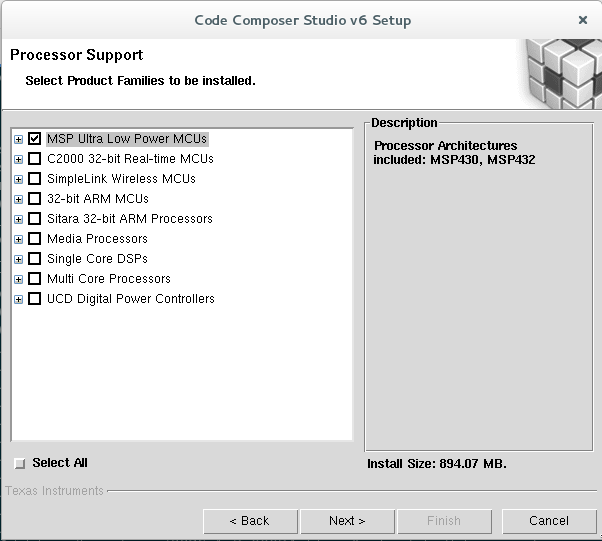
    There are a few questions about processor support:

    As well as a warning about unsupported boards when using Debian:

    Then the installation starts. Go get some coffee:

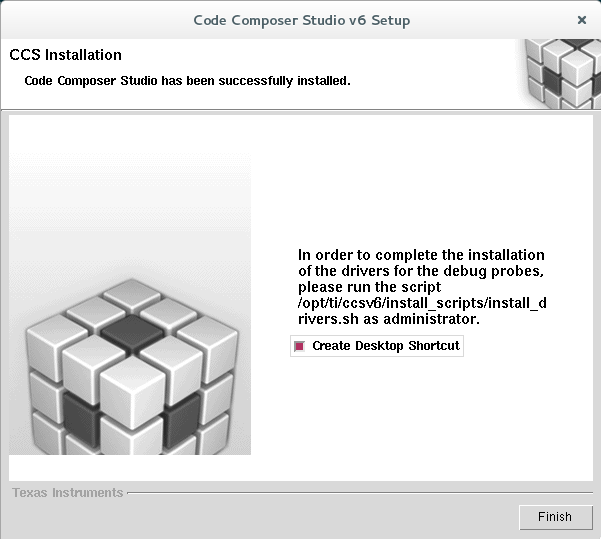
    This is what you should see if it completes successfully:

    Don't forget to install the drivers:

    root@debian:/home/user/CCS6.1.3.00034_linux# cd /opt/ti/ccsv6/
    root@debian:/opt/ti/ccsv6# ls -l
    total 4540
    drwxr-xr-x 11 root root 4096 Aug 19 15:15 ccs_base
    drwxr-xr-x 3 root root 4096 Jul 15 2014 doc
    drwxr-xr-x 11 root root 4096 Aug 19 15:16 eclipse
    drwxr-xr-x 2 root root 4096 Aug 19 15:15 install_info
    drwxr-xr-x 2 root root 4096 Aug 19 15:17 install_logs
    drwxr-xr-x 2 root root 4096 Aug 19 15:17 install_scripts
    drwxr-xr-x 3 root root 4096 Aug 19 15:14 tools
    -rwxr-xr-x 1 root root 4593668 Aug 19 15:17 uninstall_ccs
    -rw-r--r-- 1 root root 13211 Aug 19 15:17 uninstall_ccs.dat
    drwxr-xr-x 2 root root 4096 Aug 19 15:16 uninstallers
    drwxr-xr-x 4 root root 4096 Feb 10 2016 utils
    root@debian:/opt/ti/ccsv6# cd install_scripts/
    root@debian:/opt/ti/ccsv6/install_scripts# ./install_drivers.sh 
    Uninstalling /etc/udev/rules.d/71-ti-permissions.rules
    TI XDS100 installation completed successfully. Some versions of Linux
    require a reboot in order for the driver to function properly. For other
    versions restarting udev is sufficient. Restarting udev now ... 
    root@debian:/opt/ti/ccsv6/install_scripts# exit
    exit

    After the installation is complete, simply run:
    user@debian:~$ /opt/ti/ccsv6/eclipse/ccstudio

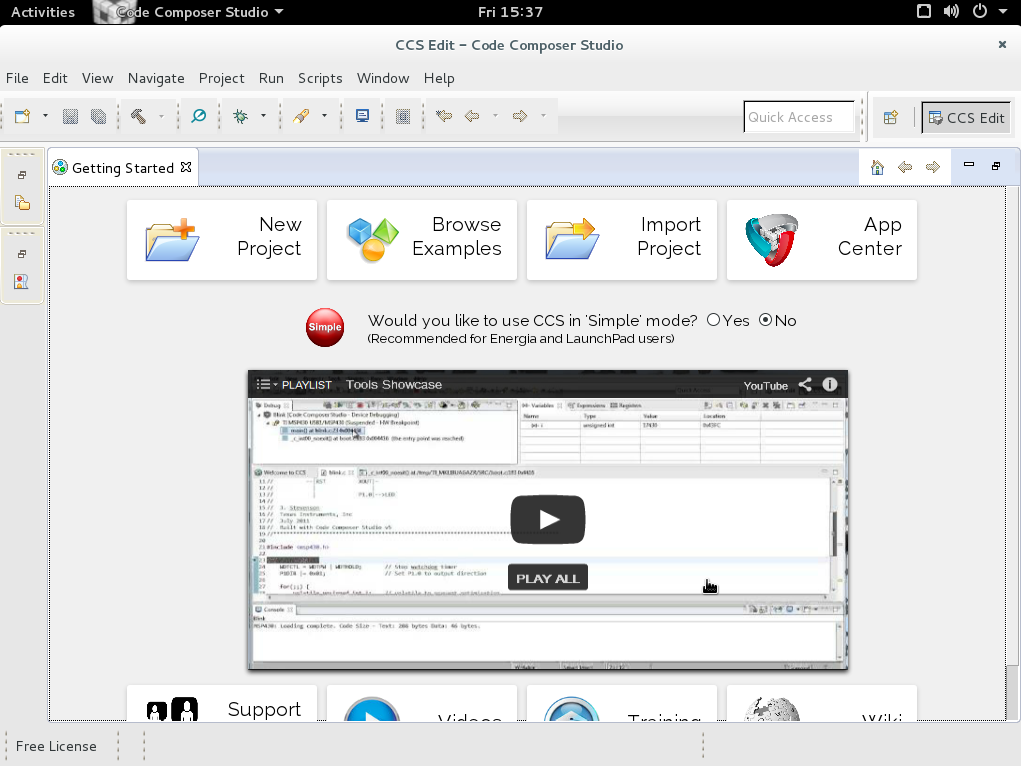
    Here is the CCS6 start screen running on Debian:

    Another possible solution is to run Ubuntu in a VM such as VirtualBox if you are still having issues with Debian.

    Hope this helps!

  • Min,
    CCS 6.1.3 is a 32 bit application and so is the installer. It requires 32 bit libraries installed before it will start up.
    Danish
  • Good point Danish. I could have stated that more explicitly in my response.

    The 32-bit support repos are added to the package manager with the 'dpkg --add-architecture i386' command I mentioned.

    The actually libraries themselves are all the *:i386 packages referenced.

    As mentioned in: http://processors.wiki.ti.com/index.php/Linux_Host_Support_CCSv6#Debian_64-bit not all of these packages may be absolutely required but it certainly won't hurt to have them.

  • Thanks a lot !! 

    I just installed the CCSV6 on my Debian Jessie follow your great instruction !.

    I'd like to mention couple of miner things... 

    when I add to the 'sources.list' file, I have to use 'wheezy' repositories even my machine is 'jessie',  as your instruction.

    when I install the 'ccs_setup_6.xxx.bin', I have to use default directory, '/opt/ti/ccsv6'. ( It shows error message during the install when I change the directory )

    when I run as background with './ccstudio &' command after install, it doesn't start. I have to do './ccstudio' as foreground. 

    Thanks

    Best Regards,

    Min Gwak