This thread has been locked.

If you have a related question, please click the "Ask a related question" button in the top right corner. The newly created question will be automatically linked to this question.

Trouble setting breakpoint CCS6.1.1 Multiple Tiva processors with XDS200

Other Parts Discussed in Thread: TM4C129XNCZAD, TM4C129XKCZAD

My CCS solution contains 4 different projects for 4 instances of our multiprocessor product which contains 4 TM4C129X Tiva processors.

I have all 4 projects configured similar. I have noticed I can compile/download and debug only one project in the solution with our xds200 emulator probe.

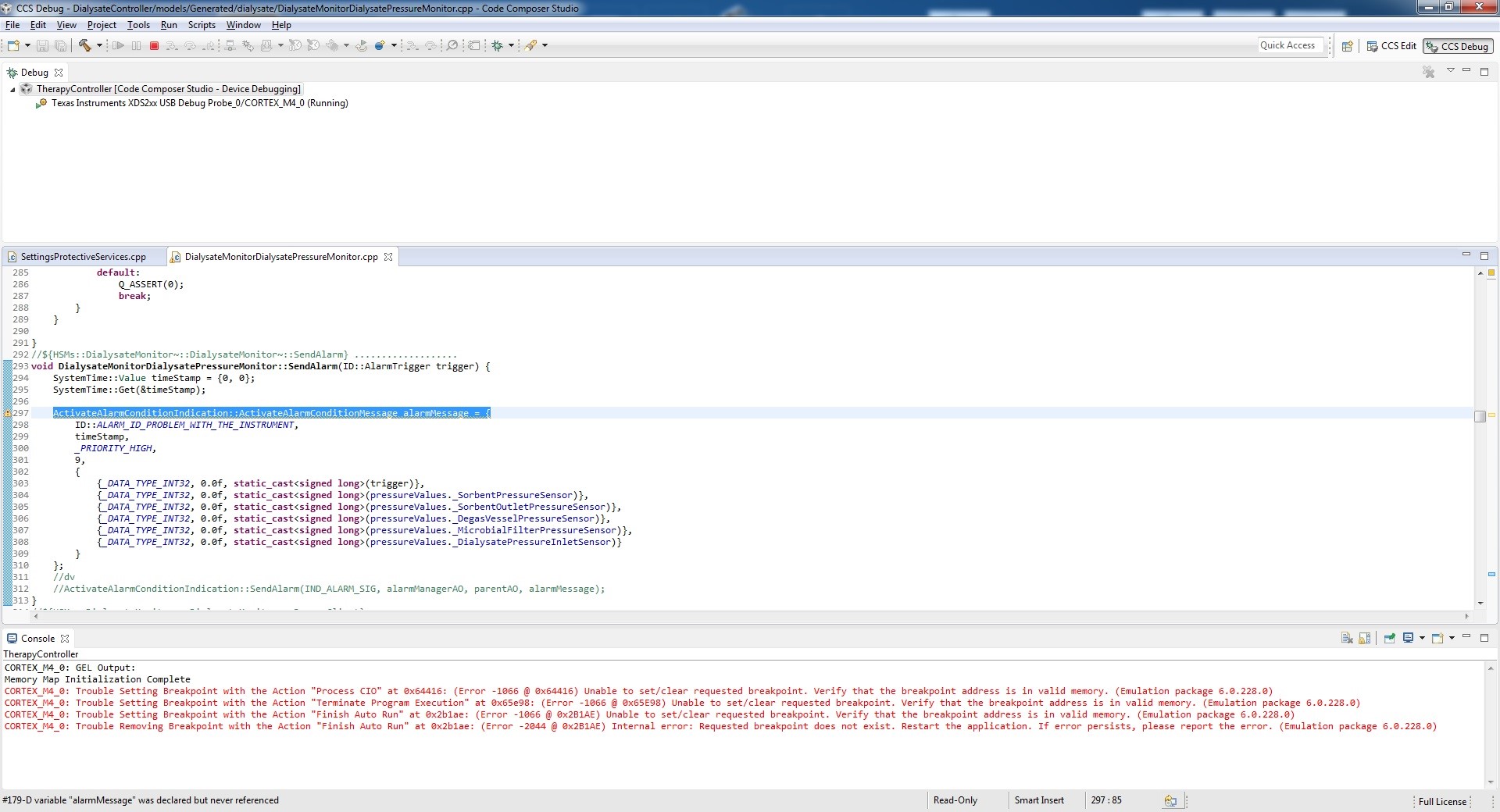
When I download the working project it erases flash, downloads the program and breaks at main. I can single step etc. all is ok. But if I try another project it erases flash, downloads program but will not break at main. I get 4 red error messages in the Console saying "CORTEX_M4_0: Trouble Setting Breakpoint with Action xxx.

The program does download correctly as a subsequent reset verifies the program was flashed correctly.

I have reset all "Debug" parameters to default and as far as I can tell all 4 projects are configured exactly the same. I have cleared all breakpoints but still no luck.

The 4 hardware boards are very similar to the Launchpad set up so I assume its not hardware. I did not have this problem way back when we initially started this project but that was many CCS versions earlier.

Any ideas?
  • DavidVescovi said:
    I have reset all "Debug" parameters to default and as far as I can tell all 4 projects are configured exactly the same.

    Are all 4 projects using the same GEL file?

    The final post in https://e2e.ti.com/support/development_tools/code_composer_studio/f/81/p/216902/903144 say that if the GEL file marks the flash area in a Tiva device as "R|W" (read/write) rather "R" (read only) then CCS is unable to set a breakpoint.

    DavidVescovi said:
    Any ideas?

    From the available information don't know what is causing the failure to set the break point. Some ideas to get more information:

    1) After getting the errors about setting breakpoints open the Scripting Console and type:

    js:> eval("DEBUG_DumpBreakpoints()")

    and cut and paste the output that appears in the Console view to this thread. That will display information about which breakpoints CCS has attempted to set.

    2) Enable Debug Server Logging and post the log file for starting a debug session which reports the errors about setting breakpoints.

  • I have not modified the gel files. I assume they are all the same as it downloads and flashes all four projects correctly. Its just on three of the projects I can not break. from console output it looks like CCS is complaining about invalid memory address.
  • tried setting the scripting console as you suggested and I get:

    js:> eval("DEBUG_DumpBreakpoints()")

    Unable to perform operation, no active debug session.

    (C:\ti\ccsv6\eclipse\configuration\org.eclipse.osgi\602\0\.cp\resources\debugserver\assert.js#7)

    I tried running the

    eval("DEBUG_DumpBreakpoints()") both before and after the launching the debug session ...same result.

    same error messages:

    CORTEX_M4_0: GEL Output:

    Memory Map Initialization Complete

    CORTEX_M4_0: Trouble Setting Breakpoint with the Action "Process CIO" at 0x8afb6: (Error -1066 @ 0x8AFB6) Unable to set/clear requested breakpoint. Verify that the breakpoint address is in valid memory. (Emulation package 6.0.228.0)

    CORTEX_M4_0: Trouble Setting Breakpoint with the Action "Terminate Program Execution" at 0x8c684: (Error -1066 @ 0x8C684) Unable to set/clear requested breakpoint. Verify that the breakpoint address is in valid memory. (Emulation package 6.0.228.0)

    CORTEX_M4_0: Trouble Setting Breakpoint with the Action "Finish Auto Run" at 0x219f6: (Error -1066 @ 0x219F6) Unable to set/clear requested breakpoint. Verify that the breakpoint address is in valid memory. (Emulation package 6.0.228.0)

    CORTEX_M4_0: Trouble Removing Breakpoint with the Action "Finish Auto Run" at 0x219f6: (Error -2044 @ 0x219F6) Internal error: Requested breakpoint does not exist. Restart the application. If error persists, please report the error. (Emulation package 6.0.228.0)

  • Its almost like the memory map get corrupted AFTER the flash is erased and the program is downloaded but before breakpoints are set.

  • DavidVescovi said:
    CORTEX_M4_0: Trouble Setting Breakpoint with the Action "Process CIO" at 0x8afb6: (Error -1066 @ 0x8AFB6) Unable to set/clear requested breakpoint. Verify that the breakpoint address is in valid memory. (Emulation package 6.0.228.0)

    CORTEX_M4_0: Trouble Setting Breakpoint with the Action "Terminate Program Execution" at 0x8c684: (Error -1066 @ 0x8C684) Unable to set/clear requested breakpoint. Verify that the breakpoint address is in valid memory. (Emulation package 6.0.228.0)

    The reported addresses 0x8AFB6 and 0x8c684 are >= 512K and < 1024K. Can you confirm you are using the TM4C129XNCZAD (1024kB of flash) rather than the TM4C129XKCZAD (512bK of flash).

  • DavidVescovi said:
    js:> eval("DEBUG_DumpBreakpoints()")

    Unable to perform operation, no active debug session.

    (C:\ti\ccsv6\eclipse\configuration\org.eclipse.osgi\602\0\.cp\resources\debugserver\assert.js#7)

    Since the error occurs when launching a debug session, from the scripting console you are unable to capture the dump of the breakpoints while the debug session is active.

    Can you try my other suggestion of capturing the CCS Debug Server logging when starting the debug session?