This thread has been locked.

If you have a related question, please click the "Ask a related question" button in the top right corner. The newly created question will be automatically linked to this question.

Accessing ARM Advanced Features in Code Composer for Stellaris

Other Parts Discussed in Thread: LM3S3748, LM3S8962

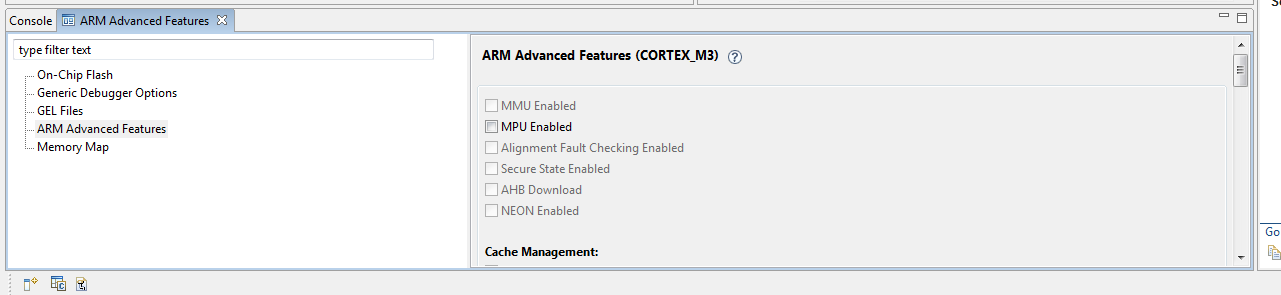
How do you access the ARM Advanced Features in a Debug session?  I'm using Code Composer Studio v4 for the LM3S3748 eval kit and when I'm in debug mode and open the ARM Advanced Features, none of the features can be selected.


Thanks,

Ken Sanchez

  • Ken,

    The ARM Advanced features is highly dependent on the device, therefore just a few options are selectable when using Cortex M3 devices. I don't have the exact board you are using, but in my LM3S8962 I have active the MPU configuration and some non-secure exception handling cases (Break on Hard Fault Error, Break on Memory Management Error, etc.). Just be sure you are connected to the target to make the relevant options active.

    Cheers,

    Rafael


  • Ken,

    The ARM Advanced Features menu is located in menu Tools --> ARM Advanced Features. A view is opened with several configuration items(as shown in the picture below):

    Cheers,

    Rafael