This thread has been locked.

If you have a related question, please click the "Ask a related question" button in the top right corner. The newly created question will be automatically linked to this question.

CCS unable to open projects after a crash

Other Parts Discussed in Thread: CONTROLSUITE

Hello, 

I ran into a CCS crash while I was creating a copy of an existing example project and since then I am unable to existing example projects. I receive the following error message: "Cannot determine URI for '/Example_F2802xLaunchPadDemo/Example_F2802xLaunchPadDemo.c'." 

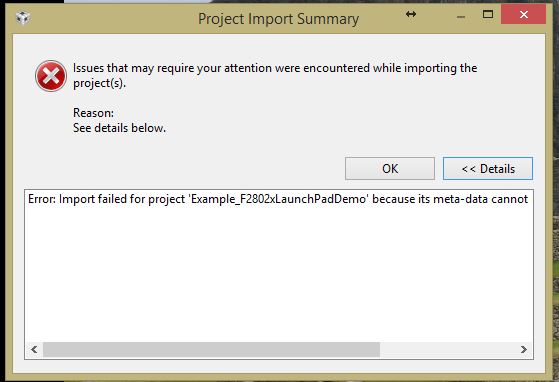
When I try to import a project, I receive the following error dialog  box, with the error mesage: "Import failed for project 'Example_F2802xLaunchPadDemo' because its meta-data cannot be interpreted. Please contact support."

Please advise. Many thanks!
Mansi

  • Which version of CCS are you using? 

    Mansi Tandon said:
    When I try to import a project, I receive the following error dialog  box, with the error mesage: "Import failed for project 'Example_F2802xLaunchPadDemo' because its meta-data cannot be interpreted. Please contact support."

    Are you getting this error when importing the original example project in ControlSuite? Are you using the latest version of ControlSuite?

    Can you try opening a new workspace and importing the project into it?

  • I am using CCS v6.1.3.x.

    I did not try importing the original project into controlSuite. I ended up uninstalling CCS and re-installing, which sadly did not fix the problem. Next, I uninstalled CCS and deleted all remnants of the example files, and re-installed CCS. This seems to have resolved the issue. Thanks Aarti for getting back to this.
  • Thank you for the update, and glad to hear the issue is resolved although you had to go through the trouble of uninstalling and reinstalling.