Other Parts Discussed in Thread: MSP-FET, EK-TM4C129EXL, CCSTUDIO
Hello
Currently, I am using an iMac 2013 with MacOS Sierra and Code Composer 6.2.0.00050 for Mac.
When I try to connect my Mac with a H52C1 Concerto controlCARD it fails and I get this message in the console:
Cortex_M3_0: GEL Output: Memory Map Initialization Complete
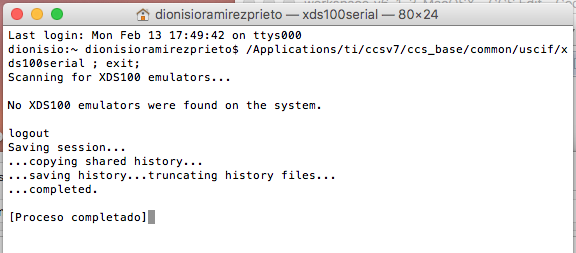
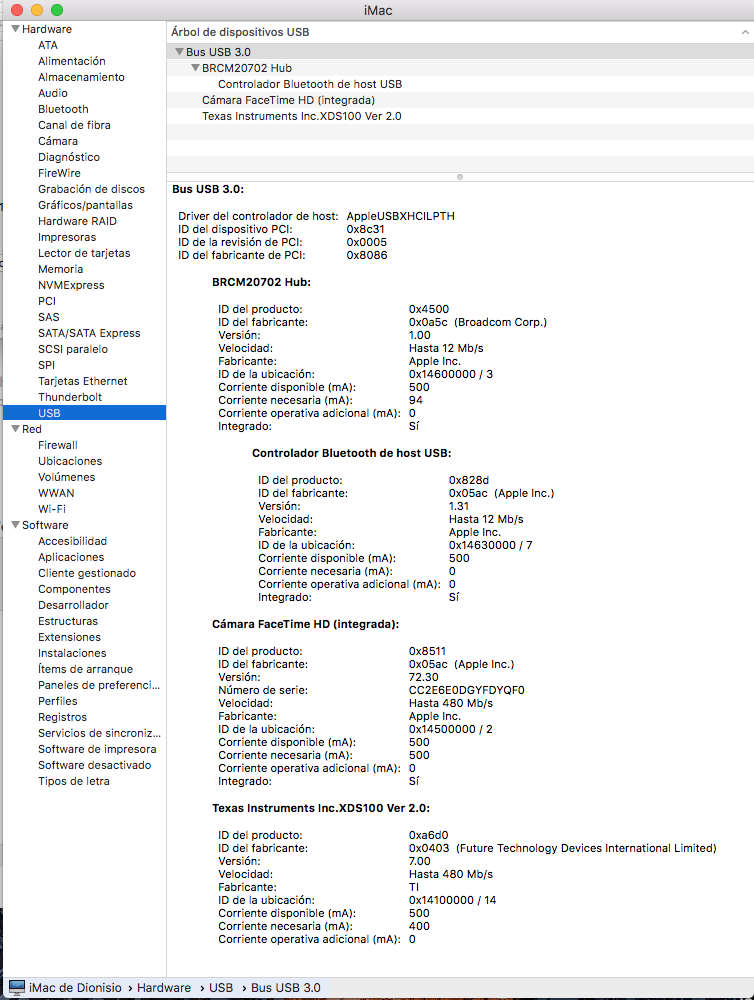
IcePick_C_0: Error connecting to the target: (Error -151 @ 0x0) One of the FTDI driver functions used during the connect returned bad status or an error. The cause may be one or more of: no XDS100 is plugged in, invalid XDS100 serial number, blank XDS100 EEPROM, missing FTDI drivers, faulty USB cable. Use the xds100serial command-line utility in the 'common/uscif' folder to verify the XDS100 can be located. (Emulation package 6.0.407.6)
And one pop up window with this message:
Error connecting to the target:
(Error -151 @ 0x0)
One of the FTDI driver functions used during the connect
returned bad status or an error. The cause may be one or
more of: no XDS100 is plugged in, invalid XDS100 serial number,
blank XDS100 EEPROM, missing FTDI drivers, faulty USB cable.
Use the xds100serial command-line utility in the 'common/uscif'
folder to verify the XDS100 can be located.
(Emulation package 6.0.407.6)
My project works perfect with CCS under Windows 10 so the problem is not my code.
In the past, using El Capitan, it worked perfect too.
Any idea about how to fix this problem?
Thank you
Dionisio
PS: I was really pleased with Code Composer for Mac!