This thread has been locked.

If you have a related question, please click the "Ask a related question" button in the top right corner. The newly created question will be automatically linked to this question.

CCS: New CCS 7 Bug Report

Tool/software: Code Composer Studio

Thanks for the effort of TI's software team offering such a great upgrade from CCS 6 to CCS7!! Here I find some bugs in the new CCS 7.

1, in TI-RTOS, in the .cfg config page, SYS/BIOS-welcome page, the system overview page could not show up. CCS6 works fine.

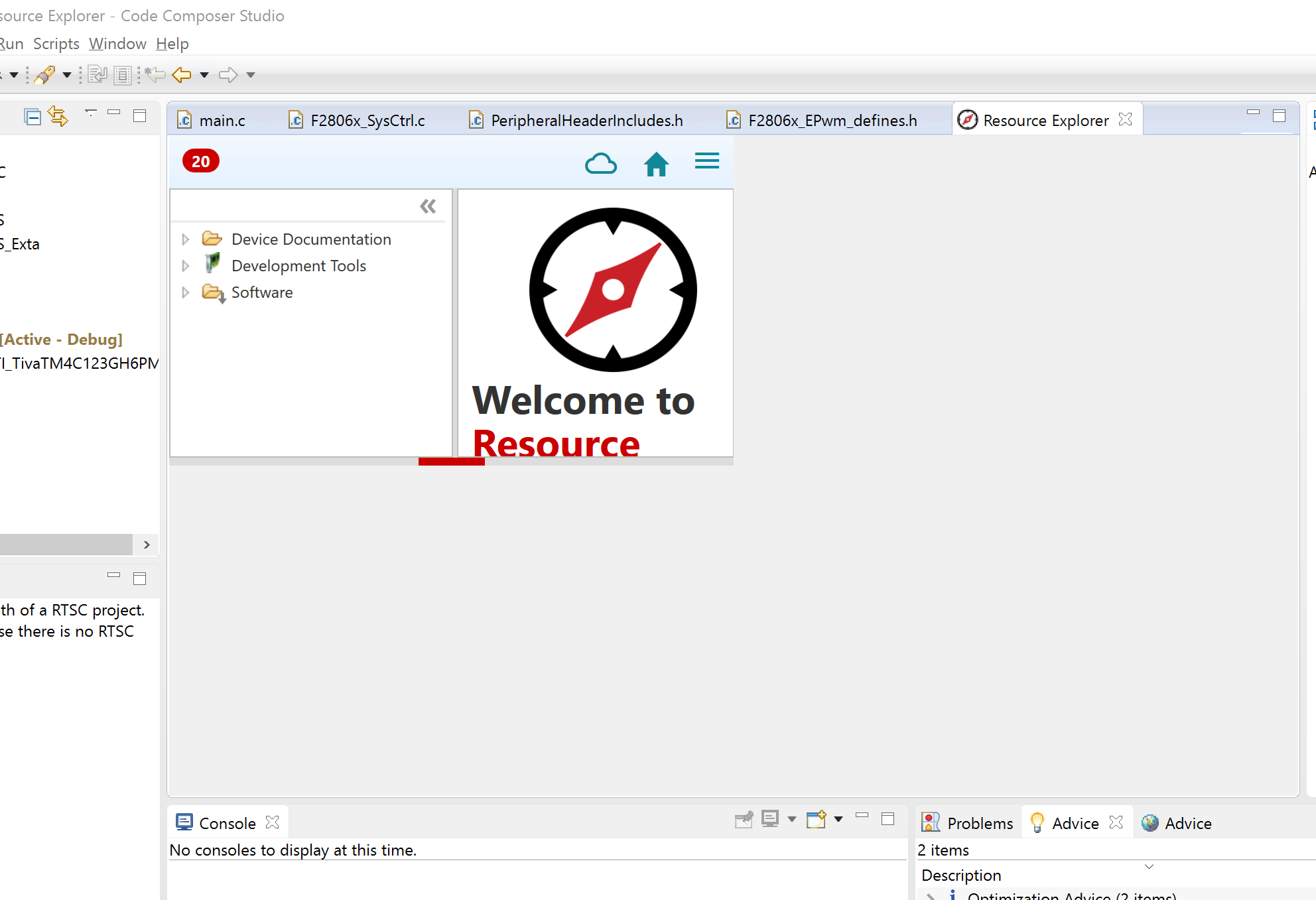
2, in the upper tab, view>resource explore, the page layout for my High DPI display (Macbook Pro 15inch  2015 - Boot Camp Win10) is not right, very small in the left corner.

3, APP: GUI Composer app could not be opened, only open online version.

So far only those feedback, please address those bug in next update of CCS7, again, thanks for the TI software team's great effort to deliver such a great product!! Many Thanks

Taisen 

  • Taisen Zhuang said:
    1, in TI-RTOS, in the .cfg config page, SYS/BIOS-welcome page, the system overview page could not show up. CCS6 works fine.

    Yes we have observed this as well and have already logged this as an issue.

    Taisen Zhuang said:
    2, in the upper tab, view>resource explore, the page layout for my High DPI display (Macbook Pro 15inch  2015 - Boot Camp Win10) is not right, very small in the left corner.

    Could you please provide a screenshot of this?

    Taisen Zhuang said:
    3, APP: GUI Composer app could not be opened, only open online version.

    Are you referring to the GUI Composer designer? If so, then yes GUI Composer v2 is currently supported only on the Cloud (online). 
    If you already have an app that you created with GUI Composer v1 you can still run that app standalone using CCSv7. Please see this post for more details.

  • Thanks for the answer! here I added the screen shot of the new resource explore

    As you could see, the RE is will small and could not be adjusted.

  • For the issue with the System Overview in TI-RTOS config there is a way to workaround the issue. What is happening is we are missing a component in the installation that this feature needs. One of the workarounds is described here: e2e.ti.com/.../2064726

    Thank you for taking the time to report the issues.

    Regards,
    John
  • Taisen Zhuang said:
    As you could see, the RE is will small and could not be adjusted.

    Thank you for bringing this to our attention. We are investigating this (tracking # REX-1124), but unfortunately don't have a workaround at the moment. 

  • Thanks, this works for me.

    Best

    Taisen