This thread has been locked.

If you have a related question, please click the "Ask a related question" button in the top right corner. The newly created question will be automatically linked to this question.

CCS: New installation of CCS does not contain GRACE.


Tool/software: Code Composer Studio

I just installed CCS and it does not have GRACE in the app list.  Where is GRACE and how do I install/run it?

  • In Addition, I have WINDOWS 10 as my operating system. I found GRACE as a stand alone and attempted to install it and it says its not compatible with Windows 10. SERIOUSLY ???
  • I have the same problem. Grace as standalone version does not work on Windows 10 nor W10 Pro.

    I don't know why but Grace is not included at CCS, you have to download it from APP CENTER.

    I have CCS6.1.2 and App Center does not load, I have tried with the internal browser and with my default web browser (latest Chrome - Versión 56.0.2924.87) without any result.

    I also have CCS6.0.1 without Grace. In that version APP CENTER does work and you can find Grace on it, but when I try to install it gives me an installation error:

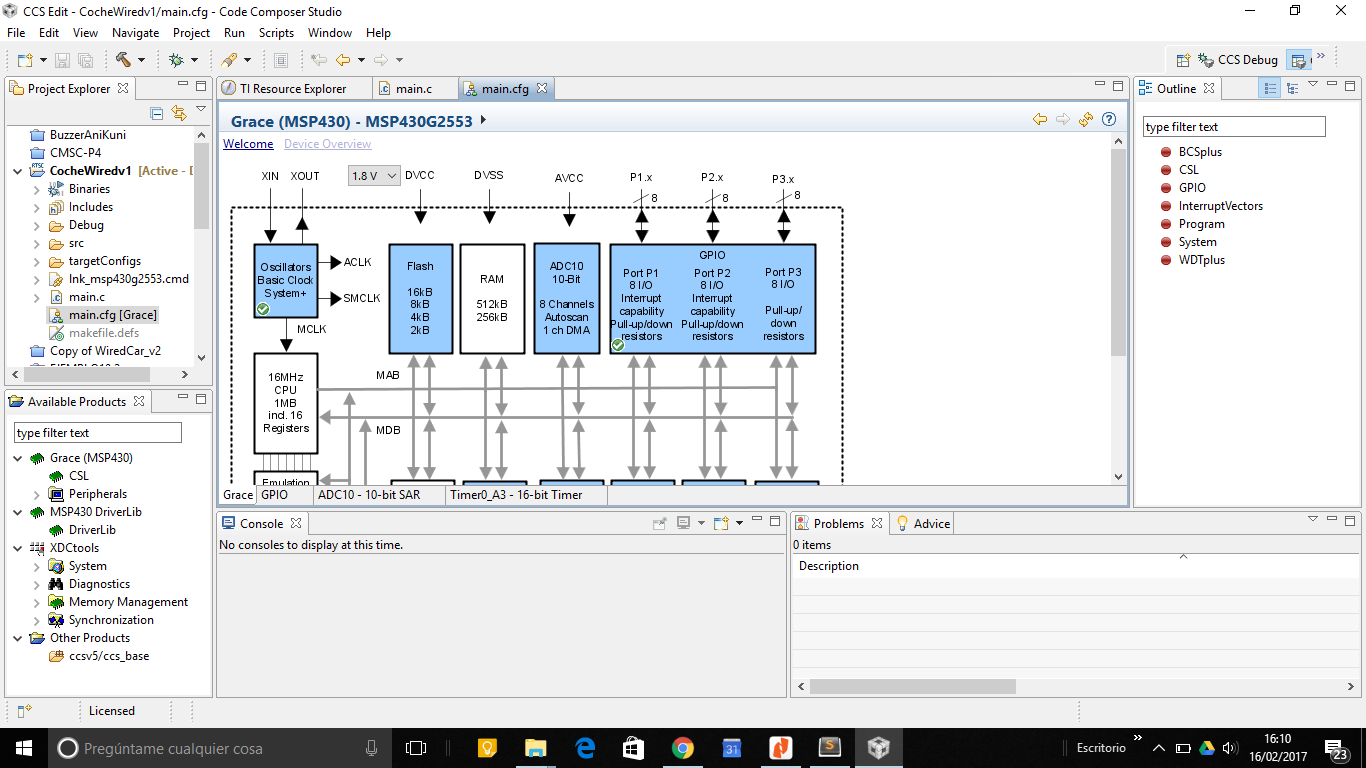
    And at least I have CCS5.5.0 with Grace installed 2 years ago (don't remember if I could have W8.1 when I did that installation) and it is the only CCS with Grace I can use:

  • Grace is no longer a supported feature in Code Composer Studio. That change occurred in CCSv6.1.

    If you have existing Grace projects and need to migrate them there is information here:
    processors.wiki.ti.com/.../CCSv7_Grace_Migration

    As far as the standalone version I just tried installing it on a Windows 10 machine. I get the same warning that you mentioned but it gave me the option to continue anyway. I continued with the installation and the product seems to work fine. The standalone version would have been released well prior to the release of Windows 10 so it will not recognize it during installation.

    Regards,
    John