This thread has been locked.

If you have a related question, please click the "Ask a related question" button in the top right corner. The newly created question will be automatically linked to this question.

CCS/DRA755: DSS jython connection timesout whereas CCS manually does run successfully

Part Number: DRA755
Other Parts Discussed in Thread: CCSTUDIO

Tool/software: Code Composer Studio

Hi All,

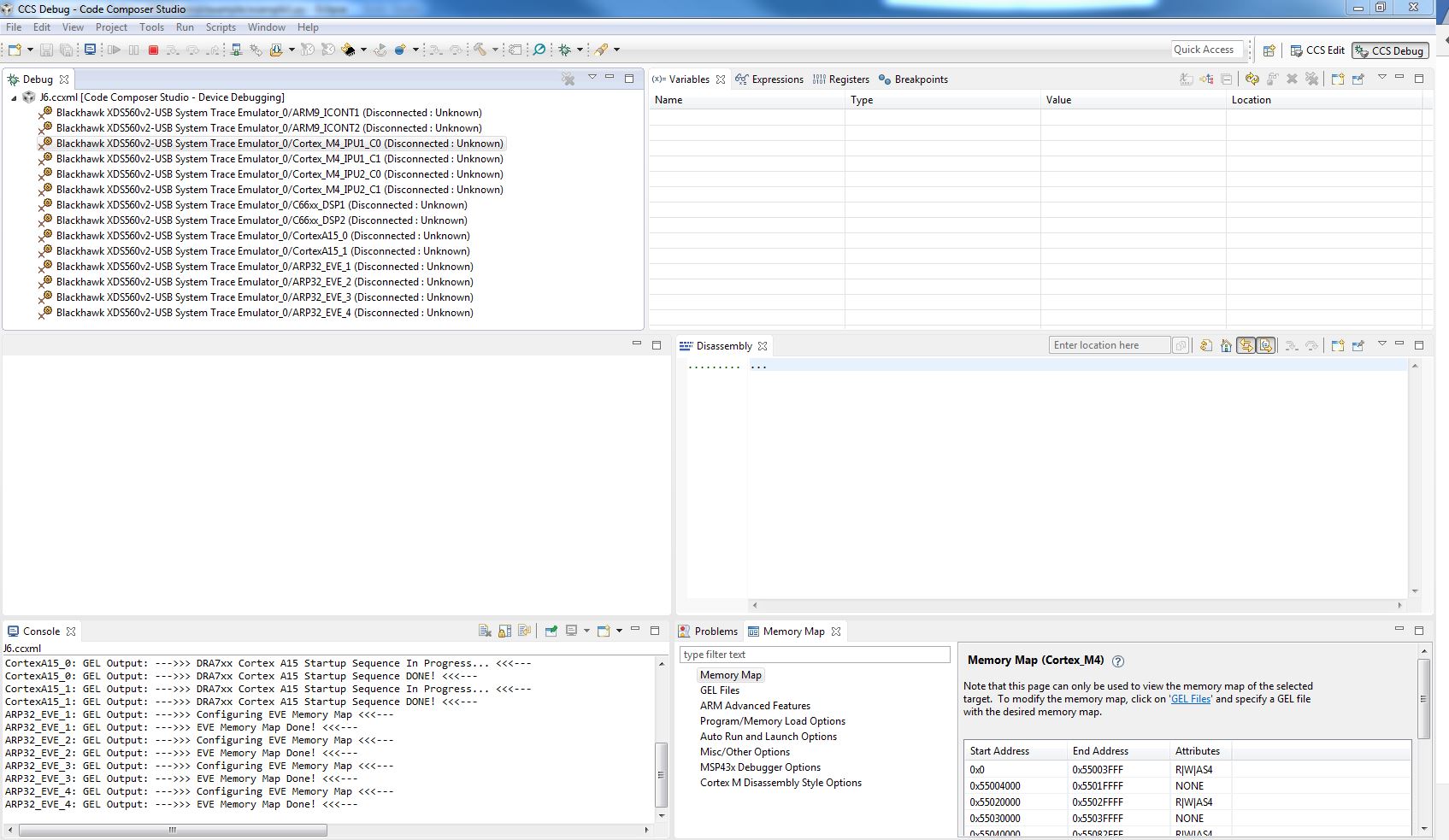
I have running project where debugging with manual CCS is running fine.

I am trying to use jython to connect to the DSS port using the same ccxml file which is being used for the CCS connection manually.
from com.ti.debug.engine.scripting import *
from com.ti.ccstudio.scripting.environment import *
from java.lang import *
from java.util import *
import sys
import time

# Create our scripting environment object - which is the main entry point into any script and
# the factory for creating other Scriptable Servers and Sessions
script = ScriptingEnvironment.instance()
 
# Create a log file in the current directory to log script execution
script.traceBegin("dss_py.xml", "DefaultStylesheet.xsl")
 
# Set our TimeOut
script.setScriptTimeout(15000)
 
# Log everything
script.traceSetConsoleLevel(TraceLevel.ALL)
script.traceSetFileLevel(TraceLevel.ALL)

# Start up CCS
ccsServer = script.getServer("CCSServer.1")
ccsSession= ccsServer.openSession(".*")

 
# Get the Debug Server and start a Debug Session
debugServer = script.getServer("DebugServer.1")
debugServer.setConfig(r"c:\Users\ABiswal\ti\CCSTargetConfigurations\J6.ccxml");
debugSession=None
try:
 
    #debugSession = debugServer.openSession("DRA75x_DRA74x_0/CortexM4_IPU_1_C0")
    #debugSession = debugServer.openSession("Blackhawk XDS560v2-USB System Trace Emulator_0/CortexM4_IPU_2_C0")
    #debugSession = debugServer.openSession("DRA75x_DRA74x_0/IcePick_D/IPU_1_C0/CS_DAP_1_C0/CortexM4_IPU_1_C0/CortexM4_IPU_1_C0")
    debugSession = debugServer.openSession("*","*")
    #debugSession = debugServer.openSession("Blackhawk XDS560v2-USB System Trace Emulator_0","Cortex_M4_IPU1_C0")
    #debugSession = debugServer.openSession("DRA75x_DRA74x_0","Cortex_M4_IPU1_C0")

    try:
        # Connect to the target
        debugSession.target.connect()

I have tried various options to connect to the core M4 IPU1 C0 ,but am unsuccessful to connect. It times out with the message

traceSetFileLevel: ENTRY sLevel: ALL
traceSetFileLevel: RETURN
getServer: ENTRY sServerName: CCSServer.1
getServer: Getting definition for: CCSServer.1
getServer: Constructing server
getServer: RETURN com.ti.ccstudio.scripting.CCSServer@da52a7
WARNING: CCSServer.openSession() failed. DSS was unable to launch Code Composer Studio, however script execution will continue. java.lang.ClassNotFoundException: com.ti.ccstudio.apps.scripting.ScriptUtils
getServer: ENTRY sServerName: DebugServer.1
getServer: Getting definition for: DebugServer.1
getServer: Constructing server
getServer: RETURN com.ti.debug.engine.scripting.DebugServer@1841b15
setConfig: ENTRY sConfigurationFile: c:\Users\ABiswal\ti\CCSTargetConfigurations\J6.ccxml
setConfig: RETURN
debuggerOpen: ENTRY sBoardName: * sCPUName: *
start: ENTRY
start: Firing: onServerStarting()
start: Connecting to XPCOM DebugServer
start: Initializing DebugServer using specified configuration: "c:\Users\ABiswal\ti\CCSTargetConfigurations\J6.ccxml"
waitUntil: ENTRY com.ti.ccstudio.scripting.environment.ScriptingEnvironment@16ec9d0 timeout: 45000 (ms)
SEVERE: Timed out after 45000ms
stop: ENTRY
disposeAndUnload: Firing: onServerStopping()
disposeAndUnload: Stopping DebugServer
disposeAndUnload: Firing: onServerStopped()
stop: RETURN
SEVERE: Could not start server: DebugServer.1: Timed out after 45000ms
<type 'com.ti.ccstudio.scripting.environment.ScriptingException'>
stop: ENTRY
stop: RETURN
stop: ENTRY
stop: RETURN

I have followed the wiki pages to set up the environment.

Could someone point me what wrong I am doing ?

Thanks in advance.

Regards,

Biswal

  • Biswal,

    I can't precisely tell from the information provided what may be happening in this case. Also, I don't have a DRA755 board with me, but one detail that caught my attention is that you are trying to connect to the Cortex_M4_IPU1_C0 first. Are you sure you are able to manually connect to this core even before connecting to any one of the A15 cores?

    The reason of my question is that usually the master core (one of the A15s, for example) is responsible to release the subcores out of reset, which may include the Cortex_M4_IPU1_C0. The process of releasing the subcores out of reset is performed either by software already running on the board (if the board boots up from a SD card, for example) or if there is a GEL script assigned to the master core. Something described in the reference below:

    processors.wiki.ti.com/.../GSG:Connecting_to_slave_cores_in_SoC_devices_v5

    If you need to connect to the A15 core, you will usually need to add some delay in your script to wait for the GEL script to complete its operation.

    (edit) Another detail that I just recalled is the invocation of the debug server:

    debugSession = debugServer.openSession("*","Cortex_M4_IPU1_C0")

    Hope this helps,
    Rafael

  • @ Rafael
    Thank you for your suggestions.
    I found out that I need to give a bigger delay to connect. I have now given 200000 delay time for the script timeout and it seems to connect to the target and am able to read the address of a symbol.

    I have now a different problem.
    I can read the symbol address before executing the target.run. But once the target.run is executed I am not able to read the values. It times out.
    Could you please help me in finding the correct way ?

    Script:

    # Connect to the target
    debugSession.target.connect()

    # Load program
    debugSession.memory.loadProgram(r"d:\WS_Perforce\BMW_IuK_RAM\development\Autosar\ArcCore\Application_Jacinto6\Out\elf\Application_Jacinto6.elf")

    print "cet_Com_mainRx_task_max at :",debugSession.symbol.getAddress("cet_Com_mainRx_task_max")

    # Run again. Should halt at our breakpoint
    debugSession.target.run()

    print debugSession.symbol.getAddress("cet_Com_mainRx_task_max")

    # Using an expression - get the current value of the PC
    cet_Com_mainRx_task_max = debugSession.expression.evaluate("cet_Com_mainRx_task_max")


    ---------------------------------------------------------------------------------------------------------------------------
    Output :

    loadProgram: ENTRY sFileName: d:\WS_Perforce\BMW_IuK_RAM\development\Autosar\ArcCore\Application_Jacinto6\Out\elf\Application_Jacinto6.elf
    load: Requesting program load
    waitUntil: ENTRY timeout: 200000 (ms)
    waitUntil: RETURN
    load: Program load successful
    getBoolean: ENTRY ID: AutoRunToLabelOnRestart
    getBoolean: RETURN true
    waitForHaltIfPropertySet: Waiting for halt
    waitUntil: ENTRY timeout: 200000 (ms)
    log: Target has halted at 0x87C93D94
    waitUntil: RETURN
    loadProgram: RETURN
    cet_Com_mainRx_task_max at :getAddress: ENTRY sSymbol: cet_Com_mainRx_task_max
    getAddress: Getting symbol package
    getAddress: Looking-up symbol
    getAddress: Getting address
    getAddress: RETURN 0x87dd6d3c
    2279435580
    run: ENTRY
    go: Requesting target execution
    waitUntil: ENTRY timeout: 200000 (ms)
    SEVERE: Timed out after 200000ms
    SEVERE: com.ti.debug.engine.scripting.Target.run(): Timed out after 200000ms
    <type 'com.ti.ccstudio.scripting.environment.ScriptingException'>
    terminate: ENTRY
    terminate: Firing: onSessionTerminating()
  • Hi,

    Hopefully I am not missing anything, but I don't see a breakpoint being set in your snippet of script. The log indicates it is reaching main() and then running after that.

    To get the value of an expression the target should be halted (it is what you expected anyways). In this case I would set a breakpoint at an address after you connected to the core.

    Hope this helps,
    Rafael
  • @ Rafel
    I dont want to have a breakpoint but want to sample the values of some symbols periodically or whenever they are changed.
    Is there a way to do it or not ?

    Regards,
    Biswal
  • Biswal,

    I thought you were expecting to have a breakpoint set due to this entry in your original script:

    AN Biswal said:
    # Run again. Should halt at our breakpoint
    debugSession.target.run()

    In any case, you will not be able to inspect values in memory from the core itself without a breakpoint, as the memory access can disrupt the execution. 

    A few alternative options are:

    - Enable the option below in your Debug Configuration to access memory:

    This option is usually set as debugSession.options.setBoolean("UseLegacyStopMode",true); 

    - Create a breakpoint that writes data to a file. This will output information to a specific file every time the code reaches a specific point. Something similar to:

    BPproperties = debugSession.breakpoint.createProperties(0);
    BPproperties.setString("Hardware Configuration.Location", "main+0x4");
    BPproperties.setString("Debugger Response.Action","Write Data to File");
    BPproperties.setString("Debugger Response.Action.File","C:\\temp\\output_script.dat");
    BPproperties.setString("Debugger Response.Action.Format","Hex");
    BPproperties.setString("Debugger Response.Action.Start Address", "my_var");
    BPproperties.setString("Debugger Response.Action.Length", "my_var_length");

    testBP1 = debugSession.breakpoint.add(BPproperties);

    - Create a Watchpoint (it monitors the specific address for "Read", "Write" or "Any" access but halts the target)

    BPproperties = debugSession.breakpoint.createProperties(1);
    BPproperties.setString("Hardware Configuration.Type", "Watchpoint");
    BPproperties.setString("Hardware Configuration.Type.Location", "my_var");
    BPproperties.setString("Hardware Configuration.Type.Memory","Write");

    testBP1 = debugSession.breakpoint.add(BPproperties);

    At last, you could try to connect to the DAP and read the address - the DAP does not need to halt the target and, if I recall correctly, can have symbols loaded that allow direct access to the program and variables. 

    Care must be taken if you are using the MMU, as the DAP only understands physical addresses. 

    Hope this helps,

    Rafael

  • @ Rafael
    Thanks . I will try these options.