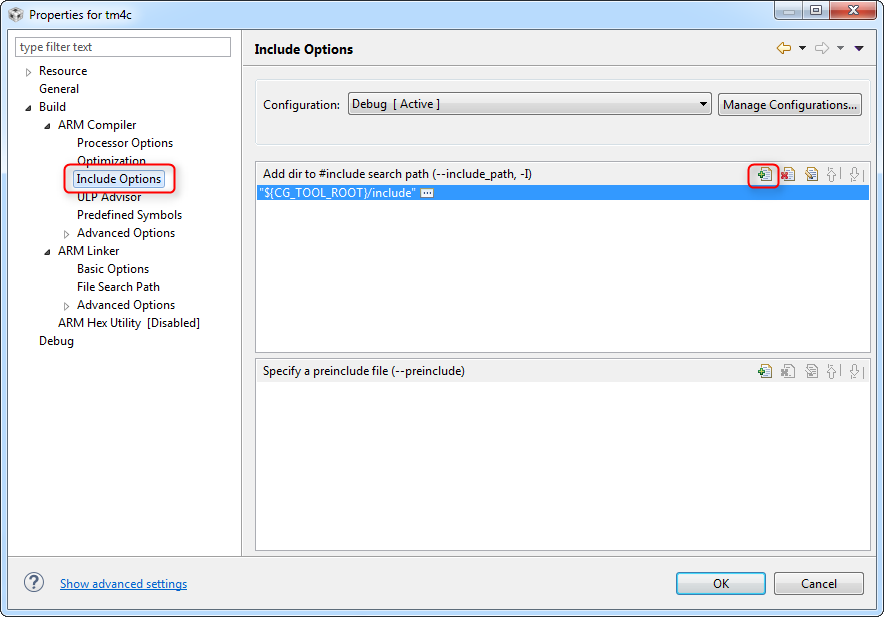
Tool/software: Code Composer Studio
I've been searching on the forums, and searching the documentation on how to add include paths in CCS V7. I can't find ANY instruction anywhere. There is a lot of examples for earlier versions of CCS (e.g., V6) However, my CCS GUI does not have the path edit window that is so clearly detailed in the various examples I've found for the earlier releases. In the project properties window, all there is for the build ARM compiler is a box labelled "summary of flags set" with an option to edit. That box is filled with somewhat encoded strings that appear to specify compiler options and includes (e.g., --inlcude_path="C:/...". I added an include path that for a "missing" header file by adding (via the Edit button) --include_path="C:\TI_CCS\tirtos_tivac_2_16_01_14\products\TivaWare_C_Series-2.1.1.71b". The project compiled. However, I would like to ask if there is another way to do this that allows browsing to a folder rather that typing in the above syntax?
Thank you.