This thread has been locked.

If you have a related question, please click the "Ask a related question" button in the top right corner. The newly created question will be automatically linked to this question.

CCS/MSP430F5529: CCS/DLP7970ABP

Part Number: MSP430F5529
Other Parts Discussed in Thread: DLP-7970ABP

Tool/software: Code Composer Studio

I am using DLP-7970ABP and MSP430F5529 and i have issues coding them.  I used the example project from www.ti.com/.../dlp-7970abp Documents 

When i run the code it says 

This project was created using a version of compiler that is not currently installed: 4.3.3 [MSP430]. See 'Help > Check for Updates' or visit <a href="liveaction:OpenAppCenter">CCS App Center</a> to get the latest compilers. See 'Help > Install New Software...' to install older compilers. Alternatively, migrate the project to one of the available compiler versions by adjusting project properties. TRF7970ABP_RFID_Reader_Demo properties Problems

I changed the target configuration as the current target configuration is not referring to my board. when i change the variant it says 

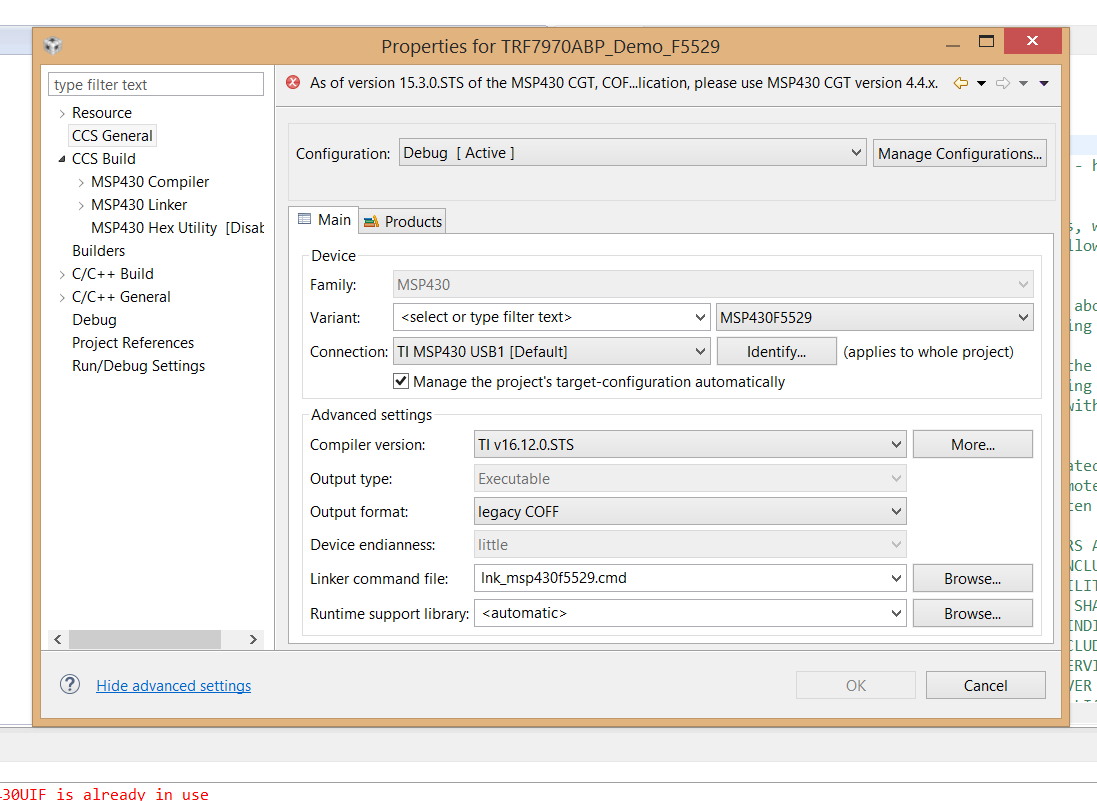
As of version 15.3.0.STS of the MSP430 CGT, COF...lication, please use MSP430 CGT version 4.4.x.

Thanks!!

  • Looks like the example project is a pretty old one.  At that time the output of the compiler was COFF, now it is ELF.  You have a couple of options.  One would be to change the project settings to be ELF and open that everything in the example is compatible with that (there will be build errors if it is not the case).  Or you can download and install the 4.4.x compiler.

    To give ELF a try you can go into the properties for the project.  Select General in the tree on the left.  Change the compiler version to be the latest you have installed and change the output type to ELF.

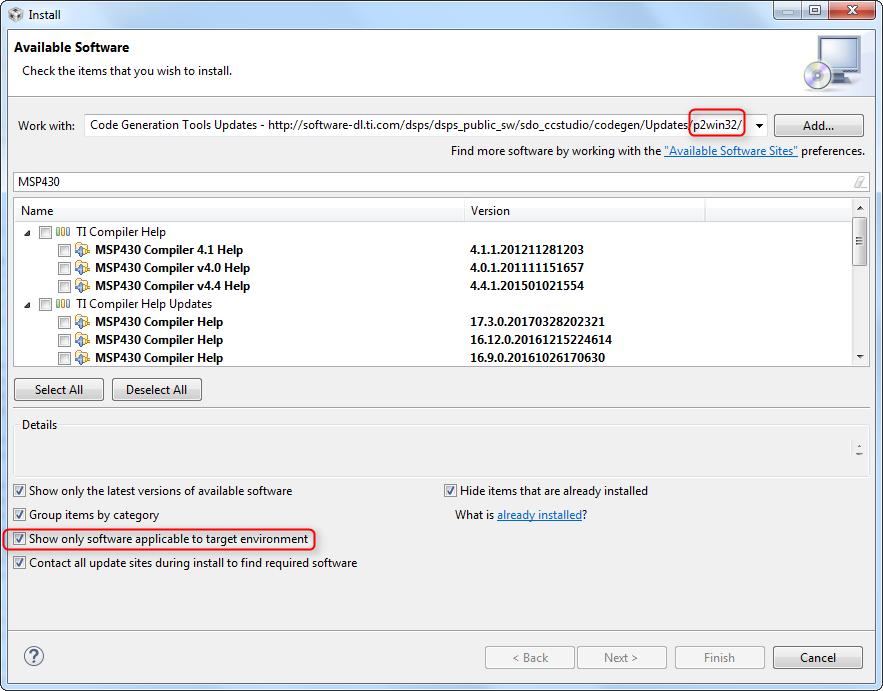
    If you want to install the older compiler to to the help menu and select "Install New Software".  Select the Code Generation Tools Update site.  Type MSP430 in the filter box to narrow the results.  Check the box beside 4.4.8 to install the latest 4.4.x compiler.  Click Next.

    Regards,

    John

  • Hi 

    Thank You!! I still have problems.. when i tried the two methods i cannot get the output 

    When i try to download older version (4.4.8) 

    When i try to change the selection in the properties 

     Regards

    Durga

  • Durga,

    Are you running on Linux?   The compiler that you are installing on the first screen is the Linux version.

    Regards,

    John

  • then which one should i download if i am running on windows
  • Try checking the box at the bottom to show only the updates that are applicable to the target environment.  Normally you don't need to check that.

    Also does the update site have win32 in the name?

    Regards,

    John