This thread has been locked.

If you have a related question, please click the "Ask a related question" button in the top right corner. The newly created question will be automatically linked to this question.

CCS/CC3220SF-LAUNCHXL: Path variables not saved

Part Number: CC3220SF-LAUNCHXL


Tool/software: Code Composer Studio

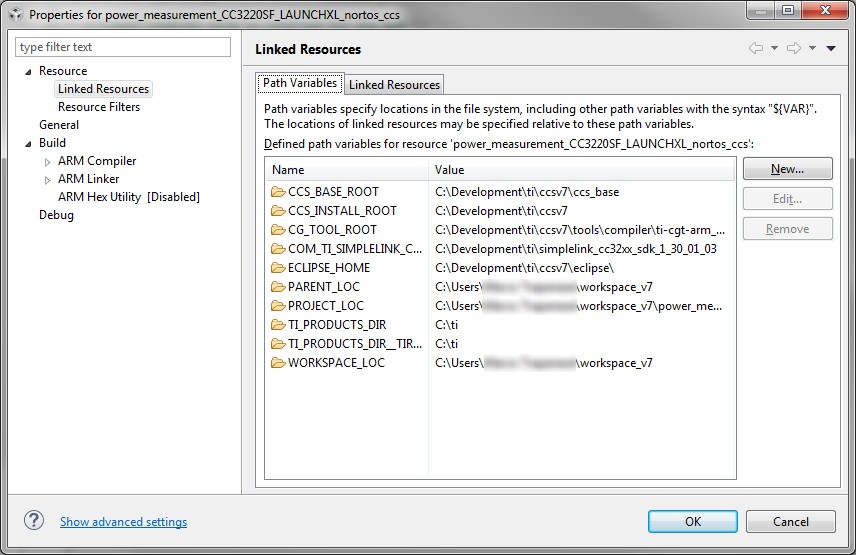
I'm quite new to CCS and I'm facing a weird behavior. On Windows 7 with CCS 7.1.0 I add a Path Variable using the browse button. The new variable is shown in the list. If I click ok and reopen the project property window the row is not there anymore.

I also tried to write the path directly - no chance.

is there something I need to do to in order to get the variables saved?

  • femtotech said:
    I'm quite new to CCS and I'm facing a weird behavior. On Windows 7 with CCS 7.1.0 I add a Path Variable using the browse button. The new variable is shown in the list.

    Could you please post a screenshot of the dialog where you are adding this so we can try to check if the issue is reproducible here?

  • Here the screenshot:

    However, after rebooting the PC I was able to add other Path Variables. I cannot reproduce further the behavior. Anyway no error message appeared: it just removed the new variable added when I re-opened the dialog window.

  • OK, so the issue is no longer reproducible, correct? In that case we will close this thread. If you do hit the issue, please feel free to come back to it.