


Are we having fun yet?
Ok I'm green to the Eclipse GUI but.. I'm attempt to debug some examples and modified examples with some interesting results. Pilot error I hope.
I imported an example (Hello.c) successfully, compiled, uploaded and ran. But attempting to start an debug session I received an error message about debug configuration. After finally getting that to successfully run, debug single step,.... I wanted to do the same with another project. What I noticed is that when seems to be a odd. When I goto to the tool bar and expand the debug Bug and then click Debug, I see a list which appears to be of debug configurations, see picture below
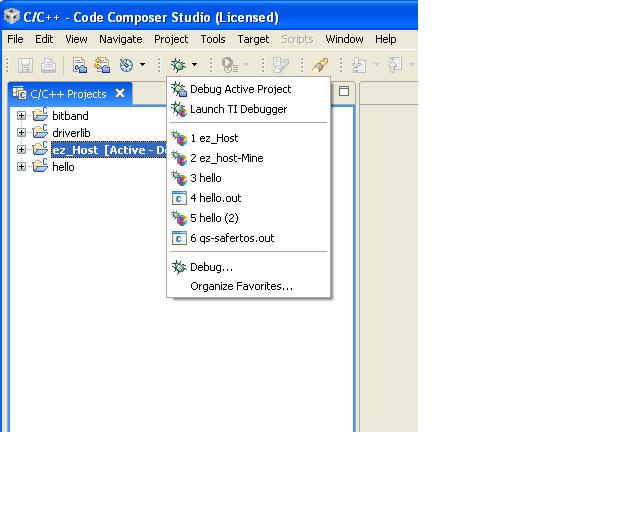
When I click on Debug, from the drop down I get a window that allows you to edit/create debug configurations BUT in that window/frame I don't see a list of configurations to edit, see picture below
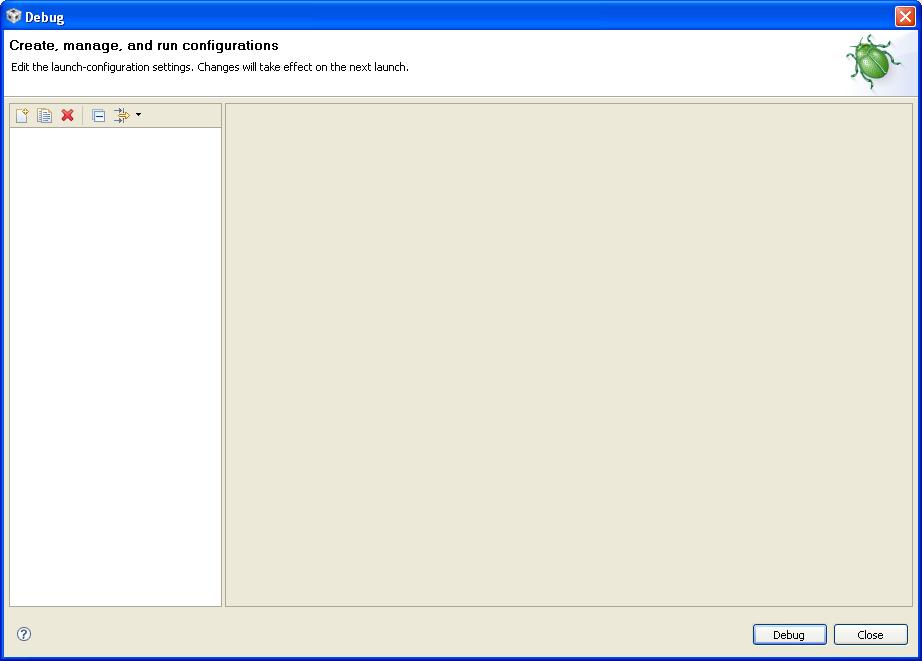
Am I expecting too much? From what I read there should be a list of Debug Configurations
Also when a create a new configuration and attempt to select the CPU in the Debugger tab I don't see a list of CPU's
One final item, when I attempt to debug another project, besides Hello, I get no source code during debugging. What I see is what appears to be as address and question marks next to the ( 007000EA ???????)
Thanks
Dave

