This thread has been locked.

If you have a related question, please click the "Ask a related question" button in the top right corner. The newly created question will be automatically linked to this question.

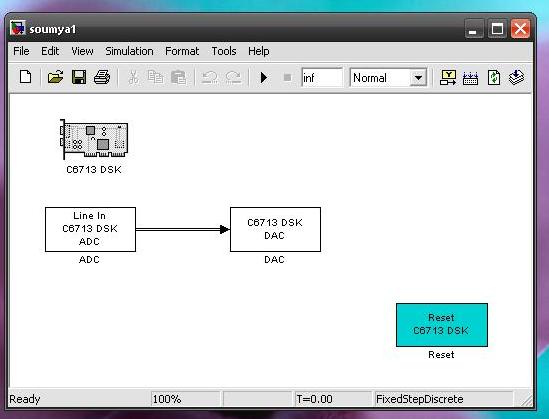
CCS: I created a simulink model consist only of an input a unit delay and an output model and when i build it for ccs simulator it get me these two error messages..


Tool/software: Code Composer Studio

I created a simulink model consist only of an input a unit delay and an output model and when i build it for ccs simulator it get me these two error messages.

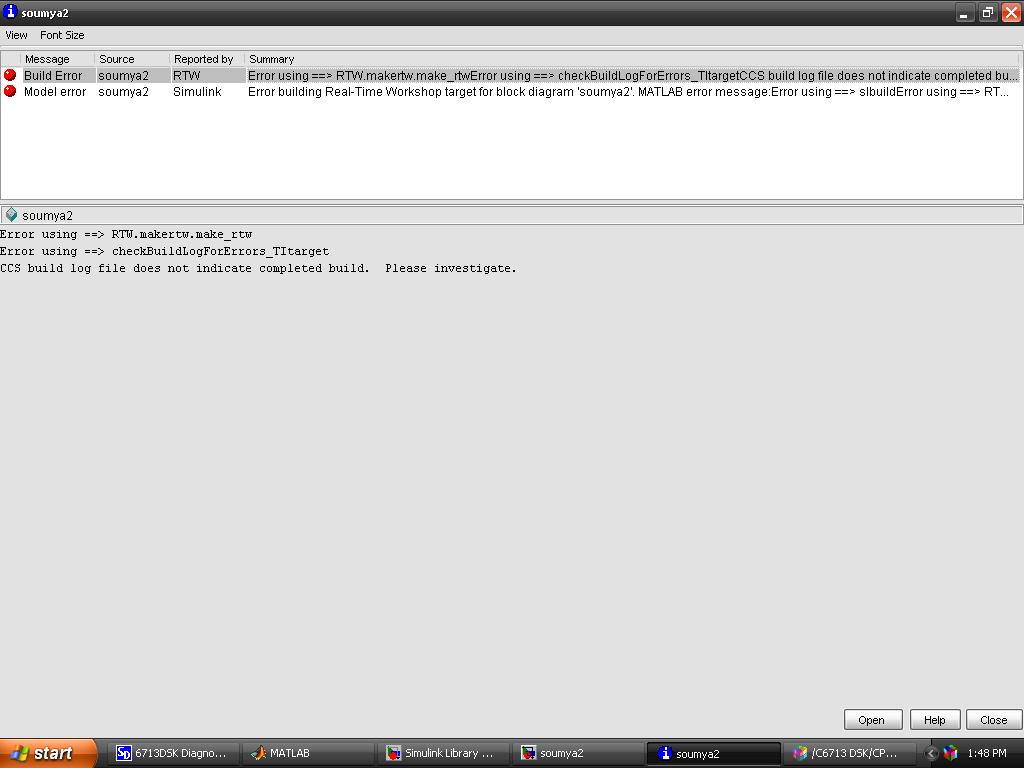
Error 1 :
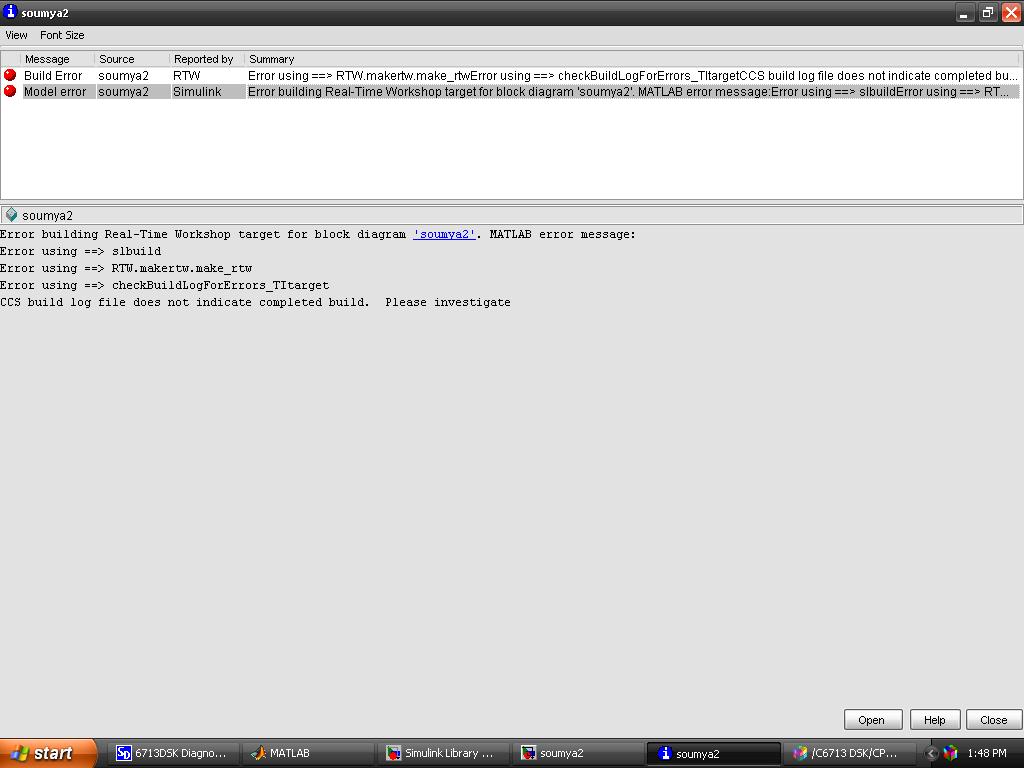
Error 2 :
Please give me a solution...

  • Hello,
    The error is from simulink, not CCS. It is best to contact Mathworks support for more information.

    I've also brought this thread to the attention of a Mathworks representation on this forum. Hopefully he can provide some more suggestions also.

    Thanks
    ki
  • I have no idea how this is setup - but I think you should be trying to run your simulation in Simulink and not externally via calls to the MathWokrs simulation engine (if this is indeed what you are trying to do).

    Please contact MathWorks Technical Support for assistance.

    -Brian

  • What version of MathWorks tools, CCS, and OS are you using? You may have a incompatible set-up.

    I don't really understand what you are trying to do here - so I again will tell you the fastest way to get unstuck with your project to to contact MathWorks t=Tech Support.

    -b

  • Tool/software: Code Composer Studio

    -------------------------- soumya1.pjt - Custom_MW --------------------------
    [MW_c6xxx_bsl.c] "D:\CCS V3.1\C6000\cgtools\bin\cl6x" -g -fr"D:/MATLAB7/work/soumya1_c6000_rtw/Custom_MW" -d"_DEBUG" -@"Custom_MW.lkf" "MW_c6xxx_bsl.c"
    "D:/CCS V3.1/C6000/csl/include/csl_chiphal.h", line 262: fatal error: #error NO CHIP DEFINED (use -dCHIP_XXXX where XXXX is chip number, i.e. 6201)
    1 fatal error detected in the compilation of "MW_c6xxx_bsl.c".
    Compilation terminated.

    >> Compilation failure

    [MW_c6xxx_csl.c] "D:\CCS V3.1\C6000\cgtools\bin\cl6x" -g -fr"D:/MATLAB7/work/soumya1_c6000_rtw/Custom_MW" -d"_DEBUG" -@"Custom_MW.lkf" "MW_c6xxx_csl.c"
    "D:/CCS V3.1/C6000/csl/include/csl_chiphal.h", line 262: fatal error: #error NO CHIP DEFINED (use -dCHIP_XXXX where XXXX is chip number, i.e. 6201)
    1 fatal error detected in the compilation of "MW_c6xxx_csl.c".
    Compilation terminated.

    >> Compilation failure

    [rt_nonfinite.c] "D:\CCS V3.1\C6000\cgtools\bin\cl6x" -g -fr"D:/MATLAB7/work/soumya1_c6000_rtw/Custom_MW" -d"_DEBUG" -@"Custom_MW.lkf" "rt_nonfinite.c"
    "rtwtypes.h", line 12: fatal error: could not open source file "tmwtypes.h"
    1 fatal error detected in the compilation of "rt_nonfinite.c".
    Compilation terminated.

    >> Compilation failure

    [rt_sim.c] "D:\CCS V3.1\C6000\cgtools\bin\cl6x" -g -fr"D:/MATLAB7/work/soumya1_c6000_rtw/Custom_MW" -d"_DEBUG" -@"Custom_MW.lkf" "rt_sim.c"
    "rt_sim.c", line 20: fatal error: could not open source file "tmwtypes.h"
    1 fatal error detected in the compilation of "rt_sim.c".
    Compilation terminated.

    >> Compilation failure

    [soumya1.c] "D:\CCS V3.1\C6000\cgtools\bin\cl6x" -g -fr"D:/MATLAB7/work/soumya1_c6000_rtw/Custom_MW" -d"_DEBUG" -@"Custom_MW.lkf" "soumya1.c"
    "rtwtypes.h", line 12: fatal error: could not open source file "tmwtypes.h"
    1 fatal error detected in the compilation of "soumya1.c".
    Compilation terminated.

    >> Compilation failure

    [soumya1_main.c] "D:\CCS V3.1\C6000\cgtools\bin\cl6x" -g -fr"D:/MATLAB7/work/soumya1_c6000_rtw/Custom_MW" -d"_DEBUG" -@"Custom_MW.lkf" "soumya1_main.c"
    "rtwtypes.h", line 12: fatal error: could not open source file "tmwtypes.h"
    1 fatal error detected in the compilation of "soumya1_main.c".
    Compilation terminated.

    >> Compilation failure

    [vectors.asm] "D:\CCS V3.1\C6000\cgtools\bin\cl6x" -g -fr"D:/MATLAB7/work/soumya1_c6000_rtw/Custom_MW" -d"_DEBUG" -@"Custom_MW.lkf" "vectors.asm"

    Build Complete,
    6 Errors, 0 Warnings, 0 Remarks.

  • I dont believe we support CCSv3.1. The earliest CCS we support is v3.3 (that I am aware of).

    Also I think you are using MATLAB 7 - which is ancient, that was launched in June 2004, almost 13 years ago. That is 30(!!) releases ago on the MathWorks side (we are on MATLAB 9.2 currently). I don't know that you will find many technical resources available to help here - you probably need to upgrade your CCS and MathWorks tools to a much more recent release.

    -Brian

  • MATLAB 7 (R14)

    CCS V3.1

    WIN XP

  • Hi,

    Please see post above - this SW combo is so old I have no info on it. Your best bet to to contact MathWorks Technical Support, maybe they have some resources that can help.

    Here are some archived doc links (login may be required):
    www.mathworks.com/.../helpdesk.html
    www.mathworks.com/.../

    HTH,
    -Brian
  • I have MATLAB R2015a software....Which CCS version is supported (best combo) this matlab version..??

  • Now, this time i used Matlab R2012a & CCSv4.1

    Please solve this matter...(point no. 2)..Does not found C6000 CSL file ??

    >> xmakefilesetup
    >> checkEnvSetup('ccsv4','c6713','setup')
    
    1. Checking CCS (Code Composer Studio) version
       Required version: 4.1.0
       Required for    : Code Generation
       Your Version    : 4.1.0
    
    2. Checking C6000 CSL (TMS320C6000 Chip Support Library) version
       Required version: 2.31.00.16 or later
       Required for    : Code generation
    Warning: Installation directory for C6000 CSL is invalid. 
    > In C:\Program Files\MATLAB\R2012a\toolbox\idelink\extensions\ticcs\envChecker\checkEnvSetup_private.p>updateInstallDir at 519
      In C:\Program Files\MATLAB\R2012a\toolbox\idelink\extensions\ticcs\envChecker\checkEnvSetup_private.p>envSetup at 277
      In C:\Program Files\MATLAB\R2012a\toolbox\idelink\extensions\ticcs\envChecker\checkEnvSetup_private.p>checkEnvSetup_private at 75
      In checkEnvSetup at 156 
       Your Version    : 
    Warning: The folder, "", required to set environment variable CSL_C6000_INSTALLDIR does not
    exist. Check your installation. 
    > In C:\Program Files\MATLAB\R2012a\toolbox\idelink\extensions\ticcs\envChecker\checkEnvSetup_private.p>setEnvVar at 584
      In C:\Program Files\MATLAB\R2012a\toolbox\idelink\extensions\ticcs\envChecker\checkEnvSetup_private.p>envSetup at 321
      In C:\Program Files\MATLAB\R2012a\toolbox\idelink\extensions\ticcs\envChecker\checkEnvSetup_private.p>checkEnvSetup_private at 75
      In checkEnvSetup at 156 
    
    3. Checking CGT (Code Generation Tools) version
       Required version: 6.1.10 to 6.1.18
       Required for    : Code generation
       Your Version    : 6.1.12
       ### Setting environment variable "C6000_CGT_INSTALLDIR" to "C:\Program Files (x86)\Texas Instruments\ccsv4\tools\compiler\c6000"
    
    4. Checking DSP/BIOS (Real Time Operating System) version
       Required version: 5.33.05 to 5.41.09.34
       Required for    : Code generation
       Your Version    : 5.41.02.14
       ### Setting environment variable "CCSV4_DSPBIOS_INSTALLDIR" to "C:\Program Files (x86)\Texas Instruments\bios_5_41_02_14"
    
    5. Checking XDC Tools (eXpress DSP Components) version
       Required version: 3.16.02.32 or later
       Required for    : Code generation
       Your Version    : 3.16.02.32
    >> 

  • Hi,

    I'm not super familiar with the C6000 workflow, but believe you get the CSL from TI. The error is returning a MATLAB default directory - it has not been set correctly, or it cant locate the correct file.  You need to get the CSL, and point MATLAB to the directory it resides in.

    -b