This thread has been locked.

If you have a related question, please click the "Ask a related question" button in the top right corner. The newly created question will be automatically linked to this question.

CCS/CODECOMPOSER: Compiler version selection: restrictions and troubles

Part Number: CODECOMPOSER


Tool/software: Code Composer Studio

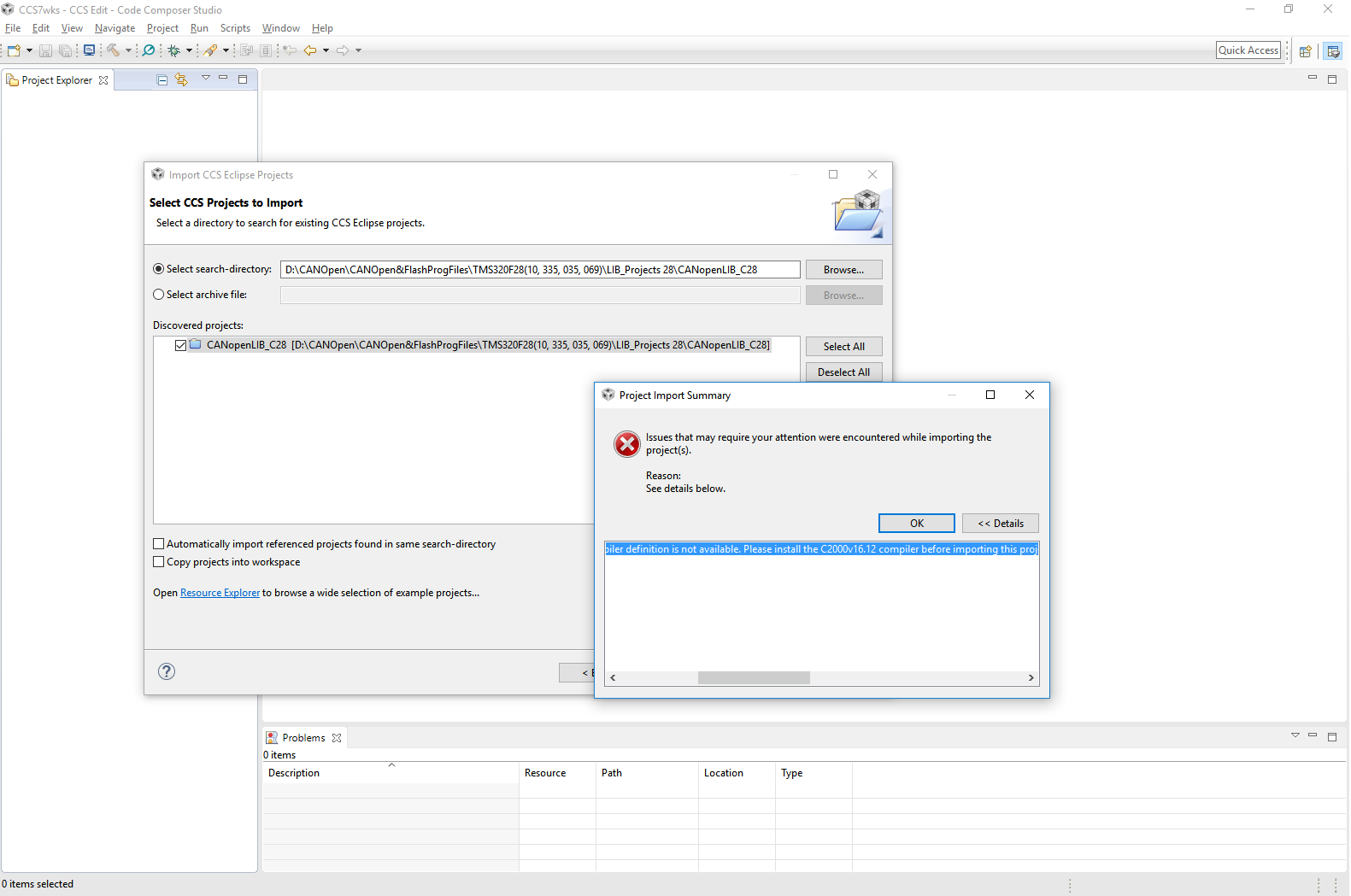
I new in CCS7 and used SSC5 before. Now I want to change something in my collegues project based on CCS7. I have install CCS7, updated and tried to import project. I got a error about compiller version missing: project is based on C2000 v16.12.
Ok, I went to http://processors.wiki.ti.com/index.php/Compiler_Updates 

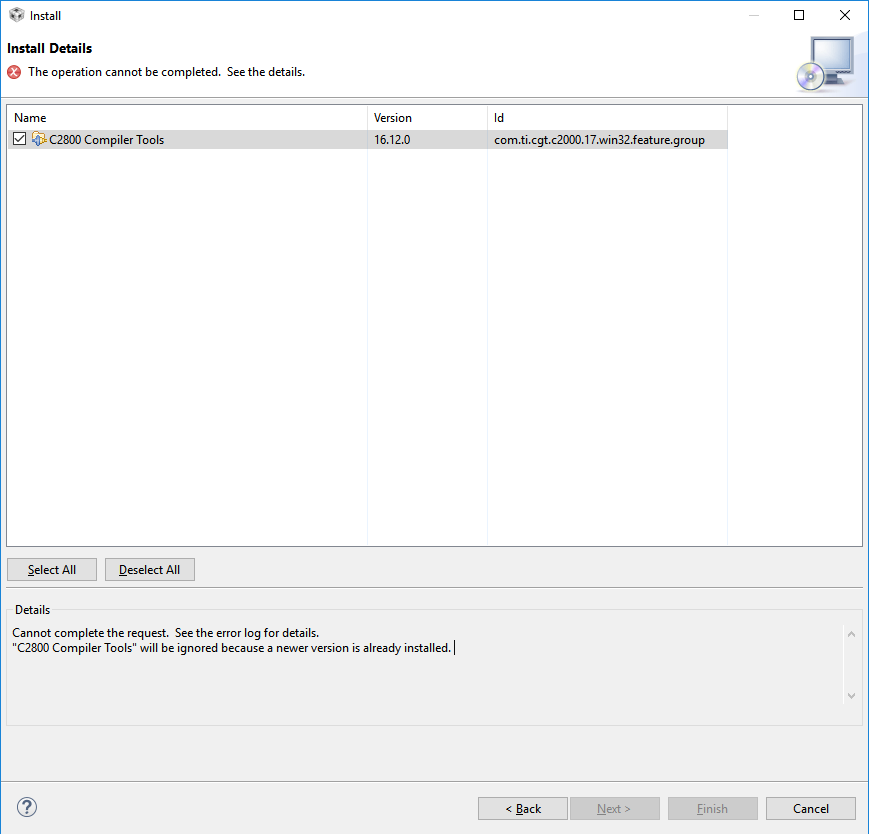
But error again: it says "a newer version already installed"! 

Now I can not import project because it wants a specific compiler (But why?! Maybe I want to make import and select another new compiler?!)

And I can not install specific compiler 16.12 because I have a new one (17.3 maybe).

Now I solved a problem by uninstalling 17.3 compiler version and installing 16.12 after.

Summarising CCS7 wish list:

1. It need to be allowed to import project with other compiler version. Maybe I want to use a new? For what reason I need the specific compiler so nesesary?

2. Why I can't install an old compiler version if I have a new one?

  • Max,

    If you go to "Help -> Install New Software" you can install older versions of the compiler.
    Select the Code Generations Tools Update site
    Uncheck the box at the bottom to show only the latest version
    Then look in the list under TI Compiler Updates for the C2000 16.12.x compiler.
    Select it and proceed with the installation
    Once that has completed (including a CCS restart) try importing the project.

    The import issue that you are running into is that CCS is trying to migrate the project on import to use the compiler that you have but it doesn't know what the build options are for the 16.12 compiler so it is not able to do the migration.

    In the future we are going to ship all known compiler build definitions so that the import tool can always do the migration even if the compiler is not installed.

    As far as installing older versions the wiki topic you found tries to explain in more detail. The basic issue is that the Eclipse framework that we use for CCS only likes to have one version of a feature installed and doesn't let you install older versions of that feature. We work around this by having part of the version number in the feature name so that compiler 1.x and compiler 2.x are different features.

    However you should be able to install the 16.12 compiler even if you have 17.x. I just did this on my install. It will block you from installing 16.12.2 if you have 16.12.3 installed already.

    Regards,
    John
  • It seems what compiler version 17.3 blocks version 16 installation. I have try to reproduce a problem.
    I had uninstall 16.12 version and install 17.3 back.


    After CCS restart a tied to install 16.12 and have got same problem "a newer version already installed".

    But when I removed 17.3 I can install 16.12 correctly as before.

    More then, there are some discrepancy between compilers in Help - Installed details, and menu Windows-Preferences-Code Composer Studio-Build-Compilers. While in "Installed details" shown only one compiler, the Build-Compilers shows a bit more at same time.

  • Thanks for the details. I think I see the issue. In your second to last capture the 16.12 compiler shows its feature name as com.ti.cgt.c2000.17....

    It is using the 17 in the feature name which would likely block 17.3 from installing as it would have the same feature name. I will do some experiments on my end to confirm. This is a bug in our packaging.

    You can bypass this by downloading the compiler installation program and installing outside of CCS. CCS will then detect the compiler installation and allow you to use it. This avoids the Eclipse feature/versioning system.

    You can download the installation packages here:
    software-dl.ti.com/.../download.htm

    If you install in c:\ti then CCS will detect them. If you install somewhere else you can add the path in that last capture that you sent.

    Regards,
    John
  • Yes the 17.3 install is blocking the 16.12 install as they both say they are the same feature com.ti.cgt.c2000.17. 17.3 is a newer version than 16.12 so the update manager won't allow it to install. 16.12 is supposed to have the feature name com.ti.cgt.c2000.16.

    For me having 16.12 installed did not block 17.3 from installing which makes sense as 17.3 would be a higher version than 16.12.

    John