This thread has been locked.

If you have a related question, please click the "Ask a related question" button in the top right corner. The newly created question will be automatically linked to this question.

RTOS/66AK2G02: Difficulty getting even a basic SYS/BIOS project going

Part Number: 66AK2G02
Other Parts Discussed in Thread: OMAP-L138, , SYSBIOS

Tool/software: TI-RTOS

Hi Guys,

I've recently begun a migration to the Keystone 2/C66x, etc. platform from OMAP-L138/C67x, etc. and I'm having some troubles.

I've started with the EVMK2G and a clean install of Code Composer 7.1.0.00016 and TI-RTOS 03.03.00.04 (and everything that comes with it).

I can get a bare-metal C project working and compiling (it seems) - but I cannot get a SYS/BIOS project running because when it comes to selecting a platform, there is nothing there for the K2G platform - in fact, with playing around to get a bigger list as below, its not clear what platform file I should be using at all. I've tried quite a few things, but I'm not in a position to try all combinations of everything.

I may be doing something totally wrong, so I thought I'd show the steps I'm taking:

So I try to add a new project:

Then, adding nothing complicated for now:
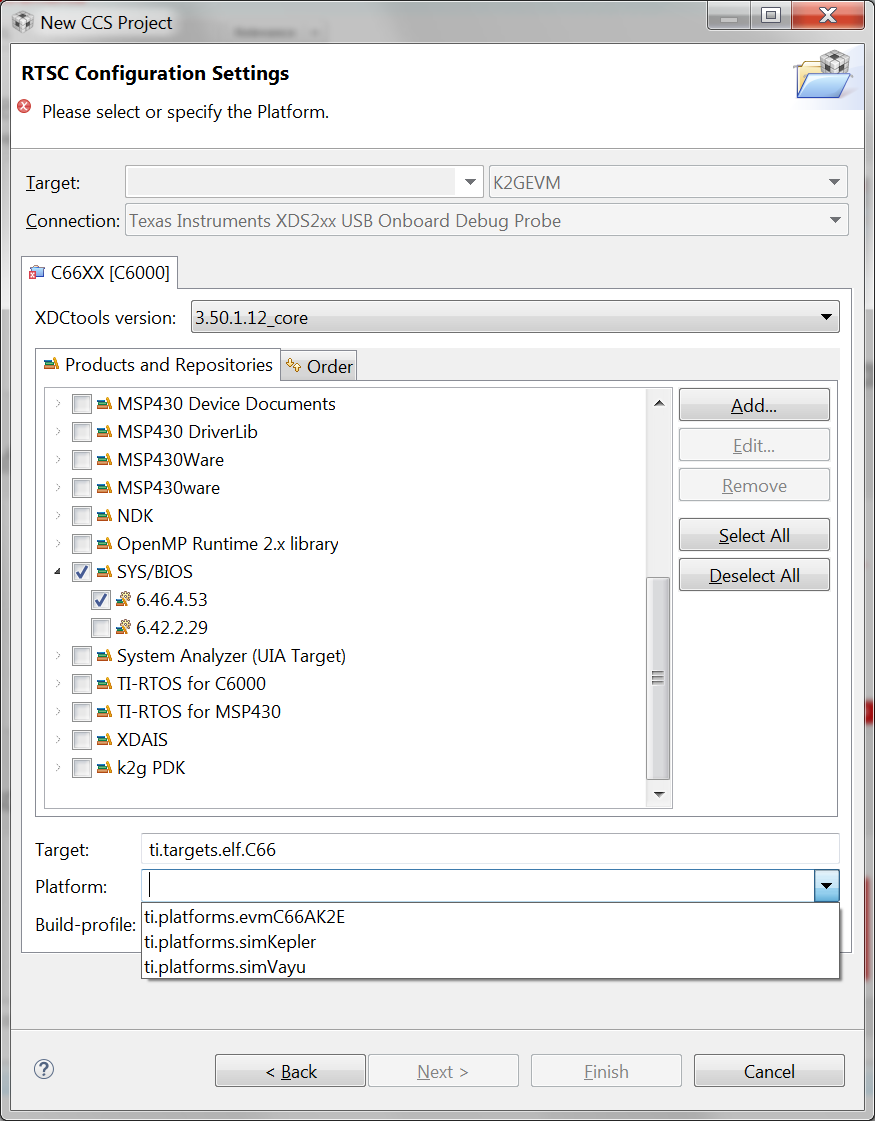
As you can see, there are only 3 options for a platform, none of which are the K2G (would K2E work?).

I found that if I manually add the platforms folder from SYS/BIOS then I can get the list going:
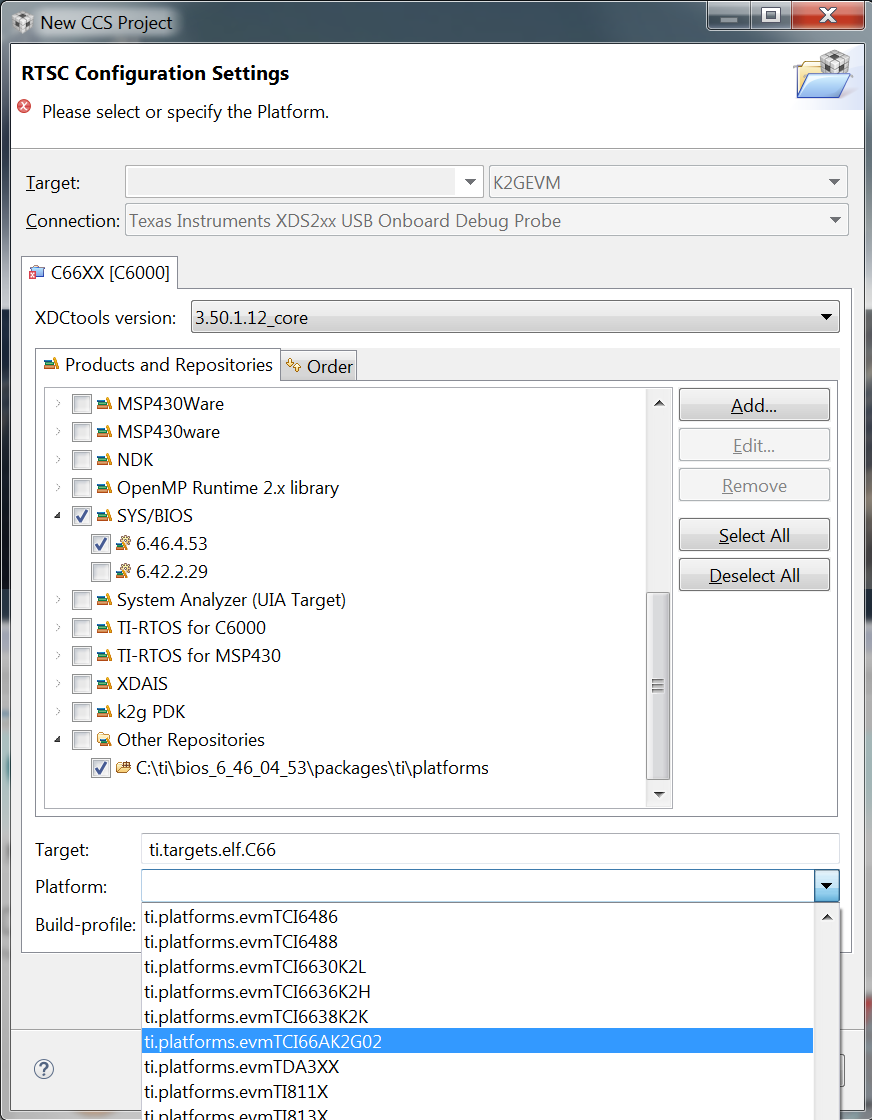
And I find something that at least has 66AK2G02 in it.

This is all fine and allows me to complete the new project wizard, but then the project will not compile with the following errors:
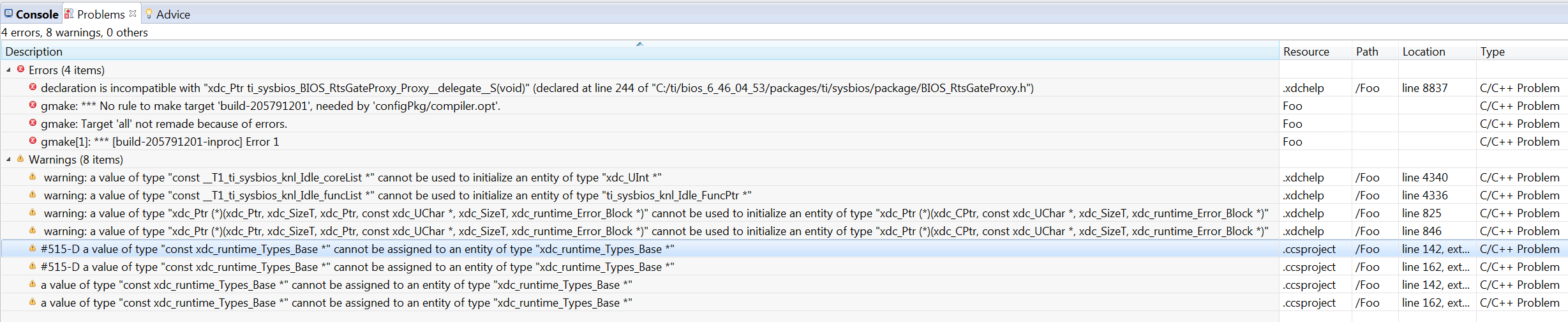
The location for the 4 bottom warnings spilling off the edge is "external location: C:\ti\bios_6_46_04_53\packages\ti\sysbios\interfaces\ITimestamp.h"

If I change the XDCtools version to 3.32.1.22_core then the project will then compile and debug, but I cant verify if it is running correctly as I can't get any of the print statements to show and I can't edit app.cfg with XGCONF.

In short, what's going on and why am I having such trouble getting this to run out of the box where I haven't with any other platform?

Any light anyone can shine on this would be greatly appreciated!

  • Hi,

    I've notified the sw team. Their feedback will be posted here.

    Best Regards,
    Yordan
  • Anthony,

    There are some issues with your setup that doesn`t align with the current supported component versions with the Processor SDK RTOS for this device. To start with, we are only supporting CCSv7.00 with the current release of the SDK as that is the version using which the software has been system tested. We don`t test against issues that may arise with a later versions of the CCS . We typically don`t expect there to be issues but the latest CCS version is shipping with XDCtools and so we have had some issue with TI RTOS users linking BIOS 6.46 with incorrect version of XDCtools.

    I would ask you to try this a little differently and see if your issue is resolved. When you are creating the project, select the correct version of XDCtools and in the project XDCPATH settings ensure that BIOS/packages are added. Another great way to test your setup is to create a hello world using TI RTOS template integrated in CCS as described here using Resource explorer classic:
    processors.wiki.ti.com/.../Processor_SDK_RTOS_Examples

    Let us know if this doesn`t work and I will try to reproduce the issue with the CCS release that you are using.

    Regards,
    Rahul
  • Hi Rahul,

    Thanks for your reply.

    Unfortunately this is precisely the problem. All I have done after acquiring the EVM is go to the TI site and download both the latest versions of CCS and TI-RTOS (as, whilst these images were taken on my old system, I am now setting up a new workstation) - why should I expect anything other than that these products should work with one another. After installing these, all I have is CCS version 7.1.x and SYS/BIOS version 6.46.x

    In fact, there is no immediate suggestion as to which version of one product corresponds to another (maybe if I dug through 100s of pages of documentation I could find a reference somewhere?).

    Which versions of various products should I be using? Do I need to install CCS 7.0.x? What IS the correct version? As I suggested, all these things are easy to try, but very quickly there becomes an unmanageable number of combinations...

    Kind regards,

    Antony

  • I've just tested with CCS version 7.0.0.00043 with both versions of TI-RTOS I can find (3.3 and 3.2) and the results are the same.
  • Antony Barton said:
    I can't edit app.cfg with XGCONF.

    In CCS 7 the default editor used when double-clicking on a .cfg file is a text editor, rather than XGCONF. See https://e2e.ti.com/support/microcontrollers/tiva_arm/f/908/p/600173/2208076#2208076 for how to make CCS 7 open a .cfg  file in XGCONF.

  • Hi Chester,

    Thanks for your message.

    I should have been clearer on this. If I select XDCtools version 3.50.1.12_core, then this project wont compile, but I can open/edit the .cfg file with XGCONF.

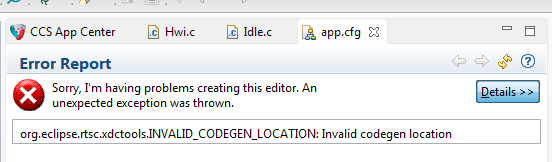
    If I select XDCtools version 3.32.1.22_core then the project will compile with no errors or warnings (although I haven't verified that the program actually runs correctly), BUT if I try to edit the .cfg file with XGCONF then I get the following error message:

    I get the feeling I could figure out what's going on here if I had more detailed knowledge on how certain things worked, but my tiny brain can't hold everything!

    Cheers,

    Antony

  • Antony,
    please download XDCtools 3.50.02 from here downloads.ti.com/.../index_FDS.html
    That should help with XGconf problems, but you still have to keep XDCtools version 3.32.01 in your project properties. With that, you should be able to build and edit using XGconf. Let me know it that works, and if you have any build issues, please post the complete console output.
  • Antony Barton said:
    If I select XDCtools version 3.32.1.22_core then the project will compile with no errors or warnings (although I haven't verified that the program actually runs correctly), BUT if I try to edit the .cfg file with XGCONF then I get the following error message

    See "org.eclipse.rtsc.xdctools.INVALID_CODEGEN_LOCATION: Invalid codegen location" on open of SYS/BIOS .cfg file in CCS 6.2.0.00050 for a possible work-around to be able to edit the .cfg file with XGCONF.

    While I reported the problem against CCS 6.2,the version of XDCtools 3.32.1.22_core is the same as you are having the error with.

  • Hi Sasha, that seems to have done it, albeit in a very clunky way. I've pulled in the minimal SYS/BIOS example and put a while(1) loop in the task function with a counter. It looks like this counter is incrementing just fine. What that guarantees in terms of broader functionality I'm not sure, but at least I can get started!

    I notice CCS v7.2.x has been released and that wont install on my new, Windows 10 workstation so it looks like the music has started again!

    Presumably, from your suggestion, you know what's going on with this and a more natural fix is on its way?

    Also, another part of my question was related to the platform file... what is the correct one for the EVMK2G and why isn't it showing up automatically?

    Thanks for the help,

    Antony
  • What happens when you try to install CCS 7.2?
    I don't really know which platform is correct for your device but I know how the mechanism works. There is a file platforms.json in the directory 'etc' of your SYS/BIOS installation. Based on your choice of the target and the device, that file generates a list of platforms. When you add the directory 'platforms' as a repository of the packages under 'Other Repositories', that mechanism is bypassed and you get the list of all platforms including the one that can't really support your target (TCI6486 is definitely not a compatible platform, for example).
    You can try using the platform that you already selected, and if the memory map in the generated map file matches what you have on your board, you are most likely OK.
  • Hi Sasha,

    Thanks for the quick reply.

    What happens on the Win10 platform (its all 64-bit by the way and I'm about to move onto seeing what happens on my Win7 system) is that when you get to the actual installation phase after selecting what features I want, etc. it tries to extract one package (I forget the name), repeats this line in the output 4 times (retrying then giving up?), then moves onto another one (again I forget the name but it includes 'jre' in the name) and repeats that 4 times and ultimately halts with an error stating that something has gone wrong most likely due to antivirus (totally switched off) or corrupt installer (tried redownloading both the web installer and the complete one several times). I then resorted to CCS v7.1.x and that installed absolutely fine (SYS/BIOS problem not withstanding).

    The platform file I tried seems to be accurate for the memory ranges it includes - I'm not sure if this step should include the onboard RAM (it doesn't) or if that is restricted to the linker command file - I also don't know if the linker command file is derived from this.

    I will report back once I have downloaded and tried to install CCS 7.2 on this system.
  • I probably can't help with the installation problem but other posters on this board could, and I am sure they would want to see the exact error message you are getting on Windows 10.
  • Works fine on Windows 7. I actually think this is a problem with my %TEMP% folder on the Win10 machine as a Microchip compiler wouldn't install properly either.