This thread has been locked.

If you have a related question, please click the "Ask a related question" button in the top right corner. The newly created question will be automatically linked to this question.

CCS: # CC2650, # Zigbee

Tool/software: Code Composer Studio

I have a problem with CCS  7.1.0.00016 

I have used add in TI resource Explorer the tirtos_cc13xx_cc26xx_2_21_00_06 package

I want see and used an Rf example for Zigbee on CC2650EM-7ID card

i import RF EasyLinkl TX example 

But when I rebuilt project

it's very long times on this step

after 15min I stop operation

i have this eror

I think that I have a problem with "compiler version"

and or "XDCTools Version"

Can you help me please

  • here the release_notes_tirtos_cc13xx_cc26xx_2_21_00_06.html

  • I just confirmed that I can build that same project from that same version of TI-RTOS package without any errors.

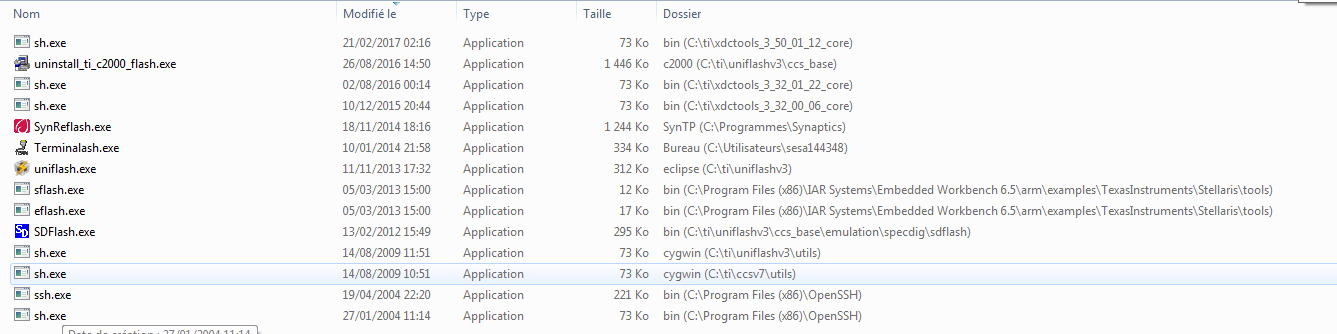
    One thing I would suggest checking is whether you have other tool chains such as Cygwin installed and if you do, check whether the sh.exe from that tool is in your system PATH. If it is, that could cause a conflict and cause build problems. Although in the past what I have seen is it would generate an error during build, not get stuck as is happening in your case.

    There is some info about the known issue at this link. Please take a look and see if the suggestions there help.

  • You say " in your system PATH" . is it windows system or CCS system?

    I dont know how check this path can you help me please

  • Nicolas MICHEL59 said:
    You say " in your system PATH" . is it windows system or CCS system?

    Windows system path. You can check by opening a command prompt and typing "set" on the command line. It will show what the different system variables are set to, and you can check which directories are in the Path. 

    To edit the Path, you would need to go into the Control Panel->System settings->Advanced System settings and get to the Environment Variables from there (this is for a Windows 7 system).

  • Can you send me a screen shoot with variable in Control Panel->System settings->Advanced System settings please
  • Here are the screenshots from my Windows 7 system.

  • Yes ok and how add the good path please?
  • You need to check if your PATH contains another sh.exe (or gmake.exe) or a toolset (such as Cygwin, WinAVR, Yagarto etc) that may contain a copy of sh.exe.

    If it does, try temporarily removing those tools from the system PATH. Then try rebuilding your CCS project.

  • I have this
    i think what solution?
    G:\MentorGraphics\Allegro Export ODB++\nv\bin\;C:\Program Files (x86)\Intel\iCLS Client\;C:\Program Files\Intel\iCLS Client\;C:\ProgramData\Oracle\Java\javapath;%SystemRoot%\system32;%SystemRoot%;%SystemRoot%\System32\Wbem;%SYSTEMROOT%\System32\WindowsPowerShell\v1.0\;C:\Program Files (x86)\QT Lite\QTSystem;%systemroot%\System32\WindowsPowerShell\v1.0\;C:\Program Files\Lenovo\Fingerprint Manager Pro\;C:\Program Files\Intel\Intel(R) Management Engine Components\DAL;C:\Program Files (x86)\Intel\Intel(R) Management Engine Components\DAL;C:\Program Files\Intel\Intel(R) Management Engine Components\IPT;C:\Program Files (x86)\Intel\Intel(R) Management Engine Components\IPT;C:\Program Files\TortoiseSVN\bin;C:\Program Files (x86)\WebEx\PTools020000000;C:\Program Files (x86)\OpenSSH\bin;C:\Program Files\1E\NomadBranch\;C:\Program Files (x86)\Schneider Electric\Vijeo-Designer\Vijeo-Frame\Help;C:\Program Files (x86)\Schneider Electric\Vijeo-Designer\Vijeo-Runtime\Public\bin\;C:\Program Files\doxygen\bin;%CDSROOT%\tools\pcb\bin;%CDSROOT%\tools\bin;%CDSROOT%\tools\libutil\bin;%CDSROOT%\tools\fet\bin;%CDSROOT%\tools\specctra\bin;%CDSROOT%\tools\pspice;%CDSROOT%\tools\capture;%CDSROOT%\openaccess\bin\win32\opt;C:\Program Files\Microsoft SQL Server\130\Tools\Binn\;C:\Program Files\Microsoft\Web Platform Installer\;C:\Program Files (x86)\Microsoft ASP.NET\ASP.NET Web Pages\v1.0\;C:\Program Files\Microsoft SQL Server\110\Tools\Binn\;C:\Program Files\Intel\WiFi\bin\;C:\Program Files\Common Files\Intel\WirelessCommon\
  • I have add C:\ti\ccsv7\utils\bin in Path but there is the same problem
    G:\MentorGraphics\Allegro Export ODB++\nv\bin\;C:\Program Files (x86)\Intel\iCLS Client\;C:\Program Files\Intel\iCLS Client\;C:\ProgramData\Oracle\Java\javapath;%SystemRoot%\system32;%SystemRoot%;%SystemRoot%\System32\Wbem;%SYSTEMROOT%\System32\WindowsPowerShell\v1.0\;C:\Program Files (x86)\QT Lite\QTSystem;%systemroot%\System32\WindowsPowerShell\v1.0\;C:\Program Files\Lenovo\Fingerprint Manager Pro\;C:\Program Files\Intel\Intel(R) Management Engine Components\DAL;C:\Program Files (x86)\Intel\Intel(R) Management Engine Components\DAL;C:\Program Files\Intel\Intel(R) Management Engine Components\IPT;C:\Program Files (x86)\Intel\Intel(R) Management Engine Components\IPT;C:\Program Files\TortoiseSVN\bin;C:\Program Files (x86)\WebEx\PTools020000000;C:\Program Files (x86)\OpenSSH\bin;C:\Program Files\1E\NomadBranch\;C:\Program Files (x86)\Schneider Electric\Vijeo-Designer\Vijeo-Frame\Help;C:\Program Files (x86)\Schneider Electric\Vijeo-Designer\Vijeo-Runtime\Public\bin\;C:\Program Files\doxygen\bin;%CDSROOT%\tools\pcb\bin;%CDSROOT%\tools\bin;%CDSROOT%\tools\libutil\bin;%CDSROOT%\tools\fet\bin;%CDSROOT%\tools\specctra\bin;%CDSROOT%\tools\pspice;%CDSROOT%\tools\capture;%CDSROOT%\openaccess\bin\win32\opt;C:\Program Files\Microsoft SQL Server\130\Tools\Binn\;C:\Program Files\Microsoft\Web Platform Installer\;C:\Program Files (x86)\Microsoft ASP.NET\ASP.NET Web Pages\v1.0\;C:\Program Files\Microsoft SQL Server\110\Tools\Binn\;C:\Program Files\Intel\WiFi\bin\;C:\Program Files\Common Files\Intel\WirelessCommon\;C:\ti\ccsv7\utils\bin
  • Anyone have an other idea Please?
  • I don't see anything obvious in your PATH that could be causing a conflict, but that isn't to definitively say that there isn't anything.

    Do you hit this issue when compiling any project? Can you try importing and building a few different examples and see if the issue is reproducible for all of them? 

  • i have reinstall all ccs and rtos and same problem
    my only solution is used a virtual machine to suppress my antivirus
    i think that antivirus block certain file
  • Nicolas MICHEL59 said:
    i think that antivirus block certain file

    It is possible that the antivirus is blocking certain files. Although CCS works fine with most antivirus software, we have heard of issues here and there with a couple of software, unfortunately. I am glad to hear that you are able to move forward though after disabling the antivirus.  Thanks for the feedback.