This thread has been locked.

If you have a related question, please click the "Ask a related question" button in the top right corner. The newly created question will be automatically linked to this question.

CCS/CCSTUDIO: Error inizalizing emulator error, CCS5

Part Number: CCSTUDIO


Tool/software: Code Composer Studio

Hi there,

apparently random (to me) I get an "Error inizalizing emulator error" when I lunch a configuration targer as follow:
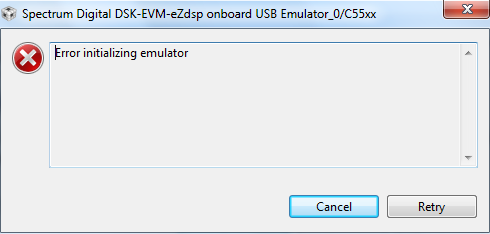
Is the same error as the board would be off, but it is actually on.

If I reset the board I still have the same problem. It only works if I close CCS5, reset the board and open CCS again!

Is there some window/tab that needs to be open when I lunch the desidered configuration target? The "Debug" windows was always on..

Thank you

Stefano

  • Stefano,

    This error message indicates the emulator is not recognized at all or if it is locked by another process. Given the issue is somewhat random I would strongly suspect the connections between the PC and the board - cables, USB connectors, ports, etc.

    Obviously that seems strange in face of the fact you need to restart CCS - I can't pinpoint an exact cause, but you can always try to run the command 'sdjtag clean' from the directory below when this starts to happen.

    C:\ti\ccsv5\ccs_base\emulation\drivers

    I will reply back to this thread if I have any additional ideas on what may be happening.

    Hope this helps,
    Rafael