Part Number: RM57L843
Other Parts Discussed in Thread: UNIFLASH
Tool/software: Code Composer Studio
Hi team,
There’re two RM57L843 in customer’s boards, RM57L843_CPU and RM57L843 _DSP, they use JTAG as Daisy chain and want to download FW using Uniflash command line. But when they run dslite.bat, only RM57L843_CPU can be download FW correctly, RM57L843_DSP one doesn’t work.Uniflash version is 4.2.0.1435, Emulator is XDS200.
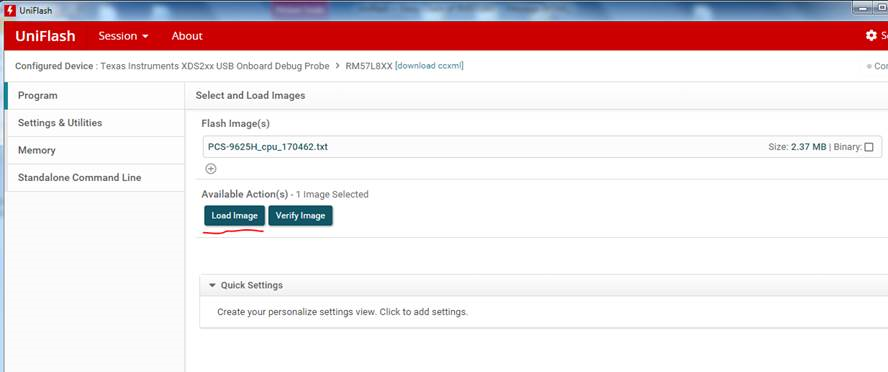
1. Customer was able to down load FW correcly to RM57L843_CPU and RM57L843 _DSP separately under CCS environment. Meanwhile, by generating two uniflash sessions using RM57L8xx_cpu.ccxml and RM57L8xx_dsp.ccxml, FW can also be downloaded correctly using Program->Load Image with Uniflash, that’s why I think the daisy chain HW and both .ccxml files are correct.
2. We generate packages using stand alone command line in Uniflash, but if run the .bat files, the problems turns up. Although I run two different dslite.bat under separate folders, both FW was downloaded to the CPU board, not the DSP one. Even the erase, also execute in CPU board. I don’t know why.
I put related files may needed as attached.
1) Bat_CPU_Log & Bat_CPU_Log are captured from dos when run .bat.
2) RM57L8xx_cpu.ccxml & RM57L8xx_dsp.ccxml
3) Also two sessions rm57l8xx_cpu.uniflash & rm57l8xx_dsp.uniflash
I think it is a issue with Uniflash, does run .bat really support daisy chain? How to solve it?