This thread has been locked.

If you have a related question, please click the "Ask a related question" button in the top right corner. The newly created question will be automatically linked to this question.

CCS/TMDSLCDK138: TMDSLCDK138

Part Number: TMDSLCDK138
Other Parts Discussed in Thread: OMAPL138

Tool/software: Code Composer Studio

Status:CCSv7 installed and XDS110+LCDKOMAP-L138 connected.

Problems: Browse example:message "This site can’t be reached". Resource explorer loading files for a minute and locked (rotating loading icon) and never goes to second stage. I'd like to run examples on the C67x DSP procesor on that board. by the way c6000 compiler loaded from CCS App Center but not recognize by the system.


  • Itzhak,

    There are no examples for OMAPL138 in Resource Explorer.  I see the same thing from time to time where it will just spin.  I typically have to restart CCS and sometimes check task manager for jxbrowser and node to kill.  However for OMAPL138 I would just skip it for finding examples as they are not there.

    The main software package for OMAPL138 is the Processor SDK.  You can obtain it here:

    There are 2 flavours of it.  One where you are using Linux on the ARM and one where you are running TI-RTOS on the ARM.

    You mentioned that the C6000 compiler was installed via app center but isn't detected by CCS.  Is the compiler present in the <CCS install dir>/ccsv7/tools/compiler folder?  There would be a folder for the specific one that was downloaded and installed from App center.  If it is there you can go to Window -> Preferences in CCS then navigate to Code Composer Studio -> Build -> Compilers.  It should be listed at the bottom of this dialog.  If it is not you can try adding the path to the top and then clicking refresh.

    Regards,

    John

  • Thanks John,

    The problem is that only ARM compiler is there.
    The only C6000 reference are HTML files on folder ccsv7/tools/compiler/dmed/HTML/C6000.

    Regards,

    Itzhak
  • Itzhak,

    Sounds like just the help package got installed.

    You can download the installers for the compiler here:
    software-dl.ti.com/.../download.htm

    When you restart CCS it will try to detect the new compiler if installed in any of the folders in that dialog from my earlier post. You can add additional locations and click refresh.

    John
  • Thanks,

    Now C6000 compiler installed.

    Another warning occur every time opening ccsv7:

    What that means, and how can I repair it.

    Itzhak

  • Hi,

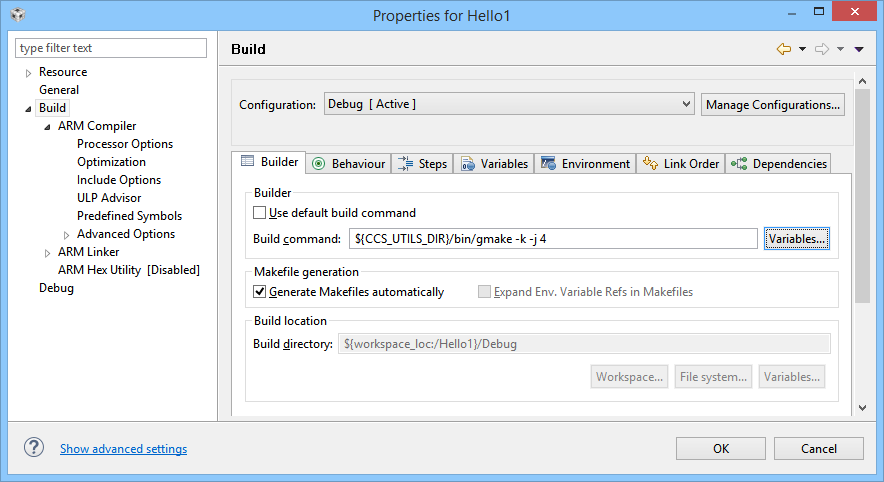
    It

    seems that only ARM exist in Build properties:

    Itzhak

  • Is this happening when you open CCS or when you do a build?

    If during a build it may be due to non ascii characters:
    e2e.ti.com/.../1692789
  • As far as the build properties question, you only see ARM because the project is for the ARM core. You use a separate project for the DSP.
  • It's happens on both situations, The file is pure hello. I checked the file and even write it from scratch.

    It seems that the problem is not in the file (always it reference to line 68 even changes has been made)

    Itzhak

  • can you share the project.
  • Console message regard for the expression error:

    **** Build of configuration Debug for project Hello3 ****

    "C:\\ccsv7\\utils\\bin\\gmake" -k -j 4 all -O
    'Building file: ../hello.c'
    'Invoking: C6000 Compiler'
    "C:/TI/ti-cgt-c6000_8.1.3/bin/cl6x" -mv6740 --include_path="C:/Users/׳?׳™׳¦׳™׳§/workspace_v7/Hello3" --include_path="C:/TI/ti-cgt-c6000_8.1.3/include" -g --define=omapl138 --diag_wrap=off --diag_warning=225 --display_error_number --preproc_with_compile --preproc_dependency="hello.d" "../hello.c"
    subdir_rules.mk:9: recipe for target 'hello.obj' failed

    INTERNAL ERROR: C:/TI/ti-cgt-c6000_8.1.3/bin/cl6x had an internal inconsistency and aborted
    while processing file ../hello.c

    This is caused by a defect in the compiler itself. TI Customer
    Support may be able to suggest a workaround to avoid this.

    Upgrading to the newest version of the compiler may fix this problem.

    Contact TI in the E2E support forums at http://e2e.ti.com under
    "Development Tools", "TI C/C++ Compiler". See the link titled
    "Submitting an issue". Include this ENTIRE error message and a
    copy of the .pp file created when option --preproc_with_comment
    (-ppc) is used.

    gmake: *** [hello.obj] Error 2
    gmake: Target 'all' not remade because of errors.

    Itzhak
  • JohnS,

    Project is on secure private computer. If there is another way let me know.

    Regards,
    Itzhak
  • Itzhak,

    Based in the command being passed to the compiler I believe the issue is related to non-ASCII characters.  I can see that the first include path is messed up when it gets to your user name.  You will need to create a workspace in a location that only uses ASCII characters.  I also suspect that the text encoding is going to be wrong in the editor.  Please check this setting as well, ensure the text file encoding is set to UTF-8