This thread has been locked.

If you have a related question, please click the "Ask a related question" button in the top right corner. The newly created question will be automatically linked to this question.

CCS/TMDSLCDK138: GDB error when launching debugger

Part Number: TMDSLCDK138


Tool/software: Code Composer Studio

After compilation ok simple Hello program using TMDSLCDK138 target +XDS110, and Test connection OK. Trying to run show problem warning as follows:
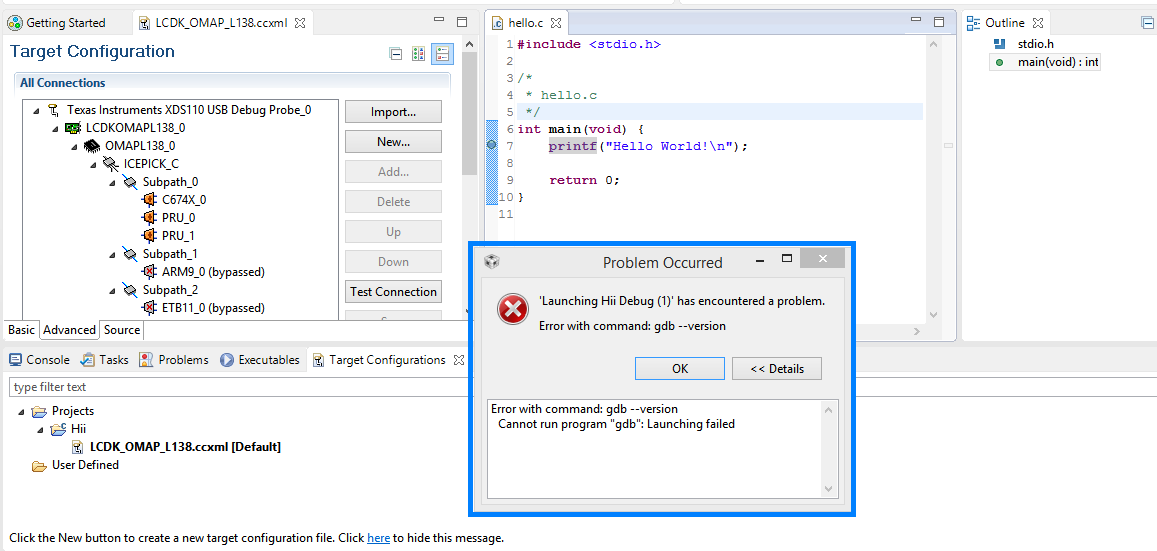
 

Additional, on Run tab the connect/disconnect command is in grey

Regards,

Itzhak

  • Itzhak,

    It is strange that GDB is being called, as it does not work with the .ccxml files - they are designed to be used exclusively with the TI debugger.

    If your intention is to launch a TI debugger, you can try to follow the procedure to manually launch the debugger mentioned in the link below:

    software-dl.ti.com/.../sdto_ccs_debug-handbook.html

    However, if your intention is to use a GDB debugger, you should instead be running a GDB server either using the XDS GDB Agent or an OpenOCD instance.

    Details about the XDS GDB Agent can be found at the page below; for OpenOCD you need to search on the internet.
    processors.wiki.ti.com/.../XDS_GDB_Agent

    All that said, unfortunately one problem you will face is that XDS110 does not support OMAPL13x devices due to the absence of adaptive clocking. You need a XDS100v2, a XDS200 or XDS560v2.

    Regards,
    Rafael