Other Parts Discussed in Thread: CCSTUDIO
Tool/software: Code Composer Studio
I downloaded the offline installer of CCS 7.3. build 19 and tried to install it on Windows 7, amd64.
During installation, I got:
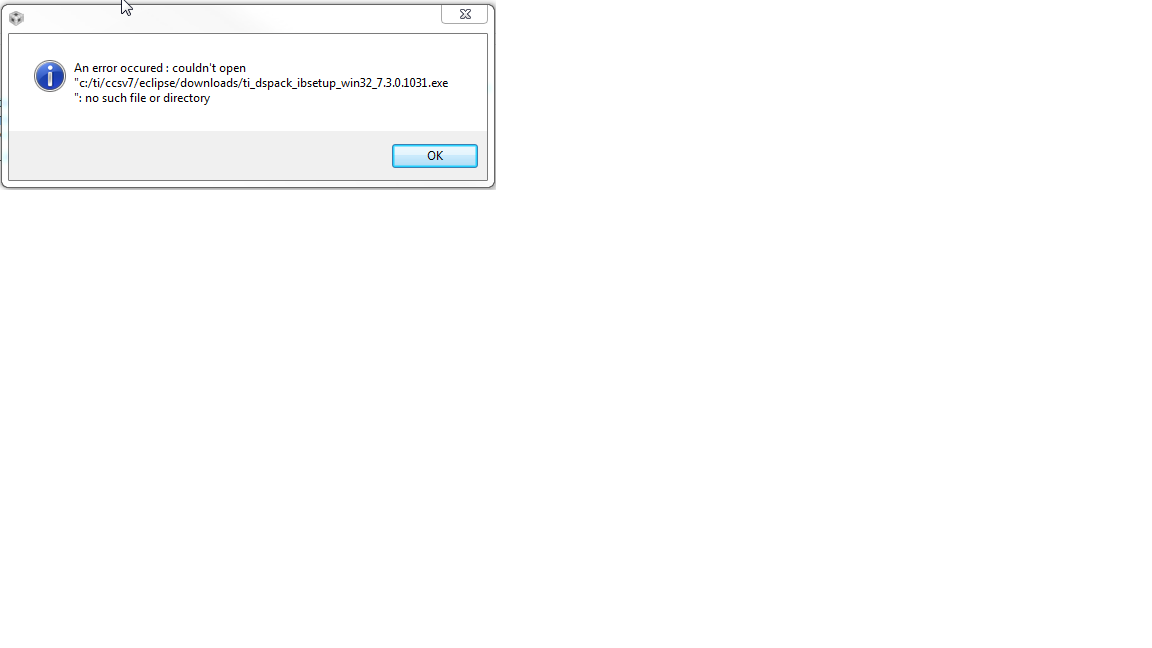
What now?
This thread has been locked.
If you have a related question, please click the "Ask a related question" button in the top right corner. The newly created question will be automatically linked to this question.
Other Parts Discussed in Thread: CCSTUDIO
Tool/software: Code Composer Studio
I downloaded the offline installer of CCS 7.3. build 19 and tried to install it on Windows 7, amd64.
During installation, I got:
What now?
Hi,
what I did:
Please find attached two different logs from failing attempts.
In the meantime, I removed everything CCS-related from my SSD and used the Online installer. Now it works.
I get the exact same error dialog (and failed install). Exact same results when I run the online installer as when I run the offline installer (after extracting). With the offline installer, I tried deleting old extracted folder and extracting again, in case anything was in a bad state in the original extracted folder. Still no luck.
I'd remove all CCS-related files from the PC, but I'm in the middle of a development project and don't want to risk ending up with no working version of CCS.
Here's what I see before the error dialog:
Starting Install
Installing utilities and miscellaneous
Unzipping C:/Users/SGW1016/AppData/Local/Temp/ccs_72f2ac6f-1d7d-4166-7d2d-4dc3ceae7682/com.ti.ccstudio.installer.msvc.2015.win32_root_14.0.24212
Installing com.ti.ccstudio.installer.msvc.2015.win32...
com.ti.ccstudio.installer.msvc.2015.win32 installed
Installing Components
Registering com.ti.ccstudio.debugserver.win32...
Unable to uninstall com.ti.ccstudio.debugserver.win32.feature.group, trying again...
Unable to uninstall com.ti.ccstudio.debugserver.win32.feature.group.
Installing... com.ti.ccstudio.debugserver.win32.feature.group
Registering com.ti.ccstudio.debugserver.win32...
Unable to download ti_dspack_ibsetup_win32_7.3.0.1031.exe. Trying again.
Even the "Unable to install ... trying again..." line is repeated the same number of times every time I try a new install.
Any thoughts for a way forward?
Ken,
I would suggest using the offline installer. Extract the zip file in a directory. Prior to running the installer, make sure that the directory you are installing CCS to is completely empty (ie there are no remnants of a previous installation attempt).
Let us know if you still have problem after checking these items.
I am having the same problem. I have version 7.2 installed and working.
Installing 7.3 crashes with error:
"Unable to download ti_dspack_ibsetup_win32_7.3.0.1031.exe. Trying again."
BTW, is also showed warning about AntiVirus software even though I completely disabled it.
I was able to get past the problem with the following steps:
I know that's not as clean as using a clean install directory, but the installer didn't have the errors that a lot of us our seeing and I was afraid that somewhere in the C:\ti directory there was a setting or installed component or modified file that I didn't want to lose.
Ken,
Thank you for the update and I'm glad to hear that you were able to install successfully.
I suspect that some of you that were hitting this problem were trying to install a newer version of CCS to the same directory where an earlier version was installed, without fully deleting it first. This is generally not recommended. It is best to install different versions to different directories (so you can concurrently work on multiple versions if needed) or delete a previous version completely before installing a newer version to the same directory.
This smells like a usability fail. Look at the screenshot below. I have never selected ccsv7 as the destination folder and if the CCS installer already knows that it doesn't want to go into that, why doesn't it then select another folder? All I want as a user is, to click yes yes yes (with an option to modify the defaults if I insist to).
I totally agree. Every decent installer will uninstall previous version if that is what the user wants.
By the way, I uninstalled ver. 7.2 and installed ver. 7.3 and it finally worked but why do we all have to go through this much hustle if it all could be prevented by a better installer?
Secondly, why is the error message (re. downloading a file) completely unrelated to the real reason?