This thread has been locked.

If you have a related question, please click the "Ask a related question" button in the top right corner. The newly created question will be automatically linked to this question.

CCS/LAUNCHXL-CC2640R2: Code Composer Studio for Mac - All options are greyed out.

Part Number: LAUNCHXL-CC2640R2


Tool/software: Code Composer Studio

Hello,

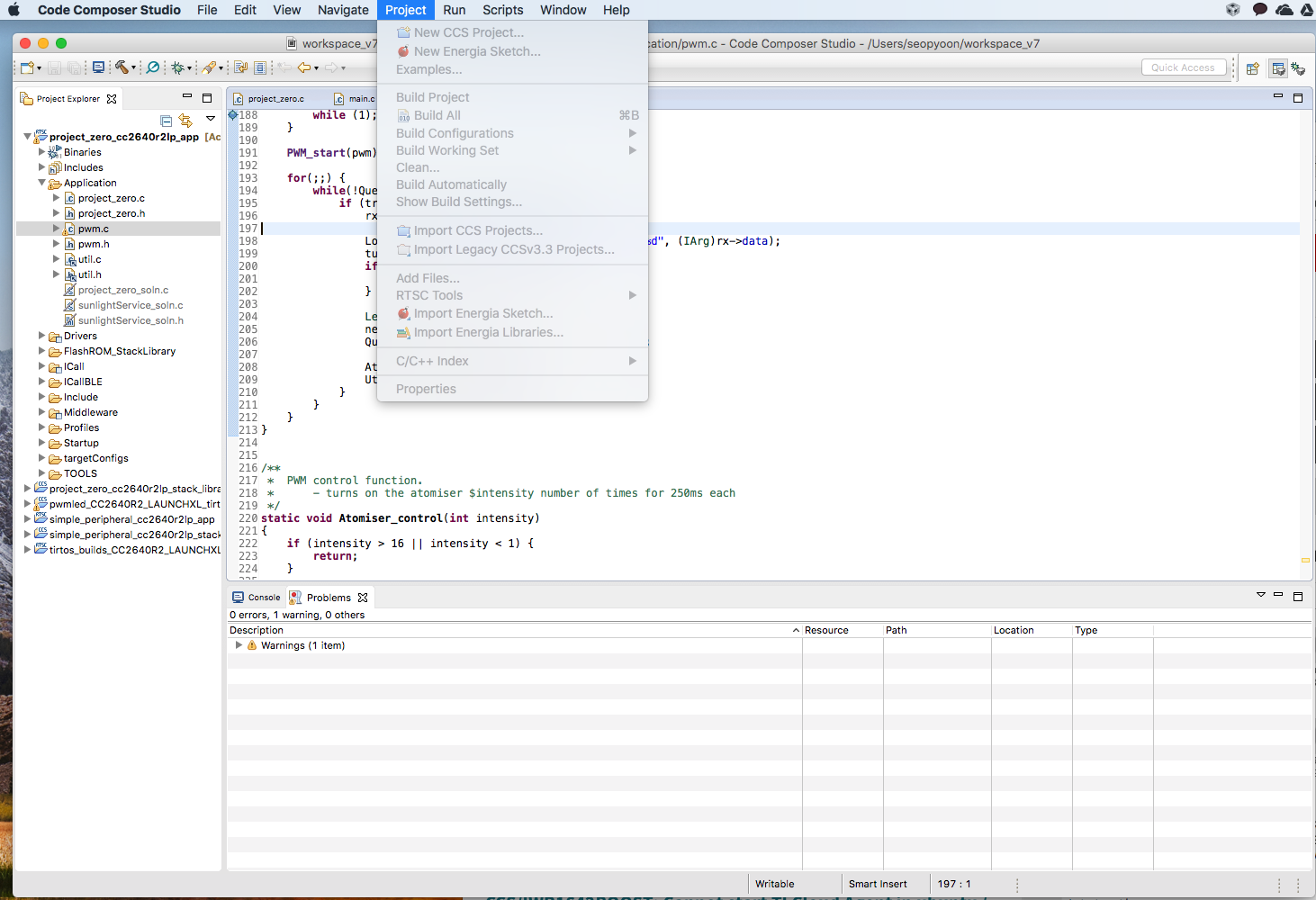
I have been using the CCS well for the past month.  And, after the update, it seems (not so sure), all the options on the menu bar are greyed out.

I cannot access the Resource Explorer for that reason.

I am attaching a screenshot of what is being shown at the moment.
  • Wes Yoon said:
     And, after the update, it seems (not so sure), all the options on the menu bar are greyed out.

    Which update are you referring to? Was it a MacOS update?

    Is the issue reproducible after opening a new workspace as well?

  • Are you using High Sierra (10.13) OS? If so, your issue may be related to this known issue with Eclipse and High Sierra that occurs if your system is configured for a language other than English. 

    Please try the following steps (as described in the above web page) to fix the issue:
    Go into the ccstudio.app package in the CCS installation, then to the “Contents” folder. Save a copy of the existing Info.plist file.Then open the file and edit the list of locales to remove everything except for the “en” entry. 

    Save the file and restart CCS.

    Let us know if this helps fix the issue.

  • Thank you!!!