This thread has been locked.

If you have a related question, please click the "Ask a related question" button in the top right corner. The newly created question will be automatically linked to this question.

CCS/PROCESSOR-SDK-C665X: Processor SDK example configuration

Part Number: PROCESSOR-SDK-C665X

Tool/software: Code Composer Studio

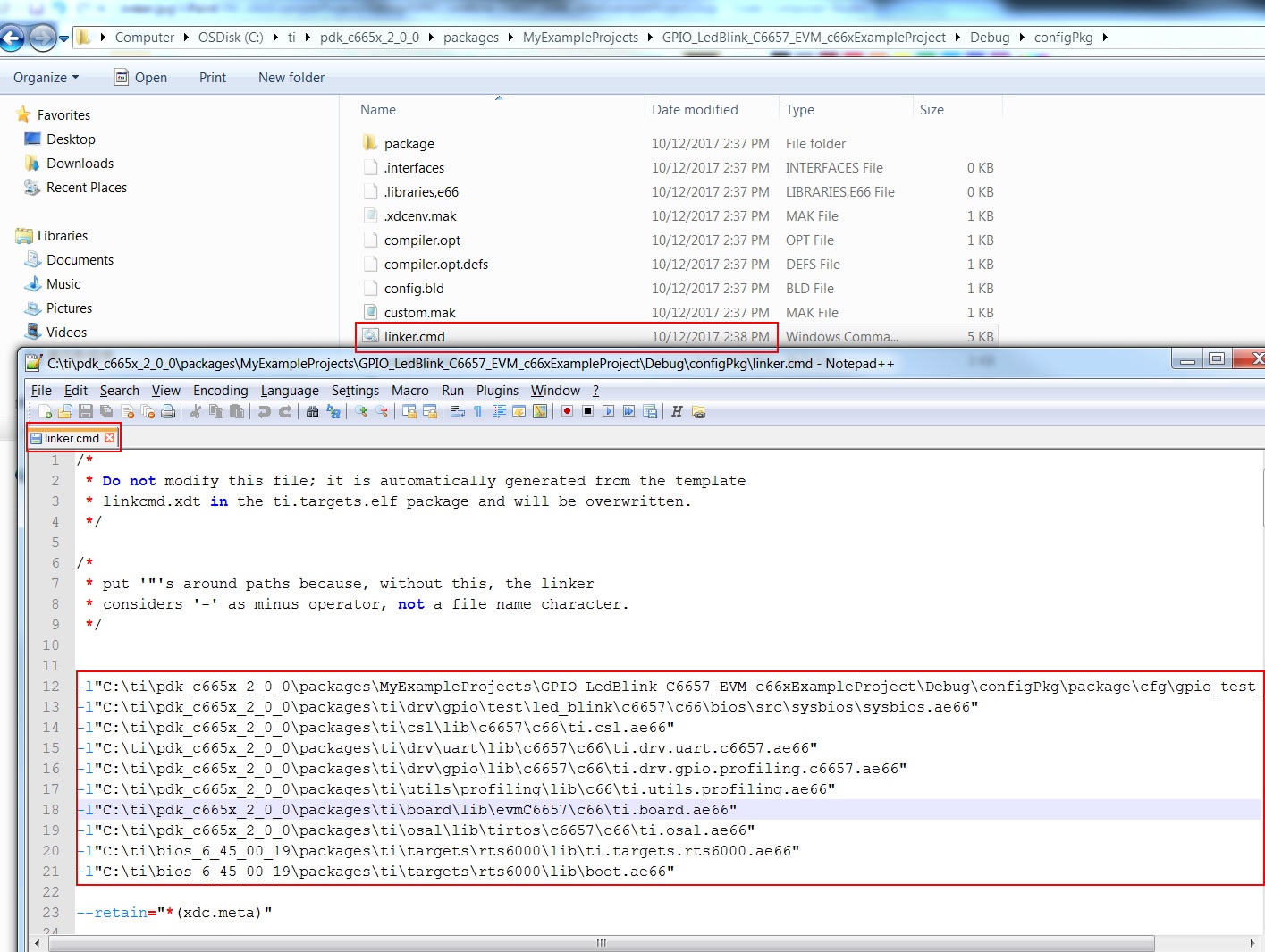
In order to track into driver source code, want to know which library is linked into project, but I did not find it in CCS project properties. while there are many libraries linked display in map file.

Also in the generated linker.cmd file, there is a list of library, where it is configured in the CCS project?
  • I've forwarded your query to the software experts. Their feedback should be posted here.

    BR
    Tsvetolin Shulev
  • I found it is configured in .cfg as below:

    /* Load the OSAL package */

    var osType = "tirtos"

    var Osal = xdc.useModule('ti.osal.Settings');

    Osal.osType = osType;

    Osal.socType = devType;

    /* Load the Board package and set the board name */

    var Board = xdc.loadPackage('ti.board');

    Board.Settings.boardName = "evmC6657";

    /* Load Profiling package */

    var Utils = xdc.loadPackage('ti.utils.profiling');

    /* Load the gpio package */

    var Gpio = xdc.loadPackage('ti.drv.gpio');

    Gpio.Settings.enableProfiling = true;    

    Gpio.Settings.socType = devType;

    /* Load the uart package */

    var Uart = xdc.useModule('ti.drv.uart.Settings');

    Uart.socType = devType;

    var System                      =   xdc.useModule('xdc.runtime.System');

    SysStd                          =   xdc.useModule('xdc.runtime.SysStd');

    System.SupportProxy             =   SysStd;

    /* Load and use the CSL packages */

    var Csl                         = xdc.useModule('ti.csl.Settings');

    Csl.deviceType                  = devType;

    Further question, for this kind of RTSC package library, there is no CCS project, so can't set as dependency project, how to debug into the source code in example project? 

  • Tony,

    We have got this feedback from other RTOS users that the projects need to be setup as dependencies so it allows for debugging inside the library.

    At the moment the best way to debug inside the library is to locate the symbol in disassembly or to step into the function when it makes the call to the function. The CCS editor will then provide the relative path location to the source file that contains the function and will indicate that user needs to locate the source for CCS to correlate the disassembly with the source.

    for Eg: when you call Board_init, you can set a breakpoint at Board_Init in the disassembly and then wait for the code to reach that function, then locate the function in file pdk_c665x_1_0_8\packages\ti\board\src\evmC6657

    Try this out and let me know if you run into any issues.

    Regards,
    Rahul