This thread has been locked.

If you have a related question, please click the "Ask a related question" button in the top right corner. The newly created question will be automatically linked to this question.

CCS/CC3220SF-LAUNCHXL: CCS intalled faild

Part Number: CC3220SF-LAUNCHXL


Tool/software: Code Composer Studio

Dear Term:

I had installed CCS v7.3 few days ageo and it worked normally . but it is fail to run after installed IAR yesterday. Then I unload all of them, but none of them install succeed. The informed window show let me see the log file below.Could you probably help me what to do, I am all most stop all of develop work now. Thank you.

!SESSION 2017-11-09 19:22:02.507 -----------------------------------------------
eclipse.buildId=4.6.0.I20160606-1100
java.version=1.8.0_112
java.vendor=Oracle Corporation
BootLoader constants: OS=win32, ARCH=x86, WS=win32, NL=zh_CN
Framework arguments:  -application com.ti.common.core.initialize -ccs.profileTag Installed Code Composer Studio 7.3.0.00019.
Command-line arguments:  -os win32 -ws win32 -arch x86 -application com.ti.common.core.initialize -data C:/Users/chenwu6/AppData/Local/Temp/ccs_0ed37053-a26c-442c-7cc6-680b058624c4/workspace -ccs.profileTag Installed Code Composer Studio 7.3.0.00019.

!ENTRY com.ti.common.core 4 0 2017-11-09 19:22:03.505
!MESSAGE path=ccs_base/DebugServer

!ENTRY com.ti.common.core 4 0 2017-11-09 19:22:03.505
!MESSAGE debugServerDir=C:/ti/ccsv7/ccs_base/DebugServer

!ENTRY org.eclipse.osgi 4 0 2017-11-09 19:22:06.251
!MESSAGE Application error
!STACK 1
java.lang.UnsatisfiedLinkError: C:\ti\ccsv7\ccs_base\DebugServer\bin\LibraryLoader.dll: %1 不是有效的 Win32 应用程序。
 at java.lang.ClassLoader$NativeLibrary.load(Native Method)
 at java.lang.ClassLoader.loadLibrary0(ClassLoader.java:1941)
 at java.lang.ClassLoader.loadLibrary(ClassLoader.java:1824)
 at java.lang.Runtime.load0(Runtime.java:809)
 at java.lang.System.load(System.java:1086)
 at com.ti.debug.engine.xpcom.Runtime.preXPCOMInit(Runtime.java:163)
 at com.ti.debug.engine.xpcom.Runtime.startBare(Runtime.java:116)
 at com.ti.debug.engine.xpcom.Runtime.createComponent(Runtime.java:170)
 at com.ti.utility.filesystem.DirectoryService.<init>(DirectoryService.java:26)
 at com.ti.utility.filesystem.DirectoryService.<init>(DirectoryService.java:9)
 at com.ti.utility.filesystem.DirectoryService$SingletonHolder.<clinit>(DirectoryService.java:44)
 at com.ti.utility.filesystem.DirectoryService.instance(DirectoryService.java:49)
 at com.ti.common.core.utils.ds.CoreUtilsProvider.getUserHomeDir(CoreUtilsProvider.java:40)
 at com.ti.common.core.CoreUtils.getUserHomeDir(CoreUtils.java:135)
 at com.ti.common.core.internal.ExternalReferenceParser.getUserExtRefDir(ExternalReferenceParser.java:176)
 at com.ti.common.project.core.internal.resexplorer.ResourceExplorerBreadcrumbFileReader.getBreadcrumbFile(ResourceExplorerBreadcrumbFileReader.java:158)
 at com.ti.common.project.core.internal.resexplorer.ResourceExplorerBreadcrumbFileReader.isDataStale(ResourceExplorerBreadcrumbFileReader.java:146)
 at com.ti.common.project.core.internal.resexplorer.ResourceExplorerBreadcrumbFileReader.updateData(ResourceExplorerBreadcrumbFileReader.java:76)
 at com.ti.common.project.core.internal.resexplorer.ResourceExplorerBreadcrumbFileReader.getProductDiscoveryPath(ResourceExplorerBreadcrumbFileReader.java:49)
 at com.ti.common.project.core.internal.tools.ADiscoveryManager.toSearchPath(ADiscoveryManager.java:375)
 at org.eclipse.rtsc.project.core.extdiscovery.ExtensionSiteDiscoveryManager.discoverAndInstallExtensionSites(ExtensionSiteDiscoveryManager.java:199)
 at org.eclipse.rtsc.project.core.extdiscovery.RTSCHeadlessInitializationParticipant.run(RTSCHeadlessInitializationParticipant.java:54)
 at com.ti.common.core.internal.headless.Initialize.run(Initialize.java:87)
 at com.ti.common.core.internal.headless.Initialize.start(Initialize.java:53)
 at org.eclipse.equinox.internal.app.EclipseAppHandle.run(EclipseAppHandle.java:196)
 at org.eclipse.core.runtime.internal.adaptor.EclipseAppLauncher.runApplication(EclipseAppLauncher.java:134)
 at org.eclipse.core.runtime.internal.adaptor.EclipseAppLauncher.start(EclipseAppLauncher.java:104)
 at org.eclipse.core.runtime.adaptor.EclipseStarter.run(EclipseStarter.java:388)
 at org.eclipse.core.runtime.adaptor.EclipseStarter.run(EclipseStarter.java:243)
 at sun.reflect.NativeMethodAccessorImpl.invoke0(Native Method)
 at sun.reflect.NativeMethodAccessorImpl.invoke(NativeMethodAccessorImpl.java:62)
 at sun.reflect.DelegatingMethodAccessorImpl.invoke(DelegatingMethodAccessorImpl.java:43)
 at java.lang.reflect.Method.invoke(Method.java:498)
 at org.eclipse.equinox.launcher.Main.invokeFramework(Main.java:673)
 at org.eclipse.equinox.launcher.Main.basicRun(Main.java:610)
 at org.eclipse.equinox.launcher.Main.run(Main.java:1519)

  • Hello,

    wu chen23 said:
    I had installed CCS v7.3 few days ageo and it worked normally . but it is fail to run after installed IAR yesterday. Then I unload all of them, but none of them install succeed

    To confirm, the following happened:

    -You were successfully running CCSv7.3.0

    -You installed IAR EW (which version?)

    -CCSv7.3.0 stopped working (what was the exact issue?)

    -You uninstalled both CCS and IAR

    -You trying reinstalling CCS and it failed (did you also try reinstalling IAR?)

    When you reinstalled CCS, was it in a completely clean (empty) folder?

    Thanks

    ki

  • Hi ki:

    The vision of IAR for ARM is 8.20. IAR always  installed succeed ,But i double click the icon , it informed something wrong with file  msvcp140.dll.

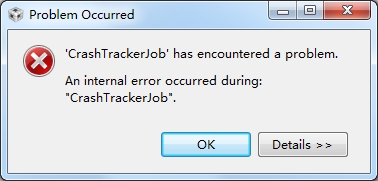
    When i was trying to  install CCS to an empty folder, the progress bar stopped at middle place and informed below.it complete installing immediately if i click yes.

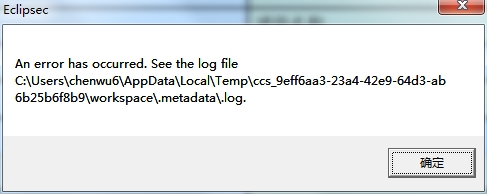
    than the programe show below :

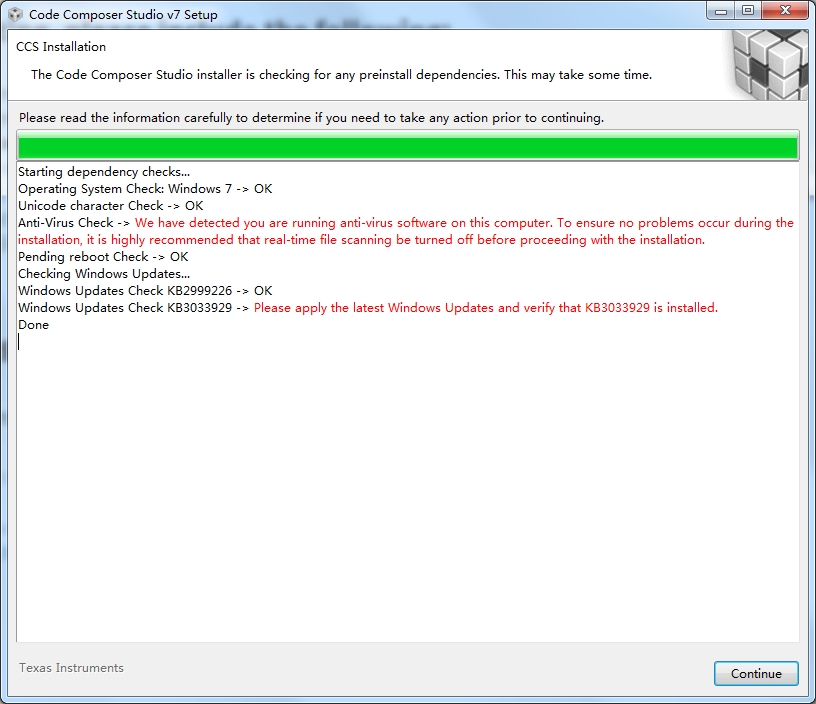
    and before install, setup software show these messages:

    thank you very much

  • Hello,
    Your screenshots did not get posted. Can you repost?

    Also, please provide your installation logs:
    processors.wiki.ti.com/.../Troubleshooting_CCSv7

    Thanks
    ki
  • Hi ki:

    The vision of IAR for ARM is 8.20. IAR always  installed succeed ,But i double click the icon , it informed something wrong with file  msvcp140.dll.

    When i was trying to  install CCS to an empty folder, the progress bar stopped at middle place and informed below.it complete installing immediately if i click yes.

    than the programe show below :

     0724.install_logs.rar

    and before install, setup software show these messages:

    thank you very much.

  • Hi,
    CCS will not work if the latest Windows updates are not applied. Please verify that you have the required Updates installed (see screenshot above).
    Danish
  • Hi danishinnis,

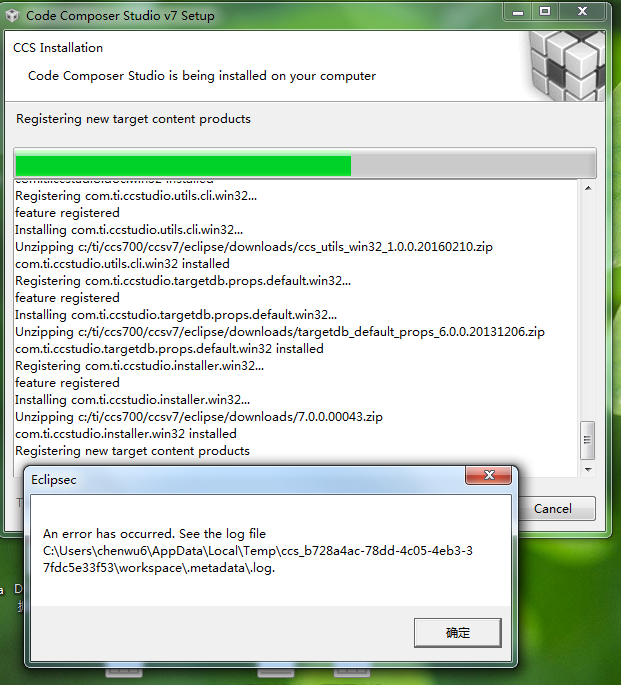
    We'd applied all necessary windows update. But the issue still exists. Please find below screen shot and log! 

    Please extend your support! It's pending for months. Thanks!

    !SESSION 2017-12-06 11:11:49.923 -----------------------------------------------
    eclipse.buildId=4.6.0.I20160606-1100
    java.version=1.8.0_112
    java.vendor=Oracle Corporation
    BootLoader constants: OS=win32, ARCH=x86, WS=win32, NL=zh_CN
    Framework arguments:  -application com.ti.ccstudio.p2app -repository file:/C:/Users/chenwu6/Downloads/CCS7.0.0.00043_win32/CCS7.0.0.00043_win32/baserepo/targetcontent_core_repo,file:/C:/Users/chenwu6/Downloads/CCS7.0.0.00043_win32/CCS7.0.0.00043_win32/featurerepo -installiu com.ti.targetcontent.feature.group,com.ti.tiva_stellaris.setup.win32.feature.group,com.ti.emulation.pack.win32.feature.group
    Command-line arguments:  -os win32 -ws win32 -arch x86 -data C:/Users/chenwu6/AppData/Local/Temp/ccs_b728a4ac-78dd-4c05-4eb3-37fdc5e33f53/workspace -application com.ti.ccstudio.p2app -repository file:/C:/Users/chenwu6/Downloads/CCS7.0.0.00043_win32/CCS7.0.0.00043_win32/baserepo/targetcontent_core_repo,file:/C:/Users/chenwu6/Downloads/CCS7.0.0.00043_win32/CCS7.0.0.00043_win32/featurerepo -installiu com.ti.targetcontent.feature.group,com.ti.tiva_stellaris.setup.win32.feature.group,com.ti.emulation.pack.win32.feature.group
    
    !ENTRY com.ti.common.core 4 0 2017-12-06 11:12:02.762
    !MESSAGE path=ccs_base/DebugServer
    
    !ENTRY com.ti.common.core 4 0 2017-12-06 11:12:02.766
    !MESSAGE debugServerDir=C:/ti/ccs700/ccsv7/ccs_base/DebugServer
    
    !ENTRY org.eclipse.core.jobs 4 2 2017-12-06 11:12:02.826
    !MESSAGE An internal error occurred during: "".
    !STACK 0
    java.lang.UnsatisfiedLinkError: C:\ti\ccs700\ccsv7\ccs_base\DebugServer\bin\LibraryLoader.dll: %1 不是有效的 Win32 应用程序。
    	at java.lang.ClassLoader$NativeLibrary.load(Native Method)
    	at java.lang.ClassLoader.loadLibrary0(ClassLoader.java:1941)
    	at java.lang.ClassLoader.loadLibrary(ClassLoader.java:1824)
    	at java.lang.Runtime.load0(Runtime.java:809)
    	at java.lang.System.load(System.java:1086)
    	at com.ti.debug.engine.xpcom.Runtime.preXPCOMInit(Runtime.java:163)
    	at com.ti.debug.engine.xpcom.Runtime.startBare(Runtime.java:116)
    	at com.ti.debug.engine.xpcom.Runtime.createComponent(Runtime.java:170)
    	at com.ti.utility.filesystem.DirectoryService.<init>(DirectoryService.java:26)
    	at com.ti.utility.filesystem.DirectoryService.<init>(DirectoryService.java:9)
    	at com.ti.utility.filesystem.DirectoryService$SingletonHolder.<clinit>(DirectoryService.java:44)
    	at com.ti.utility.filesystem.DirectoryService.instance(DirectoryService.java:49)
    	at com.ti.common.core.utils.ds.CoreUtilsProvider.getUserHomeDir(CoreUtilsProvider.java:40)
    	at com.ti.common.core.CoreUtils.getUserHomeDir(CoreUtils.java:135)
    	at com.ti.common.core.internal.ExternalReferenceParser.getUserExtRefDir(ExternalReferenceParser.java:176)
    	at com.ti.common.core.internal.ExternalReferenceParser.getExtRefDirectories(ExternalReferenceParser.java:158)
    	at com.ti.common.core.internal.ExternalReferenceParser.getReferenceFiles(ExternalReferenceParser.java:61)
    	at com.ti.common.core.internal.ExternalReferenceParser.getReferenceFiles(ExternalReferenceParser.java:147)
    	at com.ti.common.project.core.products.ProductDiscoveryManager.getProductDiscoveryPath(ProductDiscoveryManager.java:423)
    	at com.ti.common.project.core.products.ProductDiscoveryManager.getProductDiscoverySearchPath(ProductDiscoveryManager.java:406)
    	at com.ti.common.project.core.products.ProductDiscoveryManager.discoverDeclaredProducts(ProductDiscoveryManager.java:552)
    	at com.ti.common.project.core.products.ProductDiscoveryManager.<init>(ProductDiscoveryManager.java:234)
    	at com.ti.common.project.core.products.ProductDiscoveryManager.<clinit>(ProductDiscoveryManager.java:48)
    	at com.ti.ccstudio.apps.internal.ide.CCSIDEInitializationParticipant.processProductDiscoveryPathArgument(CCSIDEInitializationParticipant.java:39)
    	at com.ti.common.core.internal.headless.Initialize.run(Initialize.java:69)
    	at com.ti.common.core.services.IDEInitializer.run(IDEInitializer.java:35)
    	at com.ti.ccstudio.p2.actions.CCSInitAction$1.run(CCSInitAction.java:59)
    	at org.eclipse.core.internal.jobs.Worker.run(Worker.java:55)
    !SESSION 2017-12-06 11:14:01.744 -----------------------------------------------
    eclipse.buildId=4.6.0.I20160606-1100
    java.version=1.8.0_112
    java.vendor=Oracle Corporation
    BootLoader constants: OS=win32, ARCH=x86, WS=win32, NL=zh_CN
    Framework arguments:  -application com.ti.common.core.initialize -ccs.profileTag Installed Code Composer Studio 7.0.0.00043.
    Command-line arguments:  -os win32 -ws win32 -arch x86 -application com.ti.common.core.initialize -data C:/Users/chenwu6/AppData/Local/Temp/ccs_b728a4ac-78dd-4c05-4eb3-37fdc5e33f53/workspace -ccs.profileTag Installed Code Composer Studio 7.0.0.00043.
    
    !ENTRY com.ti.common.core 4 0 2017-12-06 11:14:07.030
    !MESSAGE path=ccs_base/DebugServer
    
    !ENTRY com.ti.common.core 4 0 2017-12-06 11:14:07.032
    !MESSAGE debugServerDir=C:/ti/ccs700/ccsv7/ccs_base/DebugServer
    
    !ENTRY org.eclipse.osgi 4 0 2017-12-06 11:14:07.099
    !MESSAGE Application error
    !STACK 1
    java.lang.UnsatisfiedLinkError: C:\ti\ccs700\ccsv7\ccs_base\DebugServer\bin\LibraryLoader.dll: %1 不是有效的 Win32 应用程序。
    	at java.lang.ClassLoader$NativeLibrary.load(Native Method)
    	at java.lang.ClassLoader.loadLibrary0(ClassLoader.java:1941)
    	at java.lang.ClassLoader.loadLibrary(ClassLoader.java:1824)
    	at java.lang.Runtime.load0(Runtime.java:809)
    	at java.lang.System.load(System.java:1086)
    	at com.ti.debug.engine.xpcom.Runtime.preXPCOMInit(Runtime.java:163)
    	at com.ti.debug.engine.xpcom.Runtime.startBare(Runtime.java:116)
    	at com.ti.debug.engine.xpcom.Runtime.createComponent(Runtime.java:170)
    	at com.ti.utility.filesystem.DirectoryService.<init>(DirectoryService.java:26)
    	at com.ti.utility.filesystem.DirectoryService.<init>(DirectoryService.java:9)
    	at com.ti.utility.filesystem.DirectoryService$SingletonHolder.<clinit>(DirectoryService.java:44)
    	at com.ti.utility.filesystem.DirectoryService.instance(DirectoryService.java:49)
    	at com.ti.common.core.utils.ds.CoreUtilsProvider.getUserHomeDir(CoreUtilsProvider.java:40)
    	at com.ti.common.core.CoreUtils.getUserHomeDir(CoreUtils.java:135)
    	at com.ti.common.core.internal.ExternalReferenceParser.getUserExtRefDir(ExternalReferenceParser.java:176)
    	at com.ti.common.core.internal.ExternalReferenceParser.getExtRefDirectories(ExternalReferenceParser.java:158)
    	at com.ti.common.core.internal.ExternalReferenceParser.getReferenceFiles(ExternalReferenceParser.java:61)
    	at com.ti.common.core.internal.ExternalReferenceParser.getReferenceFiles(ExternalReferenceParser.java:147)
    	at com.ti.common.project.core.products.ProductDiscoveryManager.getProductDiscoveryPath(ProductDiscoveryManager.java:423)
    	at com.ti.common.project.core.products.ProductDiscoveryManager.getProductDiscoverySearchPath(ProductDiscoveryManager.java:406)
    	at com.ti.common.project.core.products.ProductDiscoveryManager.discoverDeclaredProducts(ProductDiscoveryManager.java:552)
    	at com.ti.common.project.core.products.ProductDiscoveryManager.<init>(ProductDiscoveryManager.java:234)
    	at com.ti.common.project.core.products.ProductDiscoveryManager.<clinit>(ProductDiscoveryManager.java:48)
    	at com.ti.ccstudio.apps.internal.ide.CCSIDEInitializationParticipant.processProductDiscoveryPathArgument(CCSIDEInitializationParticipant.java:39)
    	at com.ti.common.core.internal.headless.Initialize.run(Initialize.java:69)
    	at com.ti.common.core.internal.headless.Initialize.start(Initialize.java:43)
    	at org.eclipse.equinox.internal.app.EclipseAppHandle.run(EclipseAppHandle.java:196)
    	at org.eclipse.core.runtime.internal.adaptor.EclipseAppLauncher.runApplication(EclipseAppLauncher.java:134)
    	at org.eclipse.core.runtime.internal.adaptor.EclipseAppLauncher.start(EclipseAppLauncher.java:104)
    	at org.eclipse.core.runtime.adaptor.EclipseStarter.run(EclipseStarter.java:388)
    	at org.eclipse.core.runtime.adaptor.EclipseStarter.run(EclipseStarter.java:243)
    	at sun.reflect.NativeMethodAccessorImpl.invoke0(Native Method)
    	at sun.reflect.NativeMethodAccessorImpl.invoke(NativeMethodAccessorImpl.java:62)
    	at sun.reflect.DelegatingMethodAccessorImpl.invoke(DelegatingMethodAccessorImpl.java:43)
    	at java.lang.reflect.Method.invoke(Method.java:498)
    	at org.eclipse.equinox.launcher.Main.invokeFramework(Main.java:673)
    	at org.eclipse.equinox.launcher.Main.basicRun(Main.java:610)
    	at org.eclipse.equinox.launcher.Main.run(Main.java:1519)
    

  • Danishinnis,

    Could you help advise? We local can not find much information in the log. Thanks!
  • Hi Louis,

    It looks like one of the redistributables is not installing correctly on your machine. Can you please:

    Save the attached file as .exe

    Double click on it to run it.

    Follow the prompts and report any errors.

    If no errors, please delete the contents of your installation folder and retry the installer.

    Thanks,

    Danishvc_redist.x86_14.0.24212.txt