This thread has been locked.

If you have a related question, please click the "Ask a related question" button in the top right corner. The newly created question will be automatically linked to this question.

CCS/TM4C1294KCPDT: Motorola S format(.mot) in CCS

Part Number: TM4C1294KCPDT
Other Parts Discussed in Thread: UNIFLASH

Tool/software: Code Composer Studio

Hi,

Does CCS ARM Hex utility support Motorola-S Format (.mot)?
The output format has options for Motorola S Hex format (.hex) only.

Is there any way to output .mot files?

Best Regards
Paddu

  • The TI ARM hex utility armhex supports Motorola-S hexadecimal formats.  For details, see the chapter titled Hex Conversion Utility Description in the ARM assembly tools manual.  Specific details of the format are shown in the section titled Motorola Exorciser Object Format.  

    Thanks and regards,

    -George

  • Hi George,

    Thank you for the information.

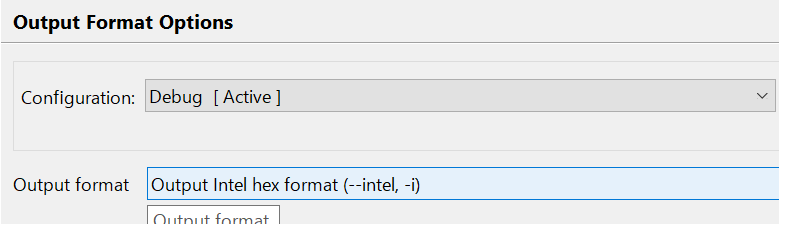
    I am trying with the intel hex format, but the program doesn't run.
    Using Uniflash, the program runs properly if the format is .out or .bin
    but .hex doesn't work.

    Please let me know if there is any other settings necessary to
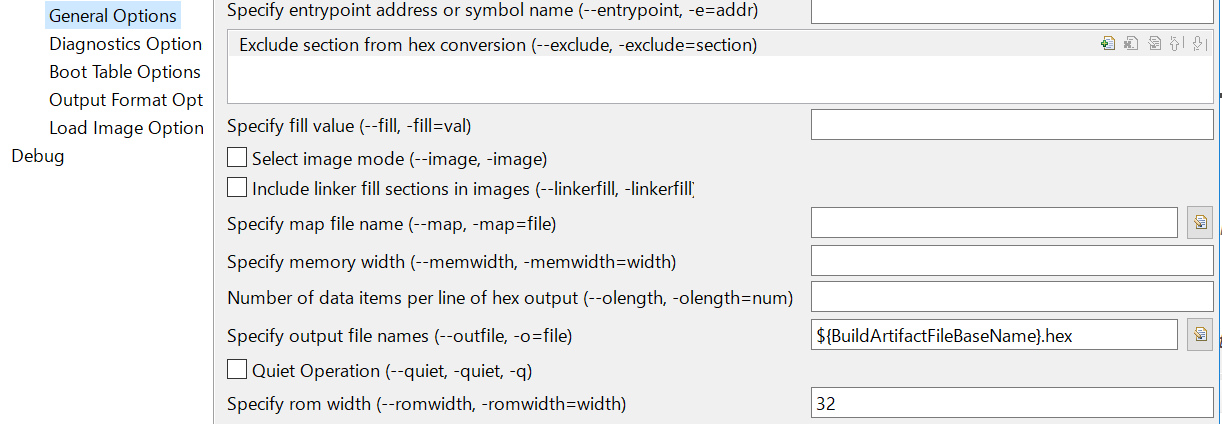
    output .hex file.I am outputting with the below settings but the output
    file doesn't run properly.


    Best Regards
    Paddu

  • Paddu,

    I am not entirely clear if your .hex file is being generated incorrectly or if you are having problems loading the file via Uniflash.

    For the latter statement, please check the thread below, which contains some useful details
    e2e.ti.com/.../461531

    Hope this helps,
    Rafael
  • Hi Rafael,

    Thank you for the quick reply,
    I am sorry for the delay.

    I have gone through that E2E post already and have made the settings (--romwidth 32) accordingly.

    Actually I am trying with a sample code (Blinky) from TivaWare,
    the program runs properly if it is .bin or .out, but it won't run if it is .hex format.

    You can reproduce this issue with any sample codes from Tivaware and LaunchPad.
    CCS version: CCSv7.3 above

    Best Regards
    Paddu
  • Paddu,

    Please apologize for the delay; I was able to reproduce this but found out the hex parameters were causing Uniflash to load the bytes in reverse order. Please check below the options I used in my setup here.

    Hope this helps,

    Rafael

  • Hi Rafael,

    Thank you for considering the request.

    Actually it will also work fine if we select the option as "--memwidth=8 --romwidth=32".

    But, as per the wiki page and the Assembly Language Tools Users Guide,
    it says we should select the memory width according to the processor architecture, 32 for 32-bit processor.
    processors.wiki.ti.com/.../Hex_Utility_in_CCS

    Is it OK to use "8" for a 32-bit processor?

    Best Regards
    paddu
  • Please let me know which option is suggested,

    "--memwidth=8 --romwidth=32"

    or

    "--memwidth=8 --romwidth=8"

    Because both seems to be working with Uniflash.
  • Hi,

    The relationship between memwidth and romwidth is explained in chapter 12 of the Assembly User's Guide (you can find it in the CCS Help --> Help Contents)

    Basically both combinations work fine per the description there - memwidth tells the Hex utility that, no matter the size of the actual "ROM IC" (specified by the option romwidth), the data will be stored byte-by-byte on the hex file.

    The documentation also mentions the default value for memwidth as being 16, which explains that your original scenario would make the hex utility store the data as a sequence of 2-byte by 2-byte on the hex file and therefore not working.

    One detail that is not mentioned is that the armhex seems to order the bytes in big endian. In other words, using memwidth=32 and romwidth=32 will store 4-byte by 4-byte on the hex file, but the individual bytes will be inverted.

    I would need to confirm this last statement with the compiler folks, that actually created the hex utility.

    Regards,
    Rafael