This thread has been locked.

If you have a related question, please click the "Ask a related question" button in the top right corner. The newly created question will be automatically linked to this question.

Auto refreshing for graphs is not working in CCS v4.

Other Parts Discussed in Thread: TLV320AIC3204

Hi,

1.  I am working with C5505 eZDSP using CCS v4. I want to see the real-time time domain graph of the input signal. To do this I enable the 'continuous refresh' button of the graphical tool provided by CCS v4. When i run the passthrough code I did not see any continuous refresh of input data. When I stopped the program, CCS graph displayed last few samples. Is there any way I can continuously monitor the input on graphical tool ?

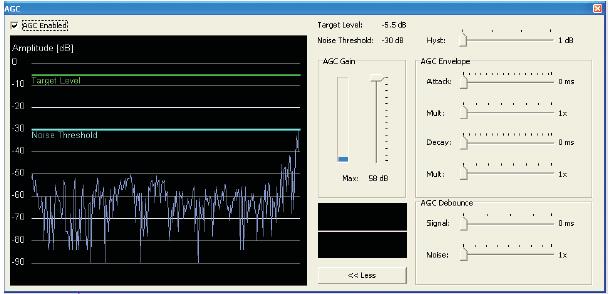
2.  I was going through the application report SLAA446: 'Using the AGC, DRC and Beep Generator Function in TLV320AIC3204 Devices'. I came across Fig. 2, 3 and 4. Is it possible to create such control GUIs using CCSv4.    

Any pointers on these will be useful.

Thanks

Abhishek Seth

  • Abhishek,

    abhishek seth said:

    1.  I am working with C5505 eZDSP using CCS v4. I want to see the real-time time domain graph of the input signal. To do this I enable the 'continuous refresh' button of the graphical tool provided by CCS v4. When i run the passthrough code I did not see any continuous refresh of input data. When I stopped the program, CCS graph displayed last few samples. Is there any way I can continuously monitor the input on graphical tool ?

    Which release of CCSv4 you have? The reason I am asking this is because several improvements and bugfixes were implemented in the graph tool in the latest release (4.1.3), therefore one tip is to update your version of the software. In addition to that, please check the pages below that show a procedure to get continuous snapshots of the graph window. Give it a try and see if this works for your needs:

    http://processors.wiki.ti.com/index.php/GSG:Debugging_projects

    http://processors.wiki.ti.com/index.php/Graph_Visualization_for_MSP430

    abhishek seth said:

    2.  I was going through the application report SLAA446: 'Using the AGC, DRC and Beep Generator Function in TLV320AIC3204 Devices'. I came across Fig. 2, 3 and 4. Is it possible to create such control GUIs using CCSv4.    

    The page below shows what is supported in CCSv4. It supports sliders and dialog boxes, therefore you should be ok.

    http://processors.wiki.ti.com/index.php/GEL

    Please check the CCSv4 help and search for "GEL keywords" and "GEL functions" for all API details.

    Hope this helps,

    Rafael


  • Hi,

    I am new to GEL programming. Are there any sampled gel files which can demonstrate how to create sliders etc and use them in CC4.? Any pointers on this would be useful.

    Thanks

    Abhishek Seth

  • Abhishek,

    Since you mentioned you are using the ezdsp5505, you already are using a GEL file to properly initialize the board and is located in the directory below:

    C:\Program Files\Texas Instruments\ccsv4\emulation\boards\usbstk5505\gel

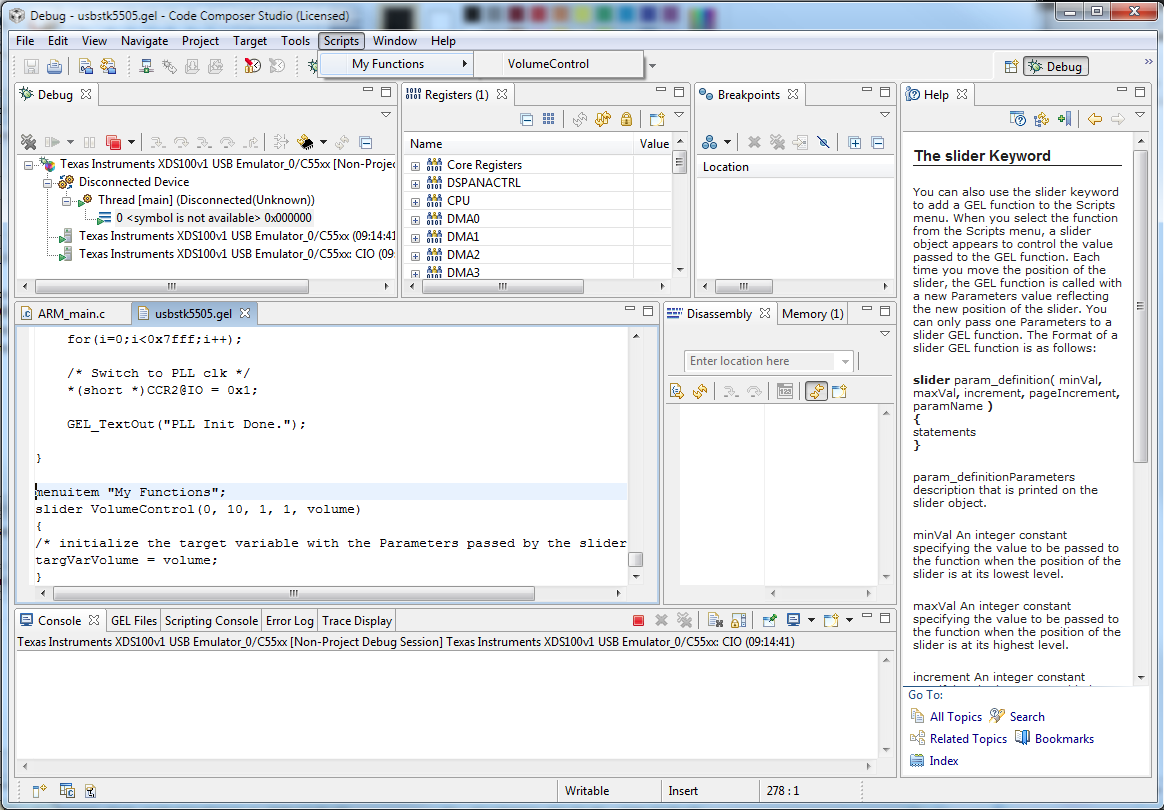
    Therefore, to add a slider you simply need to add the usage example below (it is copied from the slider help topic in CCSv4) to the end of your existing GEL file. It basically adds an item My Functions --> VolumeControl to the Scripts menu (check the attached screen).

    slider help said:

    menuitem "My Functions";
    slider VolumeControl(0, 10, 1, 1, volume)
    {
    /* initialize the target variable with the Parameters passed by the slider object. */
    targVarVolume = volume;
    }

    Please note that targVarVolume is a variable defined in your code - the one that will be changed by the slider.

    Hope this helps,

    Rafael


  • Hi,

    Thanks a lot for your reply. It really helped in getting started with GEL programming. I now know how to create individual sliders and dialog boxes. I have few more questions.

    1. How can I make more than 1 silder to appear in same frame as shown in attached Fig.1.

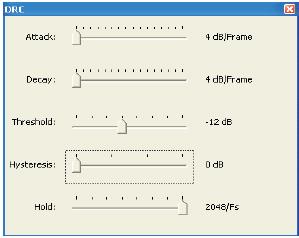
    2.  How can I attach a check box, a button and a responsive curve along  with slider (in same frame) as shown in attached Fig.2.

    Any pointers on this will be very useful.


    Thanks

    Abhishek Seth


  • Hi,

    I have created a slider object. Now using this slider, I want to set the values in TLV320AIC3204 codec register. Idea is to change ADC/DAC gain during run time using the slider GUI.  Any information on how to do this using GEL files will be useful.

    Thanks

    Abhishek Seth
  • Abhishek,

    The screens shown in your post are probably part of a Windows application and therefore created using a Visual C++ development environment that communicates to CCS using either CCS Scripting (for CCS3.x) or Debug Server Scripting (for CCSv4.x). GEL is the simplest but limited way to add check boxes and sliders.

    Regards,

    Rafael

    (edit) P.S. Debug Server Scripting will make your task much easier, therefore it is the preferred way.

  • Abhishek,

    abhishek seth said:

    I have created a slider object. Now using this slider, I want to set the values in TLV320AIC3204 codec register. Idea is to change ADC/DAC gain during run time using the slider GUI.  Any information on how to do this using GEL files will be useful.

    This is very specific to your application. Since the slider changes the value of a variable but does not have a mechanism to inform its value has changed, your code will have to poll its value from time to time and send the updated value through the McBSP to properly modify the register in the Codec. Although the ezdsp5505 BSL may have an API that already takes care of the codec configuration, there is no way the GEL can directly modify such register, as it is not part of the DSP. The document you sent before may have additional details on the implementation, as well as the example code supplied with the ezdsp5505 (more specifically the aic3204 test project).

    Hope this helps,

    Rafael