This thread has been locked.

If you have a related question, please click the "Ask a related question" button in the top right corner. The newly created question will be automatically linked to this question.

CCS/66AK2G02: Hello World bare metal application bombs on the 6th instruction

Part Number: 66AK2G02

Tool/software: Code Composer Studio

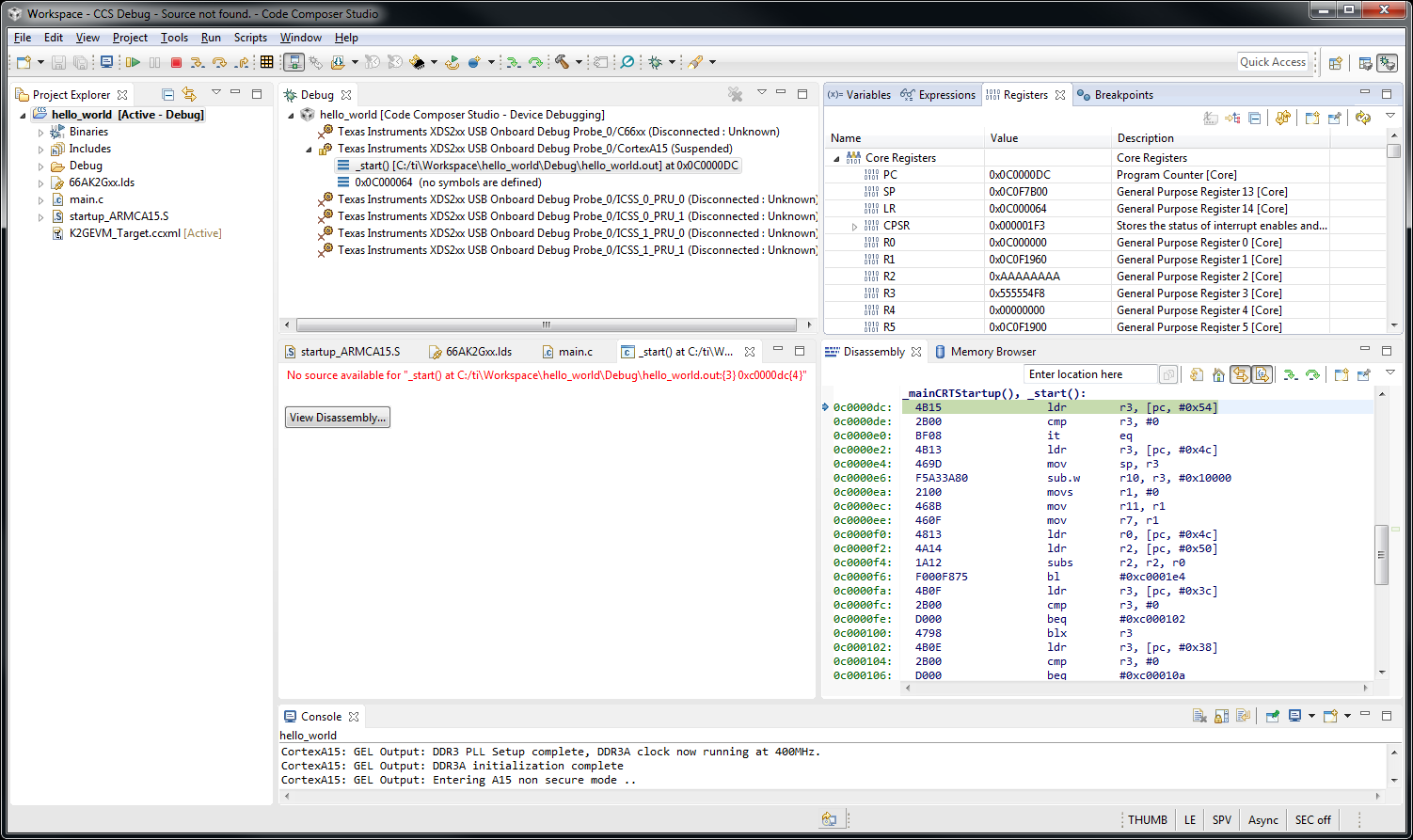
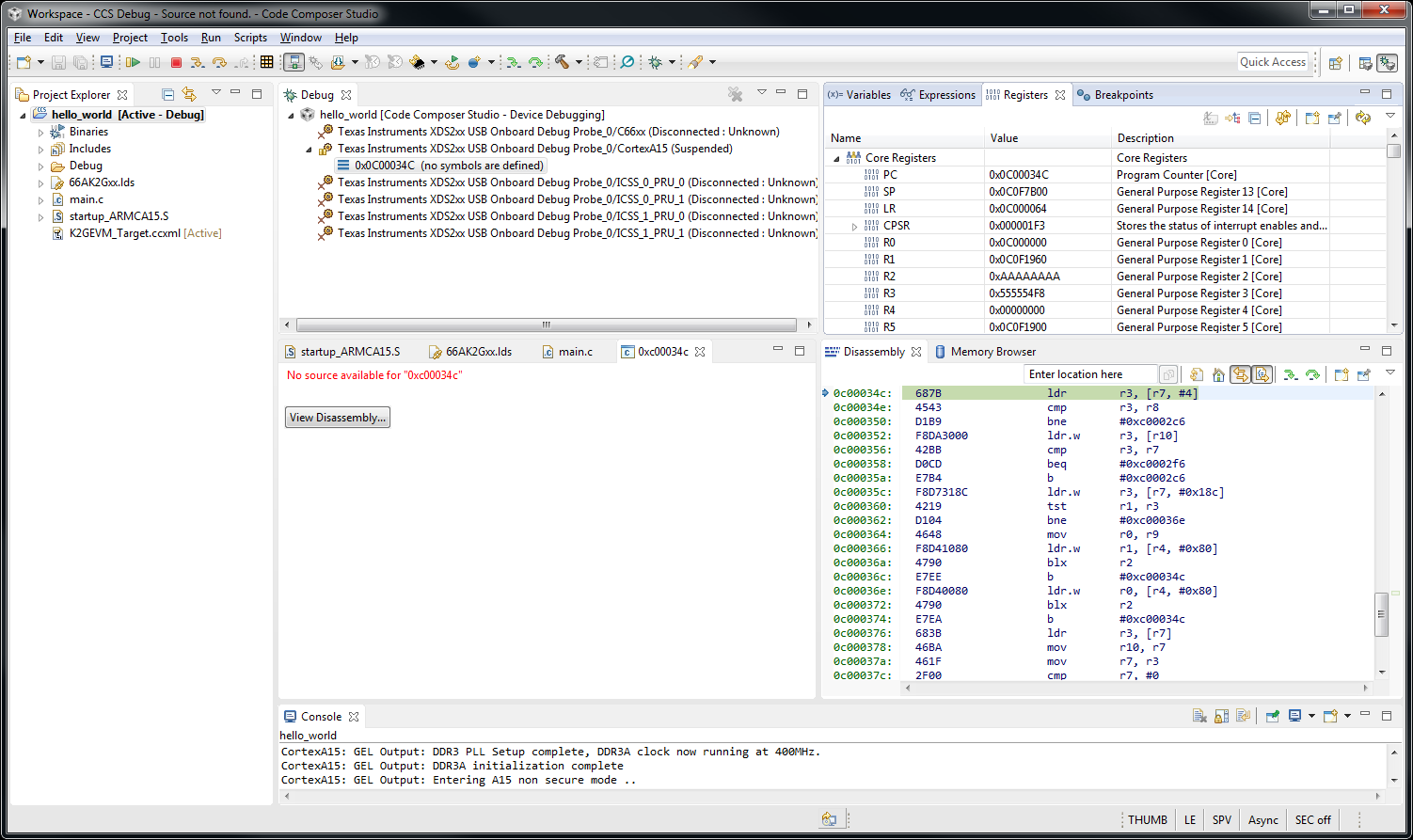
I built the Hello World application using the Bare Metal guide and can compile, link, and load it. But it vectors to "undefined instruction" after 6 single steps into the assembly code.

It runs the code at Entry() which takes it to "_mainCRTStartup(), _start()".  Then it tries to execute a benign instruction:

    ldr    r3, [pc, #0x54]

which sets the registers to strange values and vectors to a different address.  In the project I have selected "Disable interrupts when assembly stepping" and also source stepping, so I don't see how an interrupt could be changing our address.

I will include two screenshots after this to show the before and after situation.  Note the disassembly window on the lower right along with the register values in the upper right for before & after.

Roger

  • Hi Roger,

    Roger Davis37 said:
    In the project I have selected "Disable interrupts when assembly stepping" and also source stepping, so I don't see how an interrupt could be changing our address.

    What exact version of CCS are you using? There is a known issue with this feature in earlier CCSv7 version. It was fixed in CCSv7.4.0. If you are not using that version, could you try updating to it?

    Thanks

    ki

  • I would love to do that, but I cannot get 7.4 to download and install. It keeps bombing out half way through the installation with download errors. For example

    Unable to download ti_dspack_ibsetup_win32_7.4.0.1152.exe. Trying again.

    It fails on various files, not just this one. Whatever happened to downloading the entire installation first and then running it locally to avoid issues like this?

    Roger
  • Can you download and try the offline full-zip installer? You can grab it from:
    software-dl.ti.com/.../CCS7.4.0.00015_win32.zip

    Thanks
    ki
  • I got the same error. Where should that file (ti_dspack_ibsetup_win32_7.4.0.1152.exe ) be - in which folder?
    Kind Regards
    René
  • Can you provide your installation logs?
    processors.wiki.ti.com/.../Troubleshooting_CCSv7

    Thanks
    ki
  • Roger,

    Regarding the original error (Hello world not working), unfortunately I can't reproduce the issue here. 

    One detail that may be impacting your debug session is the fact sometimes code will require a complete reset before reloading code, given that some registers may be at an unexpected status when the code is re-loaded after a first run.

    Also, the default project template to create a Hello world for K2G devices is missing, thus requiring replacing the option --specs=nosys.specs with --specs=rdimon.specs on the compiler options. 

    Check the short clip below where I show all these steps.

    Hope this helps,

    Rafael

  • Thanks for providing the log. After examination, it looks like you tried to install CCSv7.4 in a folder with an existing CCS installation. This can cause issues with the installation attempt and it is recommended to always install in a new (empty) folder. Can you try this and see if this is successful?

    Thanks
    ki
  • Install failed after uninstalling the previous version (7.3).

    I submitted the logs. Reference #79346

  • Uninstall the old one and new installation solved my problem.
    Thanks
  • Glad to hear you were able to install successfully.

    ...but does CCS 7.4.0 resolve the original stepping issue you experienced?
  • You are talking to two different people here in this thread. The person who originated the post (me) has not been able to install 7.4. See above
  • Through some miracle I downloaded the zip file again and was able to install v7.4. I did not delete any additional directories from when it was not installing. The one thing that I did different is that I did not enable other processors besides the K2 and Sitara.
    I will now move on to trying the posted video to see if I can get that to work. It may be a few days.
  • After changing to rdimon.specs and also seeing that I need to issue a CPU reset at an appropriate time, the program loads symbols and pauses at main() and allows me to step through the code. Thank you for the video. It made all the difference.

    In summary for anyone else trying to follow this:

    To setup:
    1. Highlight the Hello project. Right click and select Properties
    2. Select GNU Compiler, Miscellaneous
    3. Change "nosys.specs" to "rdimon.specs"
    4. Rebuild project

    To Run:
    1. Highlight the hello project.
    2. Press the bug icon drop down and select the K2GEVM XDS200 debug.ccxml to start the debug
    3. wait for it to load
    4. Highlight the Cortex A15 in the Debug window, Right click and Connect Target.
    5. If it comes up Running, highlight the CortexA15 and press the Pause icon (might fail and require system reset)
    5. Select Run - reset - CPU Reset
    6. Highlight Cortex A15 in the debug window
    7. Run - load- load program - browse to hello.out program that was previously built
    Now it should be sitting at main() with symbols loaded underneath the CortexA15 entry, ready to step thru the code.

    Roger