This thread has been locked.

If you have a related question, please click the "Ask a related question" button in the top right corner. The newly created question will be automatically linked to this question.

CCS/LAUNCHXL-CC2640R2: Unable to download pagages with Resource Explorer

Part Number: LAUNCHXL-CC2640R2
Other Parts Discussed in Thread: CC2640R2F

Tool/software: Code Composer Studio

Hi,

I have 10 years of programming experience and I'm trying to stydy CC2640R2. I can't get pass projectZero, since I can't get resource explorer to download it.

I have tried with Code composer

Download stops at 75%

I also trid from this links download button:

http://dev.ti.com/tirex/#/?link=Development%20Tools%2FKits%20and%20Boards%2FCC2640R2%20LaunchPad%2FProject0

Chrome console is giving error:

"Uncaught ReferenceError: downloadFile is not defined"

  • Toni,

    Did you click the download button on the Project 0 page at the top right?  If I do that I also get stuck at 75%.  The instructions here are a bit confusing.  I believe this is written for people who are running the cloud version of our tools.  You don't need to click that download button.  That is just going to try to download the page itself (and whatever package it is part of to your PC).

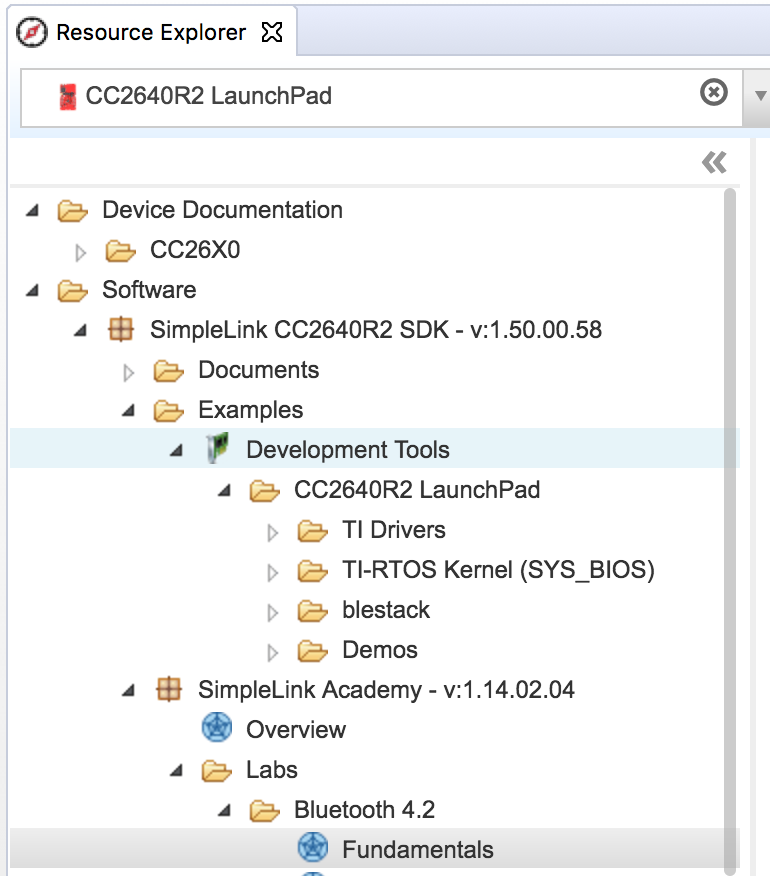
    Instead I would recommend starting with SimpleLink Academy and the Fundamentals lab under bluetooth.  This will need to you to have the SDK installed which you can do by clicking on the "SimpleLink CC2640R2 SDK" under software and the clicking on the download button on the far right.  It will also broke you to install SimpleLInk Academy at the end, say yes to that.

    Once it is installed you can follow the SimpleLink Academy labs:

    Regards,

    John

  • Hi Toni,

    You can download Project Zero Example Program for CC2640R2F Launchpad here. But, it works with SDK v1.30.

    github.com/.../blestack

    - kel
  • Thanks! This resolved my issue! I found project zero following your advice!