This thread has been locked.

If you have a related question, please click the "Ask a related question" button in the top right corner. The newly created question will be automatically linked to this question.

CCS: CCS addons installation

Other Parts Discussed in Thread: SYSBIOS

Tool/software: Code Composer Studio

Hello,

Currently if i want to add to CCS a new add on l for example NDK / SysBios,... i copy the entire package to the CCS folder and then when i start CCS it automatically detects the new software package and asks if i want to install it.

My question is - is there a way to direct CCS to another location as a search path for new packages and not only it's own folder and also is there a way to instruct CCS to use the package from it's original location instead of duplicating it into CCS foldr/subfolder (i.e if i have VISION SDK which comes with sysBios and NDK, i would like CCS to add and use these versions that came with the package and from the package's original folder)

Thanks

Guy

  • Guy,

    CCS automatically discovers packages in a few locations but you can specify other locations for it to look.  

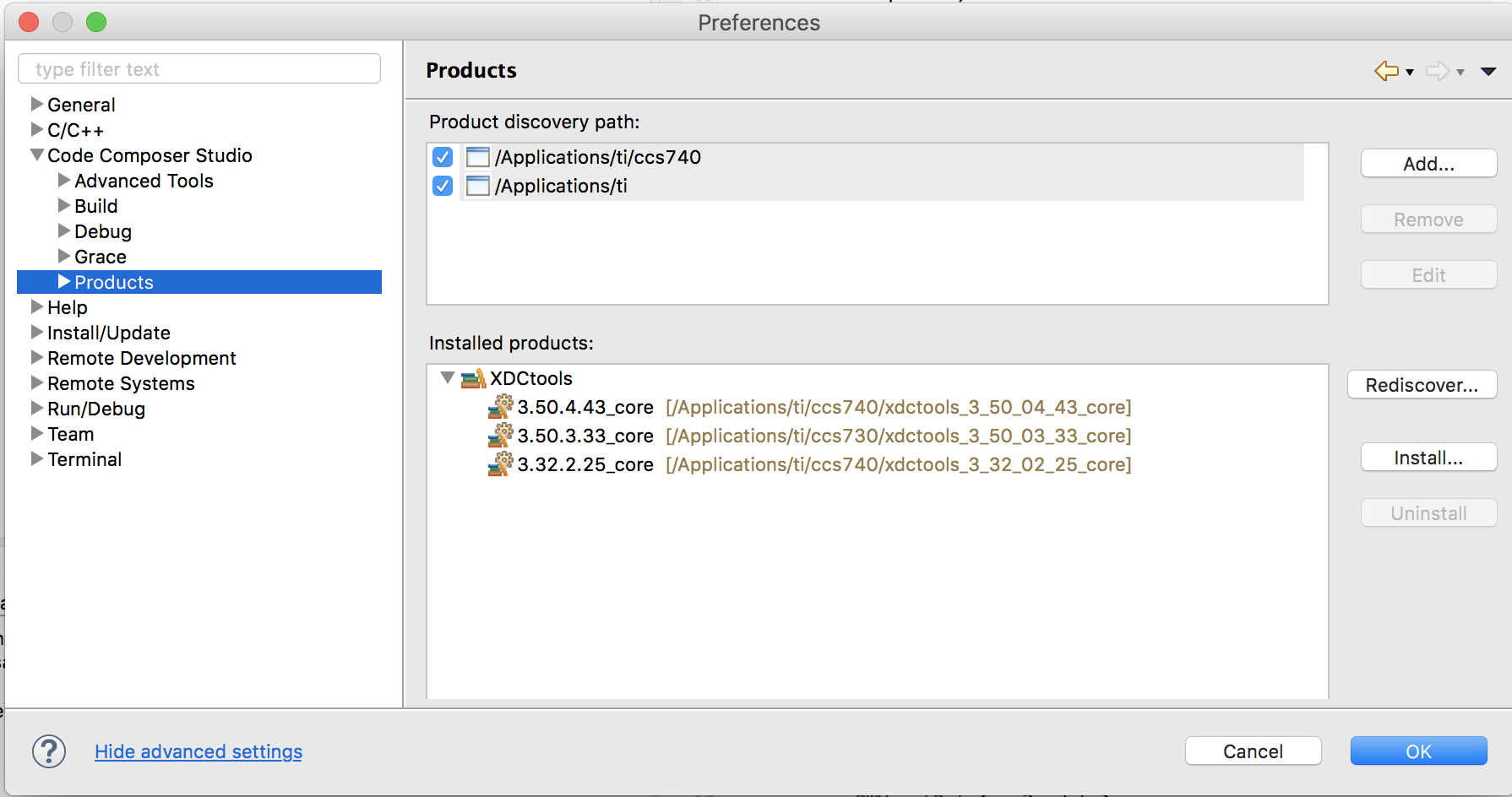
    Go to Window -> Preferences

    Then expand Code Composer Studio -> Products in the tree on the left.

    Here you can specify where to CCS should look for software products as well as see what it has found.

    Regards,

    John

  • Hello,
    Thank you.

    It seems i was mistaken and indeed by giving CCS the discovery path it only updates internal index files with the location of the product.

    I have another question - regarding the discovery path windows - is there a way to give it a folder and tell it to search this folder and all its sub-folders instead of having to specify every sub folder (which also contains a desired product) separately?

    Thanks

  • Guy

    There is no way to specify the depth of the scan today.  We would definitely need to have that as otherwise there would be a big impact on performance.  Today in general I believe it is 2 levels we can but for some of the default paths it is a bit deeper (as we know certain products install by default deeper).

    I can file a request to make it configurable.

    Regards,

    John

  • Thank you.

    I hope it will be available soon.