This thread has been locked.

If you have a related question, please click the "Ask a related question" button in the top right corner. The newly created question will be automatically linked to this question.

Code composer studio error when compiling

Other Parts Discussed in Thread: CONTROLSUITE, C2000WARE

Hai

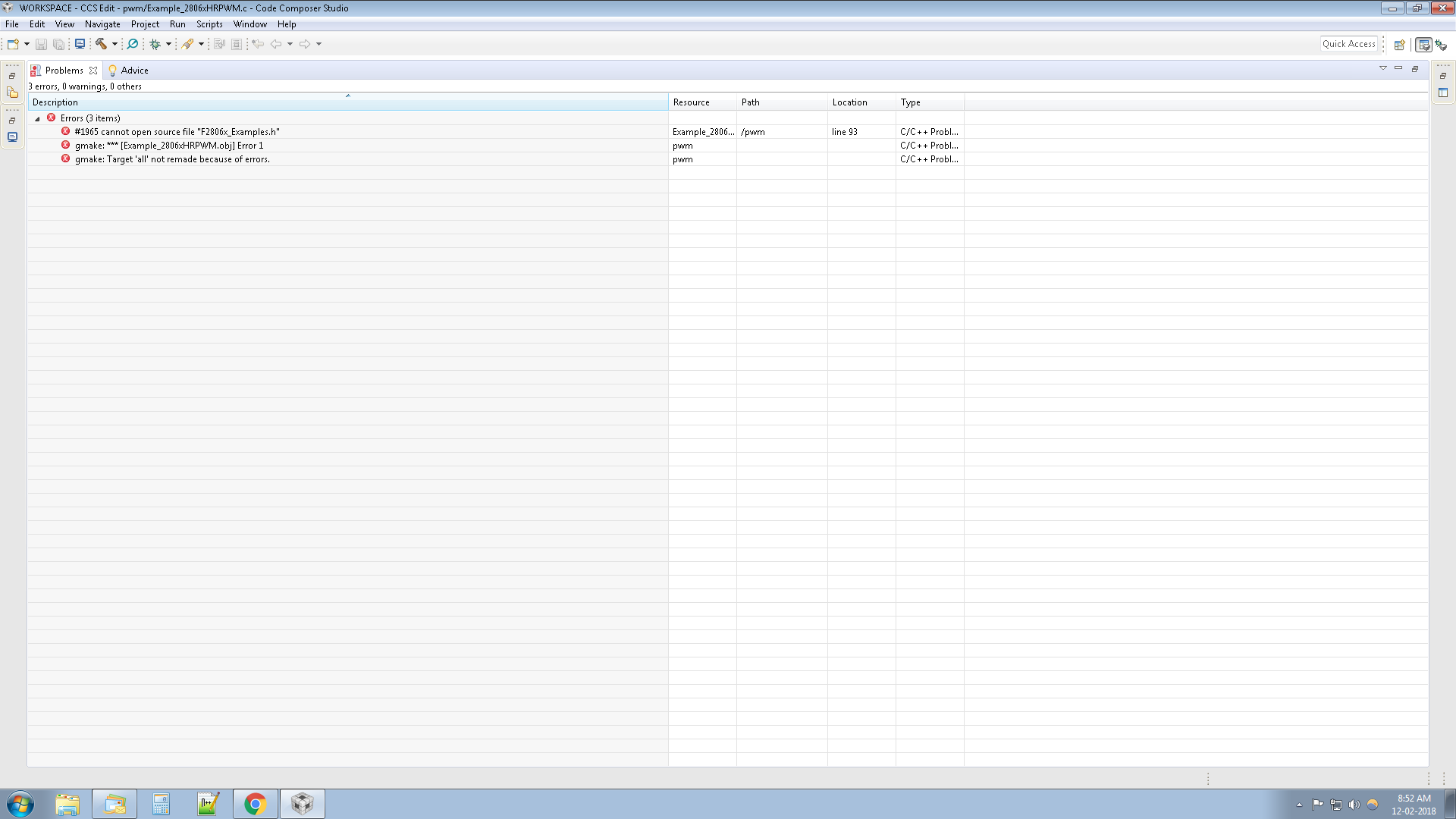
I have developed a c code for simple PWM generation. And also i am using CCS v7.4. when i am compiling my code, getting error like this

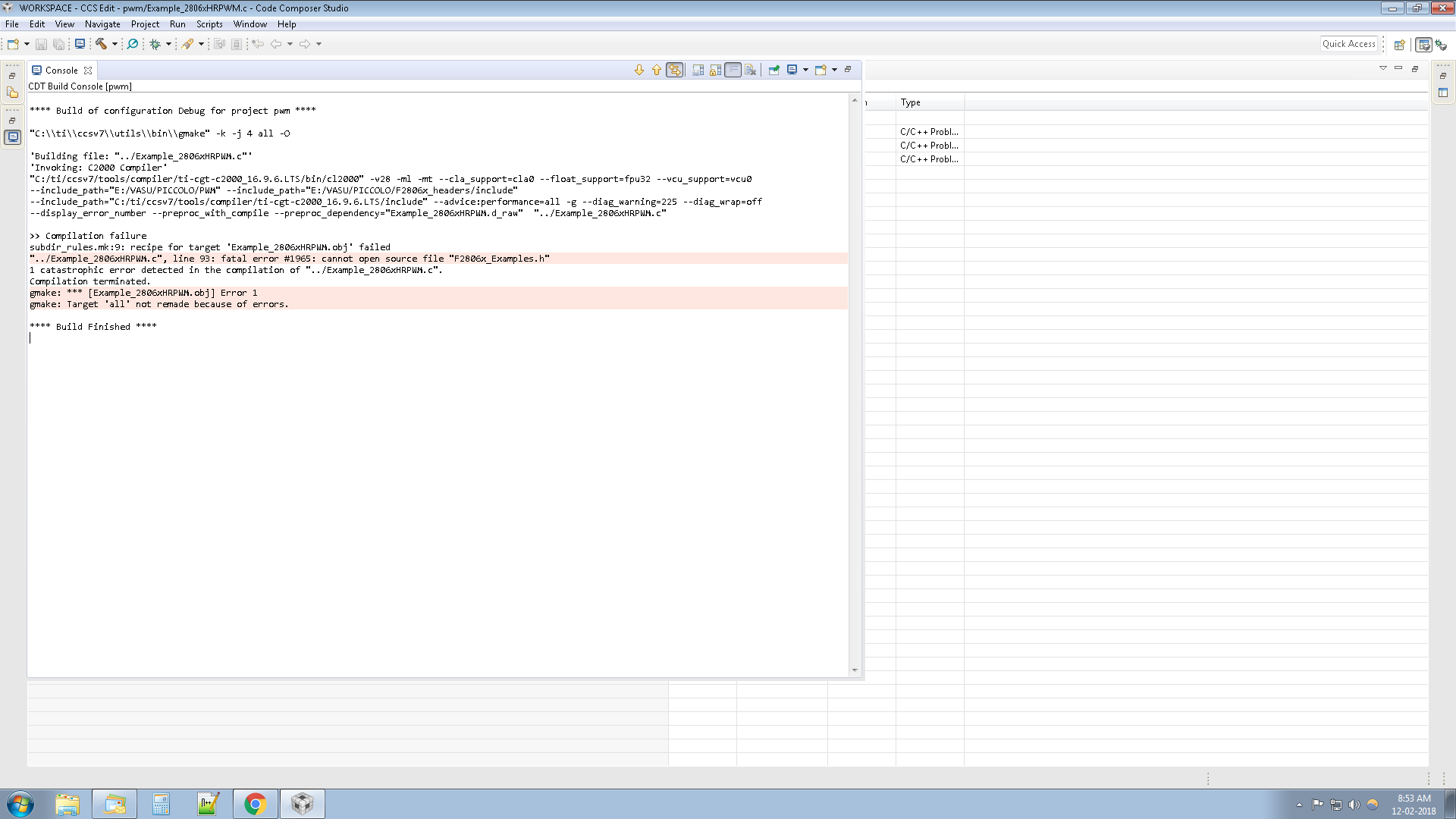
cannot open source file "E:/VASU/PICCOLO/F2806x_headers/include": Invalid argument null: cannot open source file "E:/VASU/PICCOLO/F2806x_headers/include": Invalid argument

Can anyone solve this


Thanks and regards


Vasumani V

  • Please attach the full output seen in the CCS build console. You can save the build log to a text file and attach the file here.

  • Please see the attached files....and then give me an idea

  • Please see this link for an explanation of the error. 

    To resolve the error, you would need to add the path to that header file into the Compiler's include_path option (Project Properties->Build->Compiler->Include Options). 

  • Hai,

    Thank you so much for your reply and i have included the search file path. Now that is not coming..

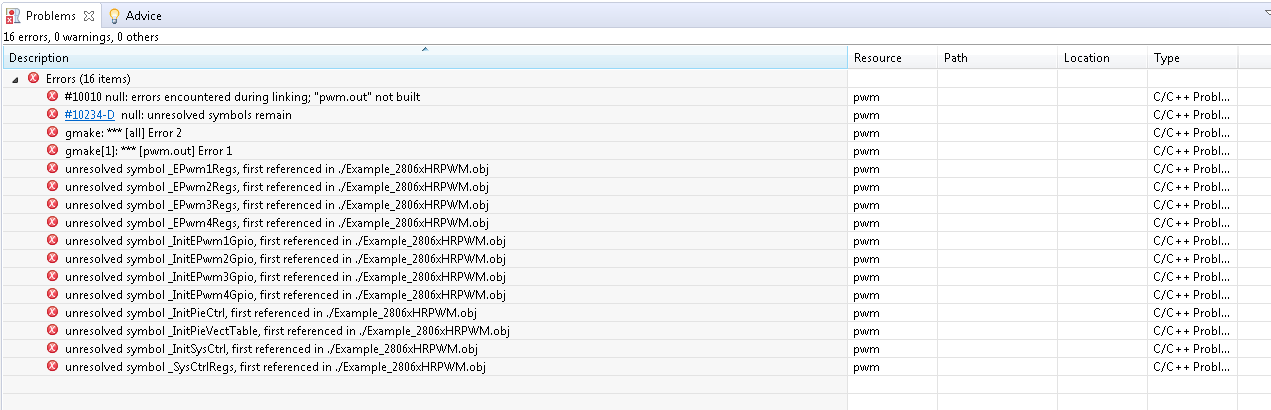
    But another error is coming.....I have attached here the screen shot


  • Please see this link for a general description of the error and instances when it may occur. These symbols may be defined in libraries or source files. You need to ensure that the appropriate file that defines those symbols is included in the project. 

    For C2000 there are a few source files that contain peripheral definitions that should be added to most projects. Rather than debug such errors step by step, I would recommend importing an example from C2000Ware or ControlSuite for your device and use that as a starting point to develop your application. At that point you can remove source files that you do not require for your application, but there are always a few basic source files that need to be there for all applications.

    Hope this helps!

  • Hai 

    When i am compiling the existing project from controlsuite i am always getting the errors like that..

    #10010 null: errors encountered during linking; "pwm.out" not built pwm C/C++ Problem

    #10234-D</a> null: unresolved symbols remain pwm C/C++ Problem

    gmake: *** [all] Error 2


    gmake[1]: *** [pwm.out] Error 


    Description Resource Path Location Typegmake: *** [all] Error 2 pwm C/C++ Problem

  • Vasumani Velmurugan said:
    When i am compiling the existing project from controlsuite i am always getting the errors like that..

    Which example from ControlSuite generates these errors? I don't recall an example project in ControlSuite named "pwm". 

    Could you try importing an example directly from ControlSuite and building it without any modifications?

  • Hai

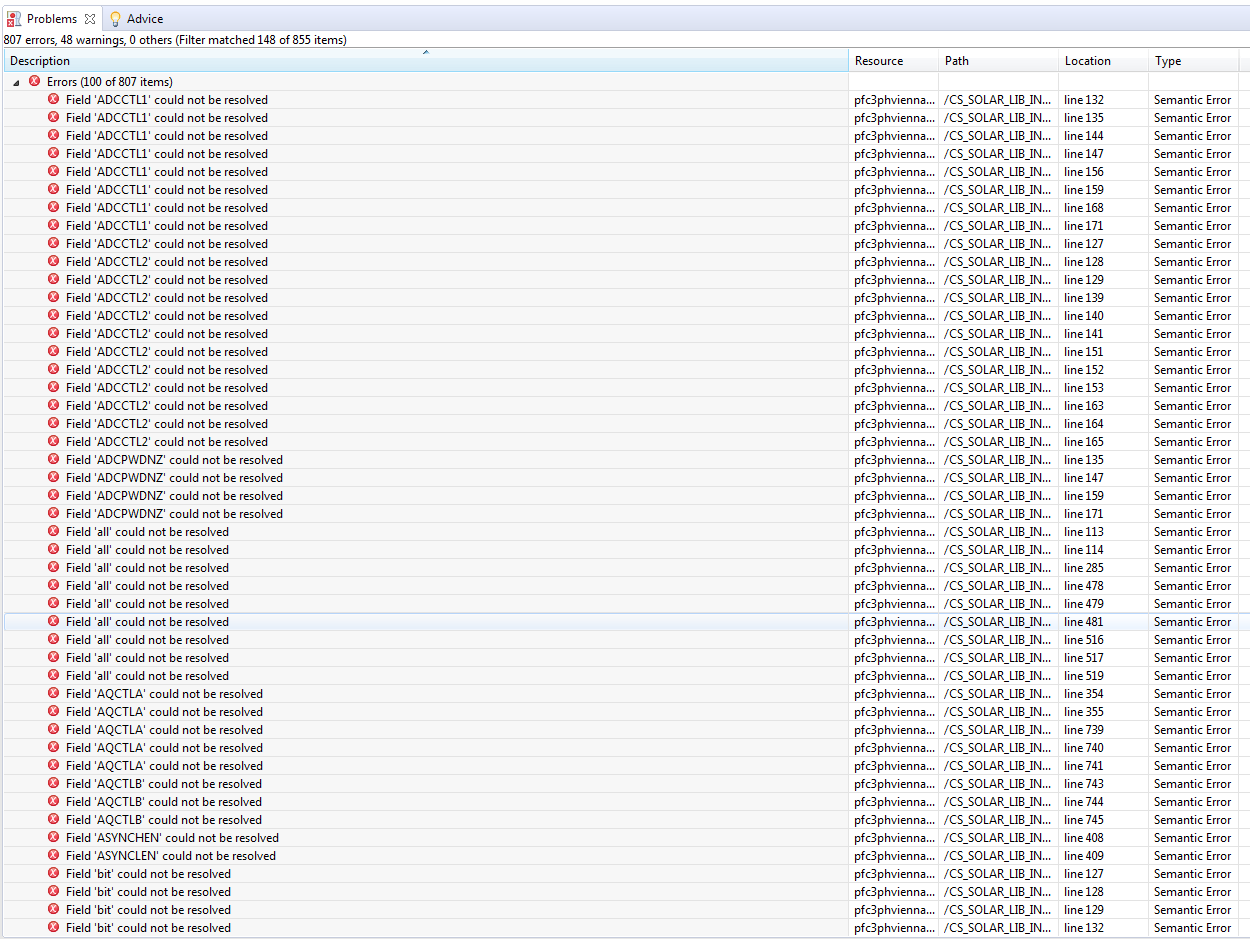
    I am importing the existing project (TIDM1000 pfc vienna rectifier) from controlsuite. When i a compiling the the TIDM10000 project, getting the following errors

  • These are not build errors coming from the TI build tools but rather are semantic errors coming from the static code analyzer that comes as part of Eclipse. If all you see are these errors in the Problems view but there are no errors in the CCS build console, then the build itself completed fine and these errors can be ignored. 

    Please see this link for more information on these code analysis errors and how you can turn them off.

    Also these errors are not related to the earlier errors you were seeing with your custom project. The examples in ControlSuite should build out of the box without errors so you can use them as a starting point to build upon.