This thread has been locked.

If you have a related question, please click the "Ask a related question" button in the top right corner. The newly created question will be automatically linked to this question.

CCS/66AK2H12: Code Composer is behaving erratically. PDK path not reccognized, Unidentified loop exception, SWT error

Part Number: 66AK2H12

Tool/software: Code Composer Studio

Recently CCS (Version: 7.3.0.00019) started behaving erratically.

1) It doesn't recognize a header file in the PDK install directory, even though the directory should be included in the compile:

From the .cproject file:

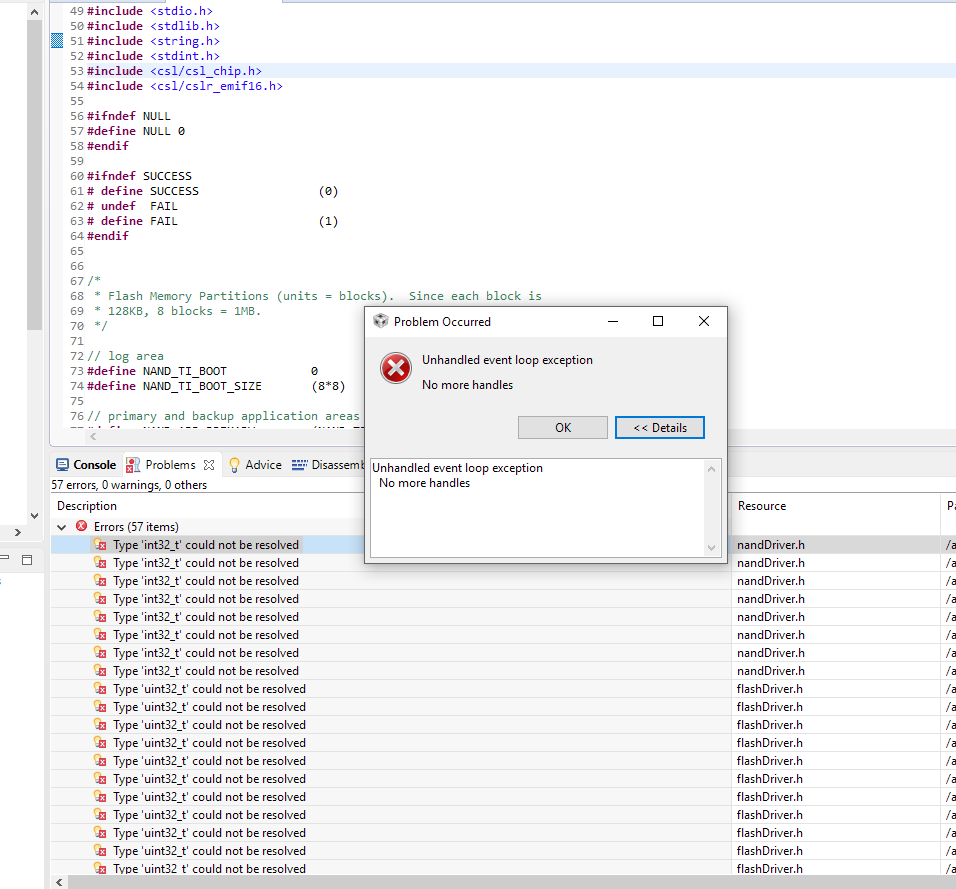
2) It doesn't recognize int32_t, etc even though stdint.h is included. Then when I click on the errors I get first this error dialog

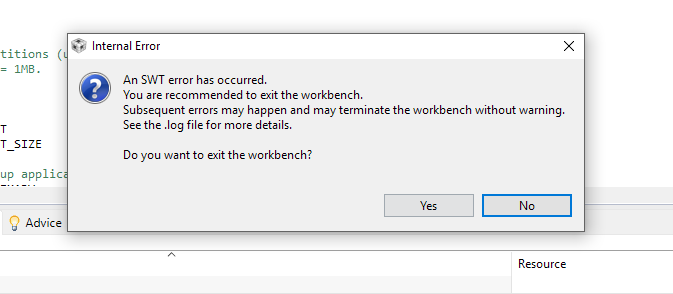
Finally, when I close that error dialog I get this message
I've rebooted my computer and still the same behavior.

I've have buggy behavior and crashes from CCS 7 while I've been using it since last July but nothing like this. I can't do anything at this point because I can't build my project. Also, I updated CCS about 1-2 months ago, but not recently.

What the heck is going on with it?!?

Thanks,
Bruce

  • Bruce McKinley said:
    1) It doesn't recognize a header file in the PDK install directory, even though the directory should be included in the compile:

    When you look at the Project Properties->Build->Compiler->Directories->Include paths options, do you see the path to ${COM_TI_PDK_INSTALL_DIR}/packages/ti getting resolved properly. You can hover over the 3 dots next to the path to see what it resolves to.

    For the unhandled exceptions and SWT errors it appears that there might be some instability or workspace corruption going on. Could you try importing the project into a new workspace to see if it helps with those specific issues?

  • Just adding to Aartig's reply, check also the steps shown in sections 4 and 6 of the Troubleshooting page below:
    processors.wiki.ti.com/.../Troubleshooting_CCSv7

    Hope this helps,
    Rafael
  • Thanks Aarti. It was definitely a corrupt workspace, maybe coupled with CCS 7.3 bugs (there is no way to know)

    The problems I encountered over the last 2 days were numerous and the error messages emanating from CCS made no sense. Also, the compiler/debugger just did not function correctly as I'll highlight below.

    1) Problems started when code with networking based on NDK that I made changes to the application side (no changes to anything to do with the network) kept crashing. The errors were consistently inconsistent. NDK kept failing in different ways and exiting. My colleague, who had a different setup and the same NDK and network code was having no problems.

    2) After an entire day of looking for the "bugs in my code" I reverted back to the original code. This code also crashed (or exited) in the NDK. Hours and hours were spend looking for some kind of bug I had introduced.

    3) My colleague was using CCS 7.4 and I was using CCS 7.3. So I tried installing 7.4. That set me on the path today which ended up with the long string of errors and crazy dialogs I posted in this message.

    4) The errors, of course, make no sense at all. I finally started with a brand new workspace and virgin code from our repository. But eventually I ended up needing to entirely delete the ccsv7 folder because this behavior wouldn't change. Messages like:
    "C:\\ti\\ccsv7\\utils\\bin\\gmake" -j 8 clean
    arm0.out
    makefile:25: recipe for target 'clean' failed
    process_begin: CreateProcess(NULL, arm0.out, ...) failed.
    make (e=2): The system cannot find the file specified.
    gmake: [clean] Error 2 (ignored)

    5) In fact there were many other crazy things like the I literally couldn't check the box to "Use default build command." It wouldn't let me. It didn't recognize ${CCS_UTILS_DIR}. Thing after thing was going wrong.

    6) So I deleted ccsv7, then reinstalled CCS 7.4. Finally, after all day yesterday chasing non-existent bugs, and all day today trying to get CCS fixed, I could build and run our code.

    7) I went back to the original branch I was having problems with and it built and ran as expected.

    The bottom line is that Code Composer Studio, which I started using in 1999 (and was perfectly good for at least 8 years or so), has become the most buggy, horrible piece of software in existence. Texas Instruments should be ashamed of how bad their software toolset is. It is a total embarrassment, and those of us who are professionals in the industry are much worse off for having to use it.
  • Bruce,

    I'm sorry to hear of all the troubles you've been experiencing with CCS but glad that the new workspace resolved the earlier issues. Eclipse workspace corruption, unfortunately, is something that can happen over time if the workspace is not periodically cleaned out.

    We do appreciate your candid feedback as we are continually looking at ways to improve the robustness and user experience of our product. Thanks!

  • I don't know what it means to "periodically clean out" and Eclipse workspace. There is no option to "clean out" the workspace that I can find. And now, once again, only a week later we seem to have the same exact kind of erratic behavior.

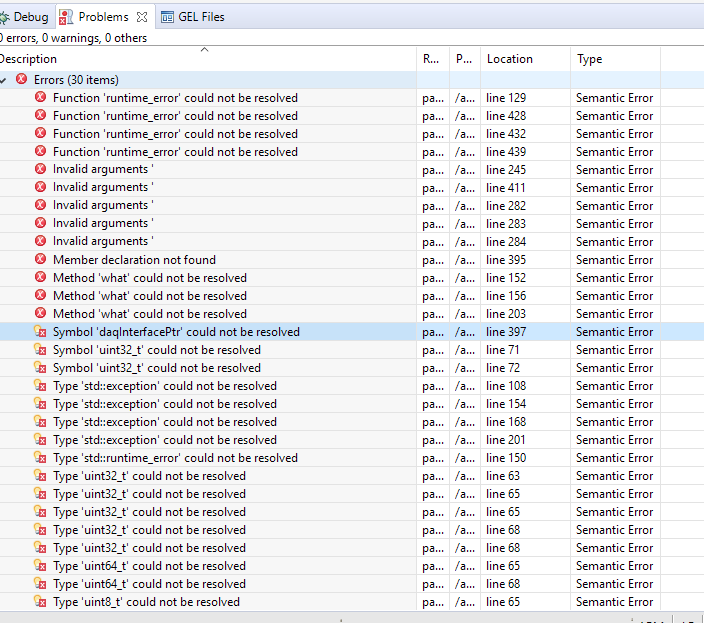
    I cloned a git repository with our latest delivered master branch. A colleague can compile it without error. However, when I try to build it I get all of these "errors" are displayed in the "Problems" window.

    Meanwhile, in the Console window, the program compiles perfectly and I can load and run it without problems. So there aren't actually any errors in the code.

    This is extremely aggravating!!! I'm supposed to do a client demonstration tomorrow.

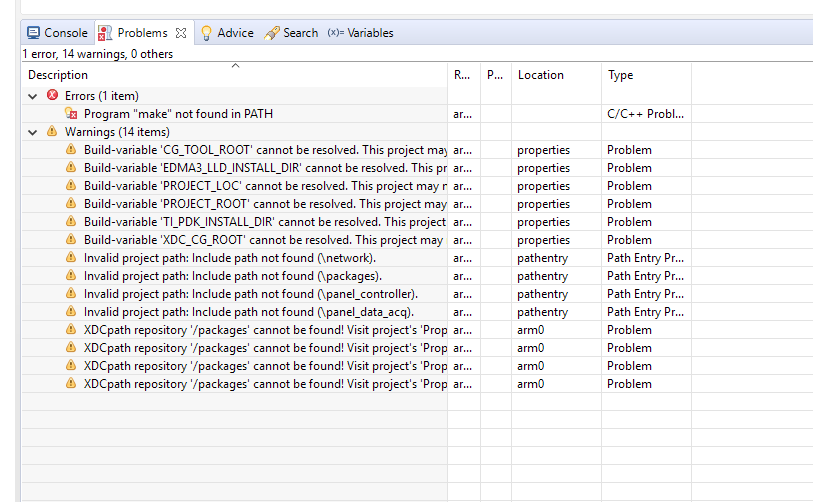
  • Let me also share the next thing that CCS produces. I closed out my project from the workspace so that no projects were in it. Then I exited CCS. Then I started CCS, and opened an entirely different project. Now, I'm getting "Program "make" not found in PATH"

  • Bruce McKinley said:
    I don't know what it means to "periodically clean out" and Eclipse workspace.

    Please see this wiki section for more information: http://processors.wiki.ti.com/index.php/Troubleshooting_CCSv7#General_IDE

    Bruce McKinley said:
    However, when I try to build it I get all of these "errors" are displayed in the "Problems" window.

    These are Semantic errors likely coming from the built-in static code analyzer that comes with Eclipse. Please see this page for more information on when these errors may occur and how to clear them out. As you said they should not affect your project build,especially if there are no errors in the build console.