This thread has been locked.

If you have a related question, please click the "Ask a related question" button in the top right corner. The newly created question will be automatically linked to this question.

CCS/430BOOST-SENSE1: Impossible to import CCS project

Other Parts Discussed in Thread: MSP430WARE

rt Number: 430BOOST-SENSE1

Tool/software: Code Composer Studio

Hello, I want to try to import CCS project "430BOOST-SENSE1 User Experience" (Ordered one  month ago with a MSP-EXP430G2) .When I click Import to IDE icon, it always apear the same message as shown below . Before doing that I of course clicked on the icon "Download and Install" as requested.( Don't know the weight of this import but it take lot of time...) . Thanks . Regards

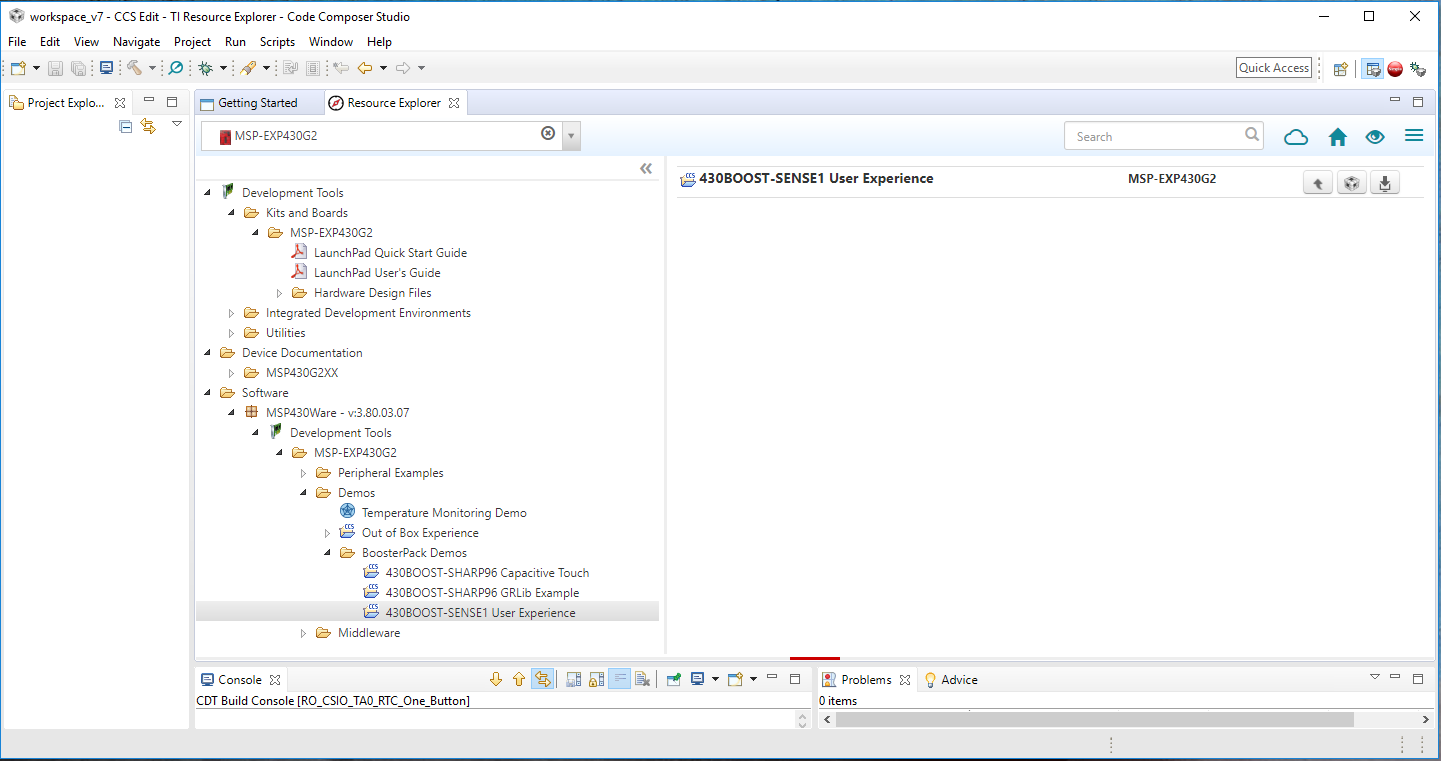
  • When you licked on the Download and Install button what messages did you see? Did you see a message stating that MSP430Ware was installed in a specific directory?

    What version of CCS are you using? What is your host operating system?

    Regards,
    John
  • Hello John , this PDF joined with all informations

    Olivier

    informations and process.pdf

  • hanks Olivier.


    So it looks like it had installed fine, Resource Explorer just is not detecting it or possible has an issue in its metadata database.


    We can try to address the latter by removing the database (it will just recreate it).


    Close CCS

    Go to <your user folder>/ti.

    Delete the tirex-localserver-3.1.3 folder

    Start CCS


    If there is not a green arrow beside MSP430Ware in ResourceExplorer then go to the icon with 3 horizontal lines at the top right of Resource Explorer. Click on it and then select scan desktop.


    If this finds MSP430Ware then you should be good to go.


    If it does not then try selecting MSP430Ware and clicking on download install again to force it to download the metadata for the package.


    Does the green arrow show up after that?


    Regards,

    John
  • I Don't have the famous Green arrow beside in resourse exploreur, I have a greyed arrow (impossible to click on) but now IDE import works fine
    Thanks
    Regards